The modern home is increasingly connected, transforming how we live and secure our spaces. Among the myriad of smart devices, the indoor security camera has emerged as a powerful tool, offering a glimpse into our homes even when we are miles away. But with so many options and considerations, is an indoor security camera truly a worthwhile investment for you? This comprehensive guide will explore the profound benefits these devices offer, delve into the potential drawbacks including critical privacy concerns, detail the various types and essential features, and highlight top picks to help you make an informed decision, much like a trusted friend advising you.
Overview of Indoor Security Cameras
An indoor security camera is a device designed to monitor the interior spaces of your home, capturing video footage and often audio. Unlike traditional CCTV systems that might rely on bulky recording equipment, modern indoor cameras are typically compact, internet-connected devices that provide real-time monitoring and event recording. Their importance in safeguarding a home cannot be overstated; they act as a silent sentinel, offering peace of mind by providing a watchful eye over your property and loved ones.
The applications for indoor security cameras are diverse and extend beyond simply deterring crime. Many homeowners use them to keep an eye on young children or elderly family members, especially those living independently, offering immediate alerts in case of an emergency like a fall or unusual activity. Pet owners find them invaluable for monitoring furry friends while away, even allowing two-way communication to soothe or correct behavior. They also serve a crucial role in supervising service providers like babysitters, housekeepers, or maintenance workers, ensuring accountability and security. In the unfortunate event of a break-in, the high-quality footage captured by these cameras can provide vital evidence for law enforcement, aiding in suspect identification and the recovery of stolen items, and can even support insurance claims.
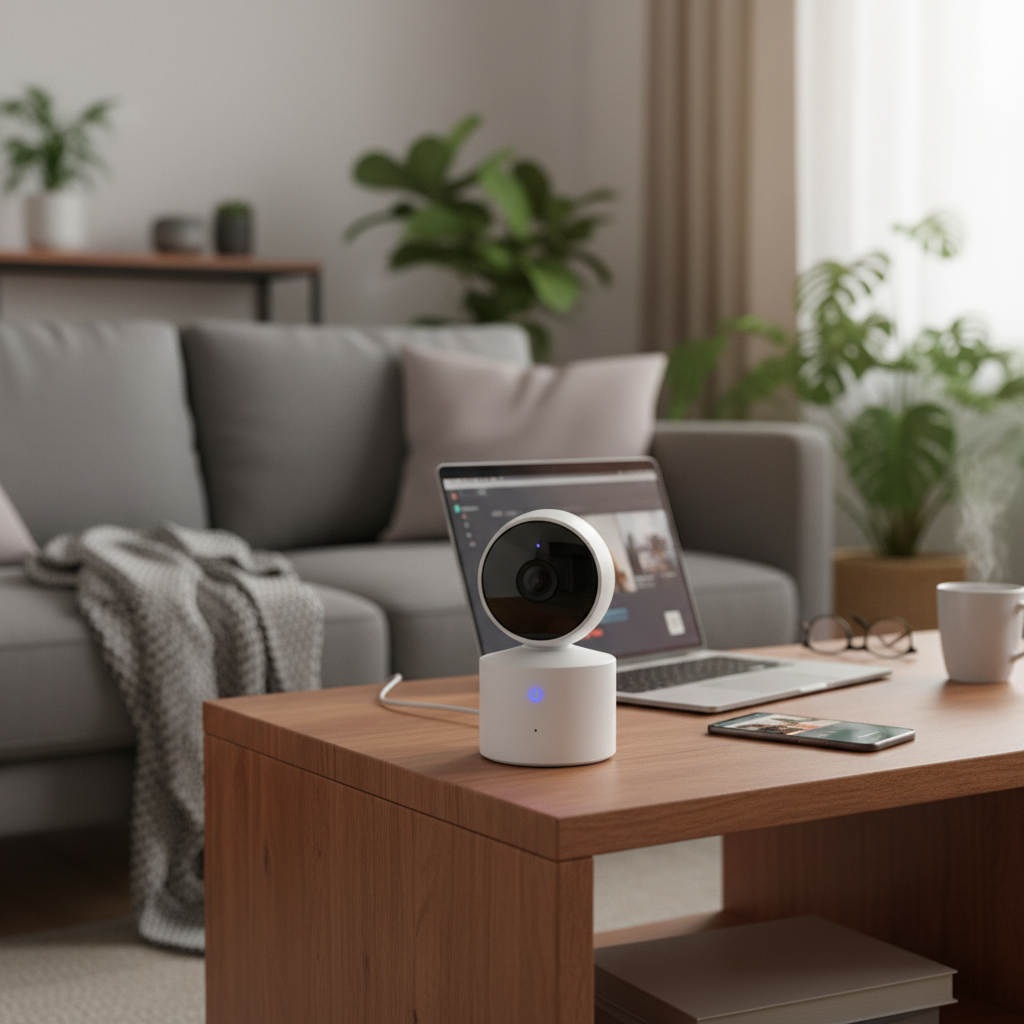
[image-1|indoor-security-camera-overview|An indoor security camera subtly placed in a living room, providing a wide view of the space, with a laptop showing a live feed in the foreground. Natural light streams from a window, creating a modern, secure home atmosphere.|
A modern, sleek indoor security camera subtly positioned on a shelf in a well-lit living room, overlooking the main area. In the foreground, a laptop displays a clear live feed from the camera. The setting features warm, natural light from a window, highlighting a comfortable yet secure home environment. The camera should blend seamlessly with contemporary decor.]
Types of Indoor Security Cameras
The market offers a variety of indoor security cameras, each with distinct features and connectivity options to suit different needs and preferences. Understanding these types is crucial for selecting the right device for your home.
IP Camera (Network Cameras)
|
Our Picks for the Best Indoor security camera in 2026
As an Amazon Associate I earn from qualifying purchases.
|
||
| Num | Product | Action |
|---|---|---|
| 1 | Tapo 2K Indoor Pan/Tilt Wired Security Camera - Works as a Baby Monitor & Pet Camera, Motion Detection, 2-Way Audio, Siren, Night Vision, No-Subscription Local Storage or Optional Cloud, C211 (2-Pack) |

|
| 2 | Ring Indoor Cam Plus (newest model), Home or business security, Retinal 2K for crisp, true-to-life video quality, 4x Enhanced Zoom, Low-Light Sight, White |
|
| 3 | Ring Indoor Cam, Home or business security in 1080p HD video, White |
|
| 4 | Tapo 1080P Indoor Wired Security Camera - Works as a Baby & Pet Monitor, Motion Detection, 2-Way Audio, Siren, Night Vision, Subscription-Free Local or Optional Cloud, Works with Alexa, C100(4-Pack) |
|
| 5 | TP-Link Tapo 1080P Indoor Security Camera for Baby Monitor, Dog Camera w/Motion Detection, 2-Way Audio Siren, Night Vision, Cloud & SD Card Storage, Works w/Alexa & Google Home (Tapo C100) |
|
| 6 | Blink Mini - Compact indoor plug-in smart security camera, 1080p HD video, night vision, motion detection, two-way audio, easy set up, Works with Alexa – 1 camera (White) |
|
| 7 | AOQEE 2K Cameras for Home Security-Outdoor/Indoor Camera for Dog/Cat/Pet/Nanny/Baby/Elderly, Color Night Vision, White Light, Siren, 24/7 SD Recordings, Works with Alexa, Plug in (C1-White-2pack-2.4G) |
|
| 8 | Blink Mini 2K+ (newest model) – Plug-in Home & Pet Indoor Security Camera with 2K video resolution, night vision, enhanced audio, motion detection – 2 cameras (Black) |
|
| 9 | GNCC 2K Security Cameras 4pcs, Home Security Camera Indoor with 360° Motion Detection for Pets/Baby/Dog, Two-Way Audio, Night Vision, 24/7 SD Card Storage, Cloud Storage, Compatible with Alexa |
|
| 10 | Cinnado Security Camera Indoor-2K 360° WiFi Cameras for Home Security,Pet/Dog/Baby Camera with Phone app, 2-Way Audio, Night Vision, 24/7 SD Card Storage, Works with Alexa & Google Home (2.4Ghz)-D1 |
|
Internet Protocol (IP) cameras are digital cameras that send and receive footage over an IP network, such as your home Wi-Fi or a wired Ethernet connection. They typically offer higher resolution video and more advanced features than analog cameras. IP cameras process video data internally before transmitting it to storage systems, allowing for remote viewing from almost any location with an internet connection. While their advanced capabilities are a major advantage, they can be susceptible to cyberattacks if not properly secured, necessitating strong data encryption.
Analog Camera
Analog cameras are a more traditional and basic type of security camera system. They transmit video signals over coaxial cables to a digital video recorder (DVR), which then converts the analog signal into a digital format for storage and viewing. Analog cameras generally have lower video resolution compared to IP cameras but can be a cost-effective solution for straightforward surveillance needs. They are often favored for permanent installations due to their wired nature, which provides resistance to interference and a consistent signal.
PTZ (Pan-Tilt-Zoom) Camera
PTZ cameras offer dynamic control over their field of view. Users can remotely adjust the camera’s pan (horizontal movement), tilt (vertical movement), and zoom capabilities in real-time. This allows a single PTZ camera to cover large spaces with 360-degree views, reducing the need for multiple fixed cameras. These cameras are ideal for monitoring dynamic environments where specific events or areas need closer inspection, and they can often be controlled via a smartphone app.
WiFi Camera
WiFi cameras, also known as wireless cameras, transmit data to monitoring solutions over a secure Wi-Fi connection, offering flexible placement options without the need for extensive cabling. Many WiFi cameras are battery-powered, allowing for even greater versatility in placement and making them suitable for renters or those who prefer non-permanent installations. They integrate easily with smart home systems and are managed through dedicated mobile applications, providing features like live streaming, remote access, and notifications.
[image-2|indoor-camera-types-collage|A collage showing different types of indoor security cameras: a sleek dome camera mounted on a ceiling, a compact WiFi camera on a bookshelf, and a PTZ camera with its lens rotating, highlighting their diverse forms and functions.|
A vibrant collage featuring three distinct indoor security camera types. One image shows a discreet, white dome camera smoothly integrated into a modern ceiling. Another displays a compact, minimalistic WiFi camera resting on a wooden bookshelf. The third image captures a PTZ camera mid-rotation, its lens subtly moving to emphasize its dynamic functionality. The lighting should be clean and contemporary, reflecting the technology.]
Key Features of Indoor Security Cameras
When choosing an indoor security camera, a range of features can enhance its effectiveness and your overall peace of mind. Focusing on these core capabilities will help you select a device that perfectly aligns with your home security needs.
Resolution and Image Quality
The clarity of your camera’s footage is paramount. Most indoor security cameras offer at least 1080p Full HD resolution, which is generally sufficient for identifying faces and objects within a typical room. For even sharper and more detailed video, especially when zooming in, 2K or 4K resolution cameras are available, though they often come at a higher price point. Higher resolution ensures that captured evidence is clear and usable.
Field of View and Pan/Tilt
A wide field of view (ideally 130 degrees or more) allows a single camera to cover a larger area of a room, minimizing blind spots. For expansive spaces or to achieve comprehensive coverage from a central location, cameras with pan-and-tilt functionality are highly beneficial. These allow you to remotely adjust the camera’s viewing angle horizontally and vertically through a mobile app, effectively scanning the entire room.
Night Vision
For 24/7 monitoring, robust night vision capabilities are essential. Most indoor cameras use infrared (IR) LEDs to provide clear black-and-white footage in low-light or complete darkness. Some advanced models now offer color night vision, which can provide more detail and a better understanding of nighttime events. Good night vision ensures your camera remains effective around the clock.
Motion Detection and Smart Alerts
Motion detection is a standard feature that triggers recording only when movement is detected, conserving storage space and reducing the time needed to review footage. More sophisticated cameras offer “smart alerts” or AI-powered detection, which can differentiate between people, pets, and even packages, significantly reducing false alarms. Customizable motion zones allow you to specify particular areas for monitoring, preventing unnecessary notifications from common movements like curtains fluttering.
Data Storage (Memory Card, Cloud)
Security cameras offer various options for storing recorded footage. Local storage typically involves a microSD card slot on the device itself or integration with a home hub, allowing you to store weeks or even months of event-based recordings without ongoing fees. Cloud storage, on the other hand, uploads footage to secure online servers, providing easy access from anywhere and protection against data loss if the camera is stolen or damaged. While some cameras offer a few hours or days of free cloud storage, most robust cloud services come with a monthly subscription. Many cameras now offer a hybrid approach, combining local and cloud storage for maximum flexibility and redundancy.
Two-Way Audio
The ability to communicate through your camera is a valuable feature. Two-way audio, enabled by a built-in microphone and speaker, allows you to talk to family members, address pets, or even deter potential intruders by speaking to them directly through the camera from your smartphone. This can be particularly useful for checking in on children or elderly relatives.
Connectivity and Remote Control
Most indoor security cameras require a stable Wi-Fi connection to transmit data, send alerts, and enable remote viewing and control via a dedicated smartphone app. Compatibility with smart home ecosystems like Amazon Alexa, Google Assistant, and sometimes Apple HomeKit, allows for voice commands and integration with other smart devices, enhancing convenience and overall home automation.
[image-3|indoor-camera-features-display|A split image showing an indoor security camera in one frame, and the various features it offers (night vision, two-way audio, motion detection zones) displayed as holographic icons floating around it. The overall look is high-tech and informative.|
A dynamic split image. On the left, a sleek, modern indoor security camera is positioned prominently. On the right, a visually engaging display of holographic icons represents its key features: a moon and stars for night vision, a speech bubble for two-way audio, and a grid overlay for motion detection zones. The background is subtle and slightly blurred to keep focus on the camera and its features, with a futuristic, clean aesthetic.]
Comparison Table of Popular Indoor Security Cameras
Choosing the right indoor security camera involves weighing various features against your budget and specific needs. Here’s a comparison of some popular models to help you make an informed decision:
| Feature | Google Nest Indoor Cam (3rd Gen) | Arlo Essential Pan/Tilt Camera 2K | TP-Link Tapo C210 | Aqara Indoor Camera Hub G3 |
|---|---|---|---|---|
| Resolution | 2K | 2K | 2K | 2K |
| Field of View | 152-degree | 360-degree pan/tilt/zoom | 360-degree pan/tilt | 360-degree pan |
| Night Vision | Yes, with HDR | Yes, with tracking, AI detection available with subscription | 30-foot night vision | Enhanced IR night vision |
| Storage | 6-hour free cloud, subscription | Cloud or Arlo hub local | MicroSD or paid cloud | Local microSD (not incl) or paid cloud |
| Price (Approx) | $75 | $35 | $20 | $110 |
Prices are approximate and can vary based on retailer and promotions. Subscriptions typically unlock advanced AI features and extended cloud storage.
[image-4|indoor-camera-comparison-grid|A clean, minimalist grid of four distinct indoor security cameras side-by-side, each with a small icon above it representing a key feature (e.g., cloud for storage, eye for night vision, arrow for pan/tilt). The background is a neutral, modern home interior.|
A clean, visually appealing grid showcasing four distinct indoor security cameras in a row against a light, modern home interior backdrop. Above each camera, a small, clear icon highlights a unique feature: a cloud for storage, a crescent moon for night vision, a circular arrow for pan/tilt, and a speaker for two-way audio. The cameras should be well-lit, emphasizing their design and technology.]
Buying Guide for Indoor Security Cameras
Navigating the multitude of indoor security camera options can feel overwhelming. To find the perfect fit for your home, consider these key steps:
Determine Your Usage Needs
Start by defining why you need an indoor camera. Are you primarily looking for general home security, monitoring children or elderly relatives, keeping an eye on pets, or supervising service providers? Your primary use case will guide your choice in features like two-way audio, advanced AI detection, or pan/tilt capabilities. For instance, a pet owner might prioritize a treat dispenser, while someone concerned with security will focus on high resolution and reliable motion alerts.
Set Your Budget
Indoor security cameras range widely in price, from budget-friendly options under $30 to premium models exceeding $100. Remember to account for not only the initial purchase price but also any potential ongoing costs. Many cameras offer basic features for free but lock advanced functionalities like extended cloud storage, person detection, or specific AI analysis behind a monthly subscription fee. Factor these recurring costs into your decision to avoid surprises.
Research Reputable Brands
Stick with brands known for reliability, good customer support, and a strong privacy track record. Popular choices often include Google Nest, Arlo, TP-Link Tapo, Eufy, Ring, and Aqara. While some budget brands offer compelling features, always investigate their history with security breaches and data privacy to ensure your information remains safe.
Understand Technical Specifications
Familiarize yourself with key specifications like video resolution (1080p, 2K, 4K), field of view, and night vision range. Evaluate whether a fixed wide-angle lens is sufficient or if pan-and-tilt functionality is necessary for your space. Check storage options—local (microSD card or hub) versus cloud—and decide which best suits your needs for data retention and access. Look for smart features such as human or pet detection, which can significantly reduce false alarms and provide more relevant notifications.
Consult User Reviews and Expert Opinions
Before making a final decision, always read user reviews from multiple platforms to gauge real-world performance and identify common issues. Expert reviews, like those from trusted technology websites, can offer in-depth testing results and comparisons that highlight nuanced differences between models. Pay attention to feedback regarding app usability, customer service, and the reliability of alerts.
Consider Warranty and Support
A good warranty and accessible customer support are crucial. Technology can sometimes be unpredictable, and knowing you have reliable assistance for setup issues, troubleshooting, or hardware malfunctions can save you significant hassle in the long run. Check the brand’s policy on returns, repairs, and how easily you can reach their support team.
Top Picks – Best Indoor Security Cameras
Based on comprehensive testing and market analysis, several indoor security cameras stand out for their blend of features, performance, and value.
Google Nest Indoor Cam (3rd Gen)
The Google Nest Indoor Cam (3rd Gen) consistently ranks as a top performer. This wired camera offers crisp 2K resolution and a wide 152-degree field of view, providing excellent coverage. It boasts some of the best free features on the market, including six hours of cloud video storage and basic object detection for people and packages without a subscription. For those willing to pay, its integration with Gemini for Home AI unlocks advanced features like detailed video descriptions and intelligent object identification. Its compact design and reliable two-way audio and night vision make it a robust choice for discerning homeowners.
Arlo Essential Pan/Tilt Security Camera 2K
For expansive indoor spaces, the Arlo Essential Pan/Tilt Security Camera 2K is an exceptional choice. It delivers 2K resolution and impressive 360-degree pan, tilt, and zoom capabilities, allowing you to scan an entire room remotely. Arlo is renowned for its durable design and powerful app, which offers extensive customization. While its advanced features, including extended video storage, smart detection, and activity zones, largely operate on a subscription model, its silent operation and ability to face down for privacy when disarmed are notable advantages. This camera is ideal for those who need comprehensive room coverage and are comfortable with a monthly service fee.
TP-Link Tapo C210
The TP-Link Tapo C210 offers remarkable value for its affordable price point, often found for under $30. Despite its budget-friendly cost, it delivers 2K resolution and solid pan/tilt functionality for 360-degree room coverage. Key features include motion and sound detection, a built-in siren, and two-way audio, making it versatile for both security and baby/pet monitoring. It supports local storage via a microSD card, offering a subscription-free option for video recording, and also integrates with Alexa and Google Home. The Tapo C210 is an excellent choice for users seeking a feature-rich indoor camera without breaking the bank.
Conclusion
Indoor security cameras have evolved into indispensable tools for modern home safety, offering far more than just surveillance. They provide unparalleled peace of mind by allowing you to monitor loved ones, deter potential intruders, and gather crucial evidence when you’re away from home. With a diverse array of types—from discreet IP cameras to versatile PTZ models—and a host of advanced features like high-resolution video, smart motion detection, two-way audio, and flexible storage options, there’s a camera to fit nearly every need and budget.
While privacy concerns and potential cybersecurity risks are valid considerations, selecting reputable brands, utilizing strong security practices, and thoughtful placement can mitigate these issues. Ultimately, the ability to stay connected to your home and ensure the well-being of its occupants makes an indoor security camera a truly worthwhile investment.
Frequently Asked Questions
Is an indoor security camera a good deterrent for criminals?
While outdoor cameras are more often cited as primary deterrents, an indoor security camera can also deter intruders once they’ve gained entry, especially if it includes features like two-way audio that allow you to speak to them, or a built-in siren. The presence of cameras also provides crucial evidence for law enforcement.
Do I need Wi-Fi for an indoor security camera?
Most modern indoor security cameras require a Wi-Fi connection to enable essential features such as live viewing, remote control, alerts, and cloud storage. Without Wi-Fi, many smart functionalities would be unavailable, though some older or specific models with local DVR systems can operate offline for recording.
Can indoor security cameras work without a monthly subscription?
Yes, many indoor security cameras offer subscription-free operation for basic features like live viewing and local storage via a microSD card. However, advanced features such as extended cloud storage, AI-powered smart detection (person/pet recognition), and longer video history often require a paid monthly subscription.
Where should I place indoor security cameras for optimal coverage?
Strategically place indoor cameras to cover entry points like front and back doors, as well as high-traffic areas like living rooms or hallways. Corner placement often provides a wider field of view. Avoid placing cameras in areas where there is a reasonable expectation of privacy, such as bathrooms or bedrooms, as this can raise legal and ethical concerns.
How accurate is AI detection on indoor cameras?
AI detection on indoor security cameras has become quite accurate, with many models capable of distinguishing between people, pets, and other moving objects like curtains. This helps reduce false alarms and ensures you receive relevant notifications. Top brands like Google Nest are particularly noted for their precise AI capabilities.
Is it legal to record audio with an indoor security camera?
The legality of recording audio varies by location. Many jurisdictions have “two-party consent” laws, meaning all parties involved in a conversation must consent to being recorded. It is essential to check your local and state laws regarding audio recording to ensure compliance and avoid legal issues. Generally, it’s advisable to inform anyone who might be recorded.
How do I protect my privacy with an indoor security camera?
To protect your privacy, choose cameras from reputable brands that prioritize security, enable two-factor authentication, use strong, unique passwords, and consider models with privacy shutters or local storage options. Avoid placing cameras in private areas, and inform visitors about their presence. Regularly update camera firmware to patch security vulnerabilities.