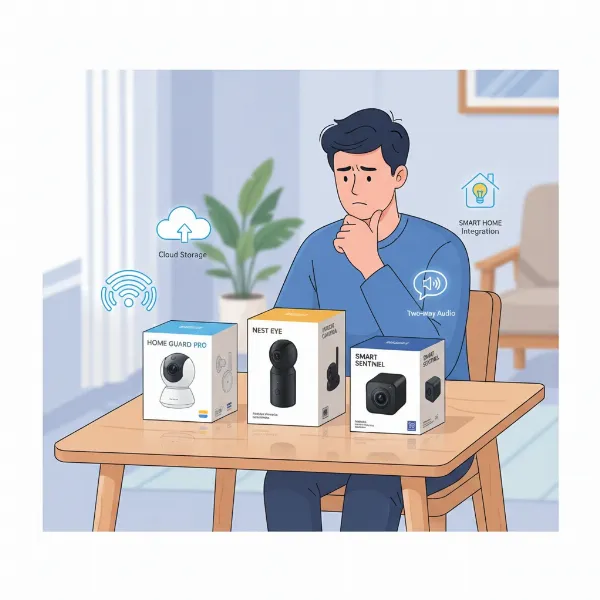
Securing your home has become a top priority for many, and choosing the right monitoring device is crucial for peace of mind. As you consider options, a common dilemma arises: should you invest in a dedicated indoor security camera or can a simple webcam suffice? While both capture video, their fundamental designs and capabilities differ significantly. This article will thoroughly explore these differences, detailing the types of indoor security cameras, their essential features, and providing a clear comparison to help you make the best purchasing decision for your home.
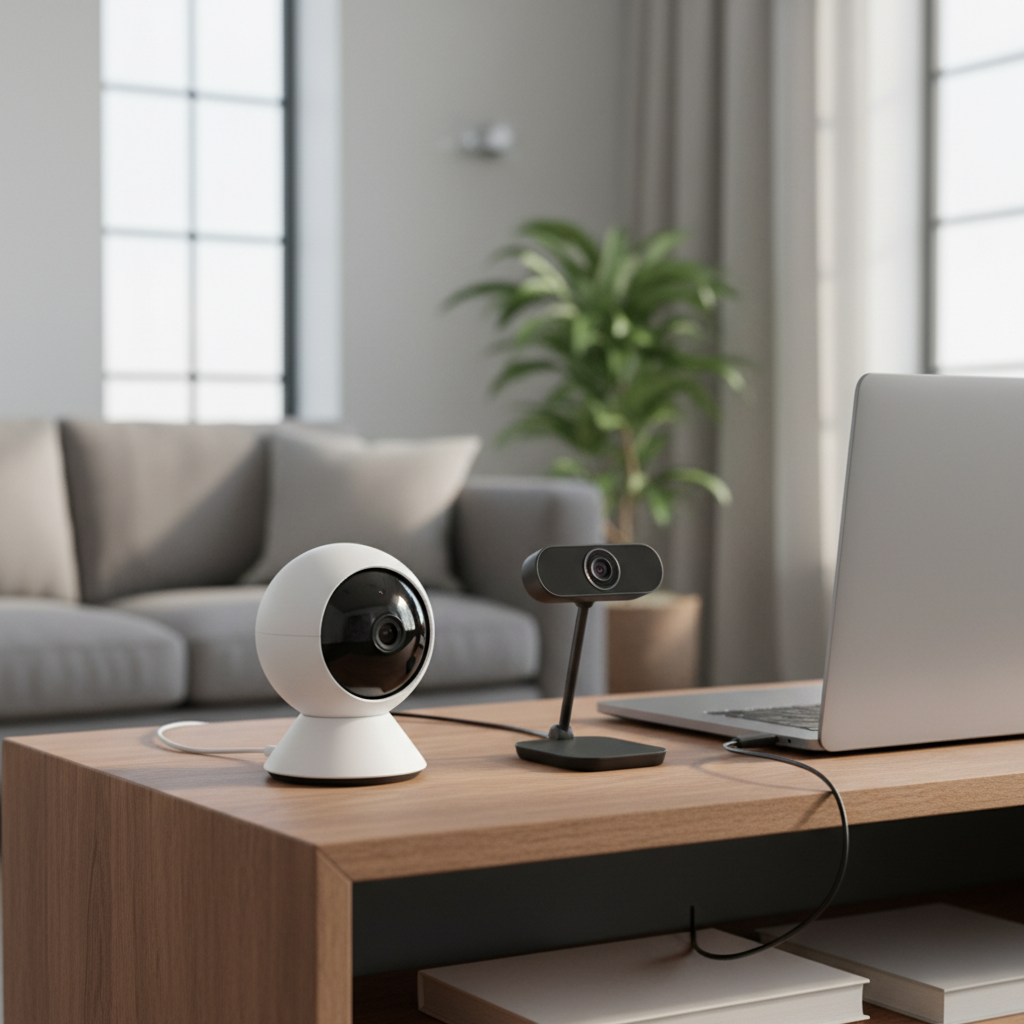
Overview of Indoor Security Cameras
An indoor security camera is a purpose-built device designed for continuous surveillance within your home. These cameras play a vital role in modern home security, offering benefits that extend beyond simple video recording. They can effectively deter potential intruders, provide invaluable evidence in case of an incident, and offer constant reassurance by allowing you to monitor loved ones, children, pets, or even service providers when you’re away. Many homeowners also find that installing these cameras can lead to discounts on their insurance premiums, further highlighting their practical value.
Indoor cameras are perfectly suited for various applications, such as keeping an eye on your dog while at work, ensuring your children are safe with a babysitter, or verifying that a home maintenance worker completes their tasks as expected. They are designed to blend discreetly with home decor, focusing on internal activities and providing critical alerts for unusual events.
Types of Indoor Security Cameras
The market offers a range of indoor security camera types, each with distinct advantages tailored to different needs. Understanding these categories is key to selecting the right fit for your home monitoring strategy.
IP Cameras (Network Cameras)
IP (Internet Protocol) cameras are modern digital video cameras that connect directly to your home’s network, either via Wi-Fi or an Ethernet cable. They stream video footage digitally, allowing for remote viewing and often incorporating advanced features like AI-powered analytics.
- Advantages: Typically offer higher resolution video (2K, 4K), robust remote access through smartphone apps, and advanced functionalities like person detection and activity zones. Their network connectivity provides flexible placement options, especially for Wi-Fi models.
- Disadvantages: Can be more expensive than simpler models and require a stable Wi-Fi network to operate effectively. Relying on network connectivity also introduces potential cybersecurity considerations if not properly secured.
|
Our Picks for the Best Indoor security camera in 2026
As an Amazon Associate I earn from qualifying purchases.
|
||
| Num | Product | Action |
|---|---|---|
| 1 | Blink Mini 2K+ (newest model) – Plug-in Home & Pet Indoor Security Camera with 2K video resolution, night vision, enhanced audio, motion detection – 2 cameras (Black) |

|
| 2 | Blink Mini - Compact indoor plug-in smart security camera, 1080p HD video, night vision, motion detection, two-way audio, easy set up, Works with Alexa – 1 camera (White) |
|
| 3 | Tapo 2K Indoor Pan/Tilt Wired Security Camera - Works as a Baby Monitor & Pet Camera, Motion Detection, 2-Way Audio, Siren, Night Vision, No-Subscription Local Storage or Optional Cloud, C211 (2-Pack) |
|
| 4 | GNCC 2K Security Cameras 4pcs, Home Security Camera Indoor with 360° Motion Detection for Pets/Baby/Dog, Two-Way Audio, Night Vision, 24/7 SD Card Storage, Cloud Storage, Compatible with Alexa |
|
| 5 | AOQEE 2K Cameras for Home Security-Outdoor/Indoor Camera for Dog/Cat/Pet/Nanny/Baby/Elderly, Color Night Vision, White Light, Siren, 24/7 SD Recordings, Works with Alexa, Plug in (C1-White-2pack-2.4G) |
|
| 6 | Tapo 1080P Indoor Wired Security Camera - Works as a Baby & Pet Monitor, Motion Detection, 2-Way Audio, Siren, Night Vision, Subscription-Free Local or Optional Cloud, Works with Alexa, C100(4-Pack) |
|
| 7 | Ring Indoor Cam, Home or business security in 1080p HD video, White |
|
| 8 | TP-Link Tapo 1080P Indoor Security Camera for Baby Monitor, Dog Camera w/Motion Detection, 2-Way Audio Siren, Night Vision, Cloud & SD Card Storage, Works w/Alexa & Google Home (Tapo C100) |
|
| 9 | Cinnado Security Camera Indoor-2K 360° WiFi Cameras for Home Security,Pet/Dog/Baby Camera with Phone app, 2-Way Audio, Night Vision, 24/7 SD Card Storage, Works with Alexa & Google Home (2.4Ghz)-D1 |
|
| 10 | Ring Indoor Cam Plus (newest model), Home or business security, Retinal 2K for crisp, true-to-life video quality, 4x Enhanced Zoom, Low-Light Sight, White |
|
PTZ (Pan-Tilt-Zoom) Cameras
PTZ cameras are equipped with motorized mechanisms that allow users to remotely control the camera’s lens to pan horizontally, tilt vertically, and zoom in or out. This offers dynamic coverage from a single fixed point.
- Advantages: Provide extensive coverage of a large area, eliminating potential blind spots. They can be programmed to automatically track motion or can be manually adjusted from a distance via an app.
- Disadvantages: Generally come at a higher cost due to their mechanical components. The moving parts can be susceptible to wear over time, and there can be slight delays during remote control adjustments.
Wi-Fi Cameras
Wi-Fi cameras are broadly defined by their wireless connectivity to your home network, making installation relatively straightforward as they don’t require extensive cabling beyond a power source. Many IP cameras fall under the Wi-Fi category.
- Advantages: Offer flexible placement without the need for Ethernet cables, simplifying the setup process. They are typically controlled via intuitive smartphone applications, providing easy access to live feeds and settings.
- Disadvantages: Their performance is heavily dependent on the strength and stability of your Wi-Fi signal. They can also be susceptible to interference, and battery-powered Wi-Fi cameras require periodic recharging or battery replacement.
Key Features of Indoor Security Cameras
When evaluating indoor security cameras, several features stand out as critical for effective and reliable home monitoring. These functionalities enhance security, convenience, and user experience.
Resolution and Image Quality
The clarity of your camera’s footage is paramount for identification and evidence. Most indoor security cameras offer Full HD (1080p) resolution as a baseline, with many advanced models providing 2K (Quad HD) or even 4K (Ultra HD) for exceptional detail. Higher resolution means clearer images, making it easier to identify faces or small details in the event of an intrusion.
Field of View and Pan/Tilt/Zoom
A wider field of view (FoV) allows a single camera to cover a larger area, reducing the need for multiple devices. Pan-tilt-zoom (PTZ) capabilities further extend this, enabling you to remotely adjust the camera’s orientation and zoom level, ensuring no corner of your room goes unwatched. This is particularly useful for monitoring expansive spaces or tracking moving subjects.
Night Vision
Effective night vision is essential for 24/7 surveillance. Most indoor cameras use infrared (IR) LEDs to illuminate a scene in darkness, providing clear black-and-white video. More advanced cameras may offer color night vision, which uses specialized sensors or ambient light to render color images even in low-light conditions.
Motion Detection
Modern indoor security cameras incorporate sophisticated motion detection, often going beyond basic pixel changes. Advanced systems leverage AI to distinguish between people, pets, and other moving objects, drastically reducing false alarms. Customizable activity zones allow you to focus detection on specific areas of interest, such as doorways or windows.
Data Storage (SD Card, Cloud)
How your footage is stored is a critical consideration. Many indoor cameras offer local storage options via a microSD card slot, allowing you to save recordings directly on the device without monthly fees. Cloud storage provides off-site backup, accessibility from anywhere, and protection against tampering, though it typically requires a subscription. Hybrid solutions, offering both, provide the best of both worlds.
Two-Way Audio
The ability to communicate through your camera is a valuable feature. Two-way audio allows you to speak to family members, deter intruders with your voice, or even soothe a pet from a remote location using the camera’s built-in microphone and speaker.
Connectivity and Remote Control
Most indoor security cameras connect to your home network via Wi-Fi for easy setup and remote access. Control is typically managed through a dedicated smartphone application, allowing you to view live feeds, review recordings, adjust settings, and receive alerts from anywhere in the world. Some cameras may also offer Ethernet connectivity for a more stable, wired connection.
[image-1|indoor-security-camera-features|An illustrative image showing various key features of an indoor security camera like night vision, two-way audio, and motion detection zones highlighted on a camera feed display.|
An illustrative image showing a modern indoor security camera in a home living room setting. The image should highlight various key features: a clear overlay indicating “4K UHD Video” on the screen, an infrared glow around the lens for “Night Vision”, a speech bubble icon for “Two-Way Audio”, and a highlighted zone on the floor for “Motion Detection Area”. The camera is discreetly mounted on a shelf, and a smartphone displays a live feed of the room.]
Indoor Security Camera vs. Webcams: A Detailed Comparison
The choice between a dedicated indoor security camera and repurposing a webcam for surveillance hinges on understanding their fundamental differences in design, features, and intended use.
Dedicated indoor security cameras are purpose-built for continuous monitoring and safeguarding your home. They come equipped with specialized hardware and software features designed for surveillance. Webcams, on the other hand, are primarily designed for video conferencing, online meetings, and live streaming, typically relying on a computer to function.
| Feature | Indoor Security Camera | Webcam (Repurposed for Security) |
|---|---|---|
| Primary Purpose | Continuous surveillance, home protection, monitoring | Video calls, online meetings, streaming |
| Resolution | Often 1080p, 2K, 4K UHD with high-quality lenses for detailed footage | Varies, typically 720p-1080p; some 4K, but often with lower quality lenses and smaller sensors |
| Night Vision | Standard feature, usually infrared (IR), some offer advanced color night vision | Rarely built-in; very limited low-light performance, often unsuitable for dark environments |
| Motion Detection | Advanced features like AI-powered person/pet detection, customizable activity zones, push alerts | Relies on third-party software; often less reliable with more false alarms; basic detection |
| Two-Way Audio | Common feature with clear microphones and speakers for direct communication | Dependent on the connected computer’s mic/speakers and software; quality can vary |
| Field of View | Wider angles are common; many models offer pan-tilt-zoom (PTZ) capabilities for broad coverage | Often fixed and narrower; digital zoom is common but reduces image quality |
| Data Storage | Offers local storage (microSD card, NVR/DVR) and/or secure cloud storage options | Primarily relies on the connected computer’s storage; third-party cloud services may be available |
| Remote Access | Dedicated smartphone apps for secure, seamless live viewing and control from anywhere | Typically accessed via browser-based software; potential for higher security vulnerabilities |
| Standalone Operation | Designed to operate independently of a computer, often requiring just power and Wi-Fi | Requires a computer to be continuously on and connected to function |
| Security Risks | Designed with security in mind, often with encryption; however, vulnerabilities can still exist | Generally higher risk of hacking if not properly secured with strong passwords and anti-spyware |
| Durability | Built for continuous operation, some with robust casings | Less robust, not designed for 24/7 use or varying conditions |
| Cost | Higher initial investment, with potential ongoing cloud subscription fees | Low cost, especially if repurposing an existing webcam; may incur software subscription fees |
In essence, while a webcam can be jury-rigged into a basic surveillance device with the right software, it will almost always fall short of the reliability, feature set, and security offered by a dedicated indoor security camera. For truly effective home monitoring, a purpose-built security camera is the superior choice.
“For robust home protection, the specialized features and reliability of an indoor security camera far outweigh the initial cost savings of a repurposed webcam. It’s about investing in true peace of mind.” – Admin, ReviewByMo.com, Expert in Home Security Cameras
Guidance on Choosing the Right Device
Deciding between an indoor security camera and a webcam for home surveillance requires careful consideration of your specific needs, budget, and priorities.
Assess Your Security Needs
Start by evaluating what you truly need to monitor. Are you looking for basic oversight of a single room, or do you require comprehensive surveillance with advanced detection and recording capabilities? For simple, temporary monitoring with minimal requirements, a repurposed webcam might be a feasible, budget-friendly solution, especially if you already own one. However, for serious home security, monitoring children or pets, or providing evidence, a dedicated indoor security camera is indispensable due to its specialized features.
Consider Your Budget
Webcams are significantly cheaper, often costing less than $50, making them an attractive option if budget is a primary constraint. Dedicated indoor security cameras, however, represent a greater initial investment, ranging from $30 for entry-level models to over $200 for advanced systems. Remember to factor in potential ongoing costs like cloud storage subscriptions, which can add up over time for both types of devices.
Evaluate Desired Features
Make a list of essential features. Do you need clear night vision, wide-angle views, or the ability to pan and tilt the camera remotely? Is two-way audio for communication important? Do you prioritize local storage to avoid cloud fees, or do you prefer the convenience of cloud backup? Dedicated security cameras excel in offering a rich suite of these features, while webcams often lack them or provide limited versions. For instance, most webcams won’t offer infrared night vision or intelligent AI motion detection.
Ease of Installation and Use
Webcams repurposed for security often require a computer to be constantly running and specific software setup, which can be more technical. Dedicated indoor security cameras are typically designed for easy DIY installation, often connecting wirelessly to your home Wi-Fi and managed through user-friendly smartphone apps. Consider your comfort level with technology and how much effort you’re willing to put into setup and maintenance.
Prioritize Privacy and Security
Security cameras are designed with privacy and data protection in mind, often featuring encryption and secure access protocols. However, no system is entirely impervious. Webcams, by nature, can be more vulnerable to hacking if not properly secured with strong passwords and up-to-date antivirus/anti-spyware software. If privacy is a major concern, always choose devices from reputable brands known for their security features and transparency in data handling.
Top Picks – Recommended Indoor Security Cameras
Based on performance, features, and user reviews, here are three highly-regarded indoor security cameras that offer excellent value and robust capabilities for various home security needs.
Eufy Indoor Cam
Eufy’s line of indoor cameras, such as the Eufy Indoor Cam E220 or S350, offers an impressive blend of features for their price point.
- Key Features: Many Eufy indoor cameras provide sharp 2K or 4K UHD video resolution, often with dual cameras for wider coverage and hybrid zoom. They typically include advanced AI-powered motion detection for accurate person/pet tracking, robust night vision, and two-way audio. Local storage via microSD card is a common and highly valued feature, often complemented by cloud storage options.
- Pros: Excellent video quality, reliable motion detection with AI, local storage to avoid subscription fees, and competitive pricing. The Eufy Indoor Cam S350 even boasts 360° pan and tilt, 8x hybrid zoom, and up to 32ft night vision.
- Cons: Some advanced AI features or extended cloud storage might require a subscription.
- Best For: Homeowners seeking a high-resolution, feature-rich indoor camera with local storage capabilities at a reasonable price, ideal for monitoring pets, children, or general home surveillance.
Arlo Essential Pan Tilt Indoor
The Arlo Essential Pan Tilt Indoor camera is often lauded as a top choice for overall performance and value in the indoor security camera market.
- Key Features: Delivers crisp 2K video resolution, smooth mechanical pan-and-tilt controls for a sweeping view of any room, and AI-powered intelligent alerts that differentiate between people, animals, and vehicles. It integrates well with various smart home platforms like Amazon Alexa, Apple HomeKit, and Google Assistant.
- Pros: Reliable performance, high-quality video, comprehensive coverage from its PTZ functions, and smart AI alerts to minimize false notifications.
- Cons: While it offers 2K video, access to recorded video and certain AI alerts may require a subscription to Arlo Secure plan, and it lacks a local recording option directly on the camera.
- Best For: Users who desire a high-performance, versatile camera with broad smart home integration and are comfortable with a subscription model for full functionality.
TP-Link Tapo C200 / C210
The TP-Link Tapo C200 and C210 models are popular budget-friendly options that don’t compromise on essential security features.
- Key Features: Offers 1080p HD or 2K QHD video resolution, pan-and-tilt functionality for 360° horizontal and 114° vertical coverage, and clear night vision. Includes motion detection, two-way audio, and supports local storage via a microSD card (up to 256GB).
- Pros: Extremely affordable, impressive pan-tilt functionality for the price, easy setup through the Tapo app, and no mandatory subscription fees for basic functionalities with local storage.
- Cons: Video quality is generally 1080p or 2K, which might not be as sharp as higher-end 4K cameras. AI features are more basic compared to premium models.
- Best For: Budget-conscious buyers or those looking for an entry-level indoor PTZ camera for basic monitoring, pet cams, or baby monitors, valuing local storage and ease of use.
Conclusion
Choosing between an indoor security camera and a webcam for home surveillance boils down to understanding your specific needs and priorities. While a webcam can offer a very basic, cost-effective solution for temporary or informal monitoring, it fundamentally lacks the specialized features, reliability, and robust security of a dedicated indoor security camera. For comprehensive protection, clear evidence, advanced detection capabilities, and ultimately, true peace of mind, investing in a purpose-built indoor security camera is the unequivocally better choice.
By carefully considering factors such as resolution, night vision, motion detection intelligence, storage options, and overall security, you can select an indoor security camera that perfectly aligns with your home’s safety requirements. What aspect of your home’s security is most important to you when making this decision?
Frequently Asked Questions
What is the primary difference between an indoor security camera and a webcam?
The primary difference lies in their intended purpose and features. Indoor security cameras are designed for continuous surveillance, offering advanced features like superior night vision, sophisticated motion detection, and integrated storage solutions. Webcams are primarily for video conferencing and streaming, typically lacking these dedicated security functionalities and often relying on a connected computer.
Can a webcam be effectively used for home security?
While a webcam can be repurposed for basic home security with specific software, its effectiveness is limited. Webcams often lack essential security features such as infrared night vision, wide-angle lenses, and dedicated local storage, making them less reliable for comprehensive monitoring, especially in low-light conditions or for capturing detailed evidence.
Do indoor security cameras require a monthly subscription?
Not all indoor security cameras require a monthly subscription. Many models offer local storage options via a microSD card, allowing you to store footage without recurring fees. However, some advanced features, extended cloud storage, or AI-powered analytics may be bundled into optional subscription plans, providing additional convenience and functionality.
What are the most important features to look for in an indoor security camera?
Key features to prioritize in an indoor security camera include high-resolution video (1080p, 2K, or 4K) for clear images, reliable night vision for 24/7 monitoring, intelligent motion detection with person/pet recognition, two-way audio for communication, and flexible data storage options (local and/or cloud). Pan-tilt-zoom (PTZ) capabilities can also be crucial for wider coverage.
Are indoor security cameras difficult to install?
Most modern indoor security cameras are designed for easy, DIY installation. Many connect wirelessly to your home Wi-Fi network and are managed through user-friendly smartphone apps. Setup typically involves plugging in the camera, connecting it to your Wi-Fi, and following in-app instructions, often taking only a few minutes.