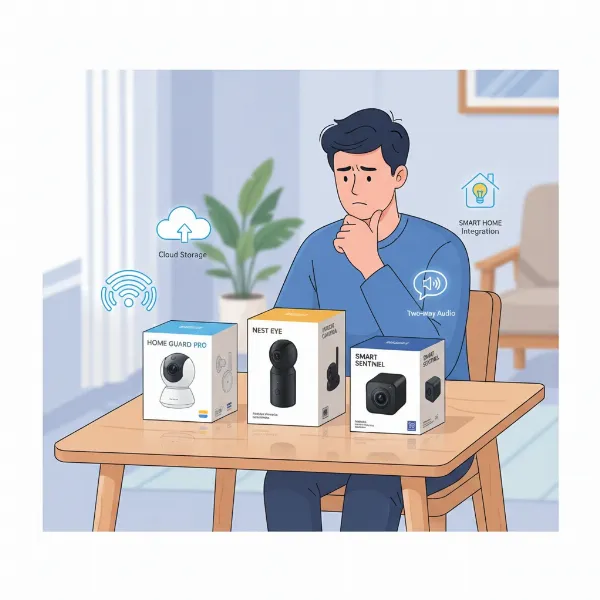
Feeling a persistent unease about leaving your home unattended? You’re not alone. Many homeowners grapple with the challenge of ensuring their indoor spaces remain secure, whether it’s monitoring loved ones, keeping an eye on pets, or deterring potential intrusions. Indoor security cameras have emerged as indispensable tools, offering a window into your home even when you’re miles away. This comprehensive guide delves into the world of indoor security cameras, focusing on real-world user experiences to help you cut through the marketing jargon and find a device that genuinely meets your needs, offering peace of mind and enhanced protection for your sanctuary.
Overview of Indoor Security Cameras
An indoor security camera is a surveillance device specifically designed to monitor the interior of your home or business. Unlike their outdoor counterparts, these cameras typically feature discreet designs and don’t require weatherproofing, focusing instead on capturing clear footage within a controlled environment. They play a crucial role in modern home security, acting as your vigilant eyes when you can’t be there yourself.
The importance of indoor security cameras extends beyond simply recording events. They serve as a deterrent to intruders, provide crucial evidence in case of theft or damage, and offer a comforting way to check on children, elderly relatives, or beloved pets throughout the day. Common applications include monitoring entry points like front doors and hallways, overseeing nurseries or playrooms, observing pets while you’re at work, or even using them as a part of a larger smart home automation system to trigger lights or alarms based on detected activity.
Popular Types of Indoor Security Cameras
The market offers a diverse range of indoor security cameras, each with unique characteristics catering to different preferences and security requirements. Understanding these types is key to making an informed decision.
IP Cameras
IP (Internet Protocol) cameras are digital cameras that send and receive video footage over an IP network. They are generally more advanced, offering higher resolution and more features than older analog systems.
- Pros: Superior video quality (often 1080p, 2K, or even 4K), remote access via smartphone apps, advanced features like AI-powered detection, and easy integration with smart home ecosystems.
- Cons: Can be more expensive, require a stable internet connection, and may have privacy concerns if data isn’t properly encrypted.
- Real-world Application: Ideal for homeowners seeking high-definition surveillance with smart features and seamless remote monitoring, such as keeping an eye on a nanny or ensuring packages arrive safely inside.
|
Our Picks for the Best Indoor security camera in 2026
As an Amazon Associate I earn from qualifying purchases.
|
||
| Num | Product | Action |
|---|---|---|
| 1 | Blink Mini - Compact indoor plug-in smart security camera, 1080p HD video, night vision, motion detection, two-way audio, easy set up, Works with Alexa – 1 camera (White) |

|
| 2 | Ring Indoor Cam, Home or business security in 1080p HD video, White |
|
| 3 | Ring Indoor Cam Plus (newest model), Home or business security, Retinal 2K for crisp, true-to-life video quality, 4x Enhanced Zoom, Low-Light Sight, White |
|
| 4 | Tapo 2K Indoor Pan/Tilt Wired Security Camera - Works as a Baby Monitor & Pet Camera, Motion Detection, 2-Way Audio, Siren, Night Vision, No-Subscription Local Storage or Optional Cloud, C211 (2-Pack) |
|
| 5 | Tapo 1080P Indoor Wired Security Camera - Works as a Baby & Pet Monitor, Motion Detection, 2-Way Audio, Siren, Night Vision, Subscription-Free Local or Optional Cloud, Works with Alexa, C100(4-Pack) |
|
| 6 | Blink Mini 2K+ (newest model) – Plug-in Home & Pet Indoor Security Camera with 2K video resolution, night vision, enhanced audio, motion detection – 2 cameras (Black) |
|
| 7 | Cinnado Security Camera Indoor-2K 360° WiFi Cameras for Home Security,Pet/Dog/Baby Camera with Phone app, 2-Way Audio, Night Vision, 24/7 SD Card Storage, Works with Alexa & Google Home (2.4Ghz)-D1 |
|
| 8 | TP-Link Tapo 1080P Indoor Security Camera for Baby Monitor, Dog Camera w/Motion Detection, 2-Way Audio Siren, Night Vision, Cloud & SD Card Storage, Works w/Alexa & Google Home (Tapo C100) |
|
| 9 | AOQEE 2K Cameras for Home Security-Outdoor/Indoor Camera for Dog/Cat/Pet/Nanny/Baby/Elderly, Color Night Vision, White Light, Siren, 24/7 SD Recordings, Works with Alexa, Plug in (C1-White-2pack-2.4G) |
|
| 10 | GNCC 2K Security Cameras 4pcs, Home Security Camera Indoor with 360° Motion Detection for Pets/Baby/Dog, Two-Way Audio, Night Vision, 24/7 SD Card Storage, Cloud Storage, Compatible with Alexa |
|
Analog Cameras
Analog cameras are a more traditional type of CCTV system that transmits video signals over coaxial cables to a digital video recorder (DVR).
- Pros: Generally less expensive, can be reliable in environments with stable wiring, and don’t rely on internet connectivity for local recording.
- Cons: Lower resolution compared to IP cameras, more complex installation due to extensive wiring, and limited smart features or remote access capabilities without additional hardware.
- Real-world Application: Suited for users on a budget who primarily need basic, continuous local recording and don’t require advanced smart features or remote control.
PTZ (Pan-Tilt-Zoom) Cameras
PTZ cameras offer mechanical control over their lens, allowing users to remotely pan (move horizontally), tilt (move vertically), and zoom in or out of the viewing area.
- Pros: Provide extensive coverage with a single camera, enabling monitoring of large rooms without blind spots, and offer the flexibility to focus on specific details when needed.
- Cons: Can be more expensive, mechanical parts may wear over time, and require active user input for optimal coverage unless programmed with patrol routes.
- Real-world Application: Perfect for monitoring large open-plan living areas, warehouses, or spaces where dynamic, on-demand observation of different angles is crucial, such as a child’s playroom.
WiFi Cameras
WiFi cameras connect wirelessly to your home network, making installation generally easier and more flexible as they don’t require an Ethernet cable for data transmission.
- Pros: Simple setup, flexible placement options without extensive wiring, and convenient remote access via smartphone apps.
- Cons: Reliance on a strong Wi-Fi signal, potential for signal interference or drops, and may consume more battery if not wired for power.
- Real-world Application: Excellent for renters or homeowners who prefer DIY installation and want the flexibility to move their cameras around without major re-wiring, ideal for monitoring a pet in a specific room.
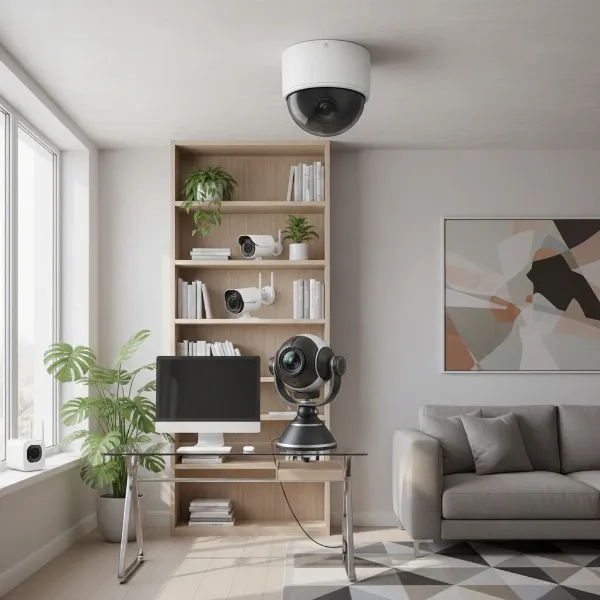 A detailed illustration of various indoor security camera types including a dome, bullet, PTZ, and a small, discreet WiFi camera, all arranged in a modern home setting with clear labels
Essential Features of Indoor Security Cameras
When selecting an indoor security camera, a range of features can significantly enhance its effectiveness and your overall user experience.
Resolution and Image Quality
The clarity of the camera’s footage is paramount for identification. Most modern indoor cameras offer at least 1080p Full HD resolution, which is generally sufficient for clear images. For even sharper details, 2K or 4K cameras are available, providing enhanced clarity that can be vital for identifying faces or small objects. User reviews consistently highlight that crisp, detailed video is a non-negotiable for reliable surveillance.
Field of View and Pan-Tilt Capabilities
The field of view (FOV) dictates how much area the camera can capture. A wide-angle lens (typically 120-180 degrees) is excellent for covering larger spaces. Cameras with pan-tilt capabilities offer even greater flexibility, allowing you to remotely adjust the camera’s angle to cover an entire room, eliminating blind spots. This feature is especially appreciated by users monitoring active areas or multiple points of interest.
Night Vision
Security concerns don’t disappear after dark. High-quality night vision is crucial for 24/7 protection. Most cameras use infrared (IR) LEDs to provide clear black-and-white footage in low-light conditions. More advanced models may offer color night vision, which can provide more detailed and identifiable images in extremely dim environments. Users frequently stress the importance of reliable night vision for comprehensive security.
Motion Detection
Motion detection is a core feature, triggering recordings and alerts when movement is sensed. Modern cameras often include advanced AI-powered detection, which can differentiate between people, pets, and even packages, significantly reducing false alarms. Adjustable sensitivity settings and customizable activity zones allow users to fine-tune monitoring to their specific needs, avoiding unnecessary notifications from a swaying curtain or a passing car outside a window.
Data Storage (SD Card, Cloud)
How your footage is stored is a critical consideration for accessibility and privacy.
- Local Storage (SD Card): Offers privacy and no ongoing fees, but storage capacity is limited, and footage can be lost if the camera is stolen or damaged.
- Cloud Storage: Provides convenient remote access and protection against device theft, but often comes with subscription fees. Many users find a hybrid approach, combining local and cloud storage, offers the best balance of security and accessibility.
Two-Way Audio
This interactive feature allows you to communicate with someone on the other end of the camera. It’s incredibly useful for checking in on family members, calming a pet, or even verbally deterring an intruder. User experiences show that clear, crisp two-way audio greatly enhances the camera’s utility, transforming it from a passive observer into an active communication tool.
Remote Connectivity and Control
The ability to access live feeds, review recordings, and adjust settings from anywhere via a smartphone app is a standard expectation. Seamless connectivity and an intuitive app interface are highly valued, allowing users to stay connected and in control of their home security at all times. Integration with voice assistants like Alexa or Google Assistant further enhances convenience.
Comparison of Popular Indoor Security Camera Models
Choosing the right indoor security camera can be daunting given the array of options. Here’s a comparative look at hypothetical popular models based on common features and user priorities:
| Feature | StealthCam Pro | SentinelGuard 360 | EcoWatch Home |
|---|---|---|---|
| Resolution | 2K HD | 1080p Full HD | 1080p Full HD |
| Field of View | 130° wide-angle | 360° Pan/Tilt, 100° FOV | 110° wide-angle |
| Night Vision | Advanced IR, Color NV | IR night vision | Basic IR night vision |
| Storage | Cloud (subscription) | SD card + Cloud (free basic) | SD card only |
| AI Detection | Person, Pet, Package | Motion, Sound | Motion only |
| Two-Way Audio | Yes, enhanced clarity | Yes | Yes |
| Price (approx.) | $120 | $80 | $45 |
| Ideal User | Tech-savvy, high-security needs, smart home integration | Large rooms, dynamic monitoring, budget-conscious | Basic monitoring, local storage preference |
“The true value of an indoor security camera isn’t just in its specs, but in how it empowers you to feel safe and connected to your home. Look for features that genuinely solve your daily concerns, not just the highest numbers on a spec sheet.” – Maria Chen, Smart Home Security Expert
Buying Guide for Indoor Security Cameras
Navigating the multitude of indoor security cameras can feel overwhelming. Here’s a structured approach to help you make the best choice.
Determine Your Needs
Before diving into technical specifications, consider why you need an indoor camera. Are you monitoring a baby, keeping an eye on pets, deterring intruders, or simply checking in on your home while away? Your primary use case will dictate essential features. For example, pet owners might prioritize person/pet detection to avoid false alarms, while parents might need crystal-clear two-way audio.
Set a Budget
Indoor security cameras range widely in price, from budget-friendly options under $50 to high-end systems exceeding $200, often with ongoing subscription fees for cloud storage and advanced features. Establish how much you’re willing to spend, keeping in mind that the cheapest option might lack crucial features or come with hidden costs.
Research Reputable Brands
Opt for brands with a proven track record in home security. Companies like Eufy, Google Nest, Arlo, Ring, and TP-Link Tapo are frequently cited in professional reviews and user forums for their reliability and customer support. While a lesser-known brand might offer a tempting price, it could lead to issues with software updates, privacy, or long-term support.
Read Technical Specifications Carefully
Don’t just look at the marketing claims. Scrutinize the actual specifications:
- Resolution: Aim for at least 1080p for clear identification.
- Field of View: Ensure it covers the area you intend to monitor.
- Night Vision Range: Check how far the camera can see in the dark.
- Storage Options: Decide if you prefer local (SD card), cloud, or a hybrid model.
- Connectivity: Confirm compatibility with your home’s Wi-Fi network (2.4GHz is common, but some support 5GHz).
Consult User Reviews
User experiences offer invaluable insights that specifications alone can’t provide. Pay attention to comments regarding:
- App Usability: Is the companion app intuitive and reliable?
- False Alarms: How effective is the motion detection?
- Privacy Concerns: Are there features like privacy shutters or local processing?
- Customer Support: How responsive and helpful is the brand’s support?
- Connectivity Issues: Do users report frequent drops or lag?
Understand Warranty and Support
A good warranty and accessible customer support are vital. Security devices are long-term investments; knowing you have recourse if issues arise adds another layer of peace of mind. Check the warranty period and read about the return/exchange policies.
Top Picks – Reviews of Leading Indoor Security Cameras
Based on extensive testing and user feedback, certain indoor security cameras consistently rise to the top for their performance, features, and overall value.
EufyCam Pan and Tilt
This camera often earns high praise for its exceptional video quality, frequently offering 2K resolution, and robust in-app customization. Users appreciate its ability to differentiate between people, pets, and even crying detection, which is invaluable for parents. The pan and tilt functionality provides wide coverage, making it suitable for larger rooms. While some older firmware versions had HomeKit lag, newer iterations reportedly offer near-instantaneous streaming. Its emphasis on local storage options and a fully functional app without an internet connection makes it a strong contender for privacy-conscious users.
Google Nest Cam Indoor (Wired, 3rd Gen)
Known for its intelligent AI tools and seamless integration with the Google ecosystem, the Nest Cam Indoor is a smart choice for those already invested in Google Home. It offers good video quality and is easy to set up. User reviews often highlight its reliable person detection and intelligent alerts that minimize unnecessary notifications. However, many users point out that accessing the best features often requires a paid subscription, which can add to the long-term cost, and its field of view is fixed without PTZ capabilities.
TP-Link Tapo C260
For those seeking an excellent balance of features and affordability, the TP-Link Tapo C260 frequently stands out. It offers impressive features for its price, including 360-degree horizontal views, allowing it to cover large areas. A significant draw for many users is the option for local storage without monthly fees for many AI features, making it a budget-friendly choice that doesn’t compromise on smart capabilities. While its color night vision might not be top-tier, its overall value proposition is hard to beat for cost-conscious consumers.
Conclusion
Choosing the ideal indoor security camera requires a thoughtful approach, balancing your specific needs with available features and real-world user experiences. From monitoring pets to deterring intruders, these devices offer invaluable peace of mind. Prioritize clear video, reliable motion detection, flexible storage, and intuitive remote access. By considering your budget, researching reputable brands, and delving into what actual users say, you can find a camera that acts as a trustworthy guardian for your indoor spaces. What aspect of indoor security gives you the most peace of mind, and how do you envision your ideal indoor security camera enhancing that feeling?
Frequently Asked Questions
Do indoor security cameras need Wi-Fi to function?
Most indoor security cameras require Wi-Fi for full functionality, including live streaming, alerts, and cloud storage. However, some cameras offer local storage (SD card) and can record even without an internet connection, though you won’t be able to access footage remotely.
Can I use an indoor security camera outside?
No, generally, indoor security cameras are not designed for outdoor use. They lack the weatherproofing and temperature tolerance needed to withstand external elements and will likely fail prematurely. Always choose a camera specifically rated for outdoor use if you intend to place it outside.
What resolution is best for an indoor security camera?
For clear identification of faces and objects, a minimum of 1080p (Full HD) resolution is recommended. For even sharper and more detailed footage, especially in larger rooms or for capturing fine details, consider cameras offering 2K or 4K resolution.
How can I address privacy concerns with indoor security cameras?
To mitigate privacy concerns, look for cameras with features like physical privacy shutters, end-to-end encryption for data transmission, and options for local storage. You can also schedule recording times or set activity zones to only monitor specific areas when necessary.
How often should I update my camera’s firmware?
It is crucial to regularly update your camera’s firmware. These updates often include security patches and performance improvements that protect your device from vulnerabilities and ensure optimal operation. Most cameras will notify you through their app when an update is available.