Securing your business premises is no longer a luxury but a fundamental necessity in today’s dynamic environment. As the administrator of a product review site with over a decade of experience in security cameras, particularly indoor models, I’ve firsthand seen the challenges businesses face. From selecting the ideal camera that aligns with operational needs to navigating the complexities of installation and maintenance, the journey can feel overwhelming. My goal is to simplify this process, offering practical insights and real-world advice to help you make informed decisions, just as a trusted colleague would.
The Crucial Role of Indoor Security Cameras in Work Environments
An indoor security camera is a surveillance device designed to monitor the interior spaces of a building, capturing video footage and often audio. These cameras serve as critical tools for maintaining safety, deterring unauthorized activities, and providing valuable evidence when incidents occur. Far beyond simple monitoring, they contribute significantly to a secure and productive work environment.
Indoor security cameras are essential for businesses for several compelling reasons. They act as a visible deterrent to theft and vandalism, both from external threats and internal misconduct. Beyond prevention, they provide objective records of daily operations, crucial for dispute resolution, liability protection, and employee training. Moreover, they offer peace of mind, allowing business owners and managers to remotely oversee their premises, ensuring everything is running smoothly even when they are not physically present.
Common applications of indoor security cameras in the workplace are diverse. In retail, they monitor sales floors and checkout counters to prevent shoplifting and employee theft. Offices utilize them to secure entry points, track visitor traffic, and protect valuable assets in server rooms or storage areas. Warehouses and manufacturing facilities deploy cameras to oversee production lines, ensure safety protocols are followed, and deter inventory shrinkage. Essentially, any indoor space within a business that requires oversight or protection can benefit from a well-chosen security camera system.
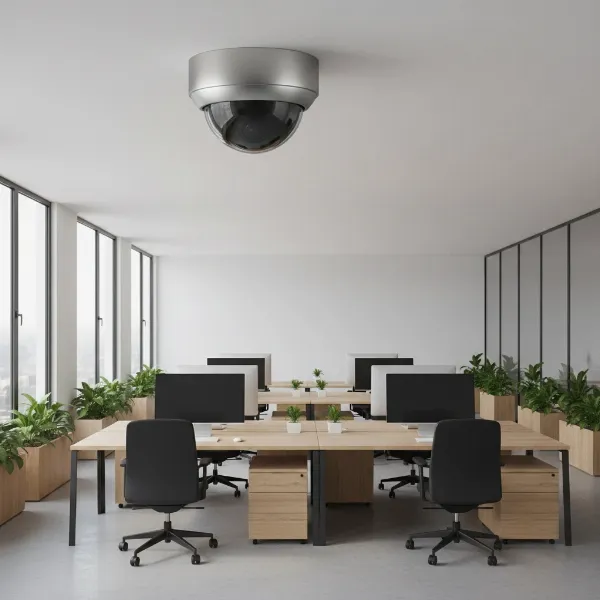 Modern indoor security camera discreetly mounted in an office environment, overseeing a workspace with desks and computers. Realistic, professional style.
Types of Indoor Security Cameras for Commercial Use
Choosing the right type of camera is paramount, as each design offers unique advantages tailored to different workplace needs. Understanding the distinctions helps businesses optimize their surveillance strategy.
Dome Cameras
|
Our Picks for the Best Indoor security camera in 2026
As an Amazon Associate I earn from qualifying purchases.
|
||
| Num | Product | Action |
|---|---|---|
| 1 | Tapo 1080P Indoor Wired Security Camera - Works as a Baby & Pet Monitor, Motion Detection, 2-Way Audio, Siren, Night Vision, Subscription-Free Local or Optional Cloud, Works with Alexa, C100(4-Pack) |

|
| 2 | TP-Link Tapo 1080P Indoor Security Camera for Baby Monitor, Dog Camera w/Motion Detection, 2-Way Audio Siren, Night Vision, Cloud & SD Card Storage, Works w/Alexa & Google Home (Tapo C100) |
|
| 3 | Ring Indoor Cam, Home or business security in 1080p HD video, White |
|
| 4 | Ring Indoor Cam Plus (newest model), Home or business security, Retinal 2K for crisp, true-to-life video quality, 4x Enhanced Zoom, Low-Light Sight, White |
|
| 5 | Blink Mini - Compact indoor plug-in smart security camera, 1080p HD video, night vision, motion detection, two-way audio, easy set up, Works with Alexa – 1 camera (White) |
|
| 6 | Tapo 2K Indoor Pan/Tilt Wired Security Camera - Works as a Baby Monitor & Pet Camera, Motion Detection, 2-Way Audio, Siren, Night Vision, No-Subscription Local Storage or Optional Cloud, C211 (2-Pack) |
|
| 7 | Blink Mini 2K+ (newest model) – Plug-in Home & Pet Indoor Security Camera with 2K video resolution, night vision, enhanced audio, motion detection – 2 cameras (Black) |
|
| 8 | AOQEE 2K Cameras for Home Security-Outdoor/Indoor Camera for Dog/Cat/Pet/Nanny/Baby/Elderly, Color Night Vision, White Light, Siren, 24/7 SD Recordings, Works with Alexa, Plug in (C1-White-2pack-2.4G) |
|
| 9 | Cinnado Security Camera Indoor-2K 360° WiFi Cameras for Home Security,Pet/Dog/Baby Camera with Phone app, 2-Way Audio, Night Vision, 24/7 SD Card Storage, Works with Alexa & Google Home (2.4Ghz)-D1 |
|
| 10 | GNCC 2K Security Cameras 4pcs, Home Security Camera Indoor with 360° Motion Detection for Pets/Baby/Dog, Two-Way Audio, Night Vision, 24/7 SD Card Storage, Cloud Storage, Compatible with Alexa |
|
Dome cameras are a popular choice for indoor commercial settings due to their discreet design and vandal-resistant housing. Encased in a protective dome, their direction is often difficult to ascertain, making them less obtrusive and harder to tamper with. Many models offer wide-angle views, ideal for covering broad areas like reception lobbies or open office spaces. While installation might require slightly more effort as the camera needs to be opened, their robust build and aesthetic appeal make them a staple in many business environments.
PTZ (Pan-Tilt-Zoom) Cameras
PTZ cameras provide unparalleled flexibility, allowing operators to remotely pan horizontally, tilt vertically, and zoom in on specific details. This dynamic control makes them perfect for actively monitoring large indoor areas such as warehouses, factory floors, or large conference rooms where specific events may need closer inspection. Though typically more expensive, the ability to follow suspicious activity or zoom in on a distant object without losing clarity can be invaluable. Some advanced PTZ models even feature auto-tracking, automatically following movement within a defined zone.
Fisheye Cameras
For comprehensive coverage of expansive, open indoor spaces, fisheye cameras are an excellent solution. These cameras utilize a single ultra-wide-angle lens to capture a full 180-degree or even 360-degree panoramic view, effectively eliminating blind spots and reducing the need for multiple cameras. They are particularly effective in areas like large open-plan offices, retail stores, or production floors. However, the raw footage appears “warped” and typically requires “dewarping” software, often integrated into the NVR or video management system, to produce usable, rectilinear views.
Turret (Eyeball) Cameras
Turret cameras, often called eyeball cameras, strike a balance between the discreetness of a dome and the flexibility of a bullet camera (though bullet cameras are more common outdoors). They feature a rotating ball-and-socket design within a compact, vandal-resistant casing, allowing for easy adjustment of the camera’s angle post-installation without opening the housing. This blend of inconspicuousness, durability, and aiming flexibility makes them suitable for various indoor applications where a blend of security and aesthetic integration is desired.
IP Cameras vs. HD over Coax Cameras
The fundamental technology powering your security system dictates connectivity, resolution, and wiring.
- IP Cameras (Network Cameras): These cameras transmit video, audio, and control data over a computer network using standard Ethernet cabling (CAT5e/CAT6). Many support Power over Ethernet (PoE), which simplifies installation by delivering both power and data through a single cable. IP cameras generally offer higher resolutions, often exceeding 4K, and are highly scalable for future expansion. However, standard Ethernet cable runs are typically limited to about 328 feet (100 meters) without signal extenders. They require a Network Video Recorder (NVR) for recording.
- HD over Coax Cameras (Analog HD): This technology, including formats like HDCVI, HDTVI, and AHD, allows high-definition video (up to 4K) to be transmitted over traditional coaxial cabling. This is a cost-effective solution for businesses looking to upgrade older analog CCTV systems without replacing existing wiring, as coaxial cables can support much longer runs, up to 1600 feet. These systems typically use a Digital Video Recorder (DVR) or an XVR (a hybrid DVR that also supports some IP cameras) for recording.
Wired vs. Wireless Options
The choice between wired and wireless connectivity significantly impacts installation and reliability.
- Wired Cameras: Offer the most stable and reliable connection, immune to Wi-Fi interference or signal drops. They provide continuous power and a consistent data stream, crucial for critical surveillance. Installation may be more involved, potentially requiring professional wiring, but the long-term reliability is a significant advantage for businesses.
- Wireless (Wi-Fi) Cameras: Provide greater flexibility in placement and easier, quicker installation, as they only require a power source and connect to the network wirelessly. However, they are dependent on a strong Wi-Fi signal and internet connection, making them susceptible to interference or outages. While convenient for smaller, less critical areas, their reliability may not match wired systems for comprehensive business security.
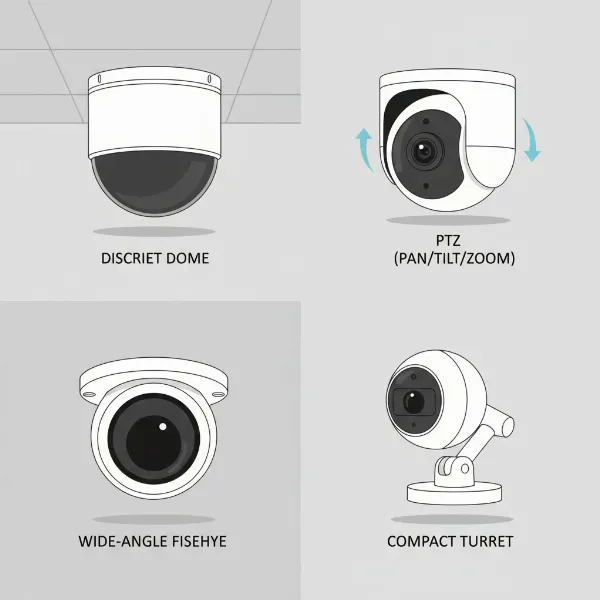 Various types of indoor security cameras including dome, PTZ, fisheye, and turret models, arranged to show their distinct forms. Illustrative, infographic style.
Key Features to Prioritize in Workplace Security Cameras
When selecting indoor security cameras for a work environment, certain features stand out as essential for effective and compliant surveillance. Prioritizing these capabilities ensures your investment delivers optimal security and operational benefits.
High-Resolution Imaging
The clarity of your camera’s footage is paramount for identification and evidence. Opt for cameras with at least 1080p (Full HD) resolution to ensure clear images. For areas requiring granular detail, such as cash registers, entry points, or valuable asset storage, consider 4K (Ultra HD) cameras. Higher resolution means more pixels, which translates to sharper images and the ability to digitally zoom in on footage while retaining crucial details, such as faces or specific objects, without significant pixelation.
Advanced Night Vision
Many security incidents occur during low-light conditions or after business hours, making robust night vision a critical feature. Look for cameras equipped with high-quality infrared (IR) LEDs that can capture clear images even in complete darkness. Some advanced models now offer color night vision, providing more detailed and descriptive footage than traditional black-and-white infrared. Additionally, “Smart IR” technology helps prevent overexposure of objects close to the camera, ensuring balanced illumination and clearer details at varying distances.
Intelligent Motion Detection and Alerts
Effective surveillance isn’t just about recording; it’s about being alerted to critical events in real-time. Cameras with intelligent motion detection can trigger alerts to your smartphone or security monitoring system when activity is detected. Prioritize models with adjustable sensitivity and customizable detection zones to minimize false alarms from routine movements. Advanced systems may also offer “person detection,” differentiating human movement from other irrelevant motion, further enhancing the relevance of alerts for your business.
Reliable Data Storage Solutions
How and where your footage is stored is a crucial decision impacting accessibility, privacy, and cost.
- NVR/DVR Systems: For businesses seeking robust, continuous recording without recurring fees, a Network Video Recorder (NVR) for IP cameras or a Digital Video Recorder (DVR)/XVR for HD over Coax cameras is ideal. These dedicated devices store footage on internal hard drives, offering substantial storage capacity (days, weeks, or even months of video) and high reliability. They form the backbone of a professional, self-contained surveillance system.
- Local SD Card Storage: Some IP cameras offer a microSD card slot for local storage. While inexpensive and private, capacity is limited (typically 2-5 days of continuous recording), making it suitable for supplementary recording or very low-traffic areas rather than primary business surveillance.
- Cloud Storage: Cloud-based solutions provide easy remote access to footage from anywhere and can offer redundancy. However, they often come with recurring subscription fees per camera, which can add up, and their performance is dependent on your internet speed. For budget-conscious businesses or those with large camera counts, cloud-only solutions may not be the most practical primary storage method.
Two-Way Audio Communication
Two-way audio capabilities, featuring a built-in microphone and speaker, can be a valuable asset in a work environment. It allows you to not only hear what’s happening but also communicate through the camera. This feature can be used to deter unauthorized individuals, give instructions to delivery personnel, or communicate with employees in specific areas. However, its use requires careful consideration of privacy policies, as continuous audio recording can raise legal and ethical concerns regarding employee monitoring.
Privacy Enhancements
In a workplace setting, privacy is a significant concern. Look for cameras that offer features like privacy shutters (physical covers for the lens) or the ability to schedule recording times. These functions allow businesses to maintain control over when and what their cameras capture, helping to respect employee privacy and comply with regulations, especially in sensitive areas like breakrooms or private offices.
Wide Dynamic Range (WDR) and Tamper Detection
For areas with challenging lighting conditions, such as entrances with bright sunlight contrasted with dim interiors, Wide Dynamic Range (WDR) technology is highly beneficial. WDR helps balance exposure, ensuring clear images where both bright and dark areas are visible. Tamper detection, on the other hand, provides an alert if someone attempts to disable, obstruct, or move the camera, adding an extra layer of physical security to your surveillance infrastructure.
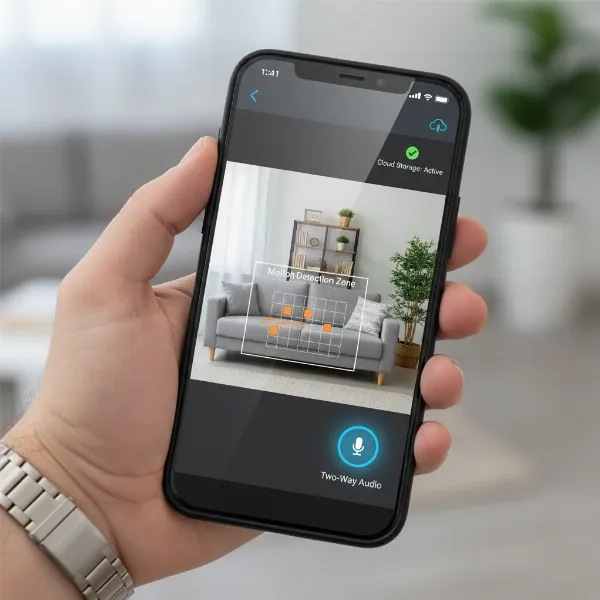 A smartphone displaying a security camera app interface, highlighting features like motion detection zones, two-way audio control, and live feed. Realistic, user interface style.
Comparative Table of Popular Indoor Security Cameras for Businesses
Selecting the ideal indoor security camera for your workplace involves weighing various features against your specific operational needs. Here’s a comparative look at three archetypal indoor security camera profiles that cater to different business requirements.
| Feature | OfficePro Dome Series | WarehouseGuard PTZ 360 | RetailEye Fisheye Pro |
|---|---|---|---|
| Best For | General office surveillance, reception areas | Large open warehouses, factory floors, dynamic monitoring | Open retail spaces, lobbies, comprehensive overhead view |
| Resolution | 1080p to 4K | 4K | 12MP (Fisheye) |
| Field of View / PTZ | 100-120° fixed wide-angle | Full 360° pan, 90° tilt, 25x optical zoom | 360° panoramic view (requires dewarping) |
| Night Vision | 30-50 ft IR, Smart IR | 100-150 ft IR, Color Night Vision, Smart IR | 40-60 ft IR, Smart IR |
| Storage Options | NVR, SD card (up to 256GB), optional cloud | NVR, SD card (up to 512GB), optional cloud | NVR, SD card (up to 512GB) |
| Connectivity | PoE (Wired) | PoE (Wired) | PoE (Wired) |
| Special Features | Discreet design, vandal-resistant, two-way audio, privacy mask | Auto-tracking, tour mode, intelligent analytics, WDR | Single-camera wide coverage, virtual PTZ in dewarped view, heatmapping |
| Price Range | Mid-range | High-end | Mid to High-range |
A Comprehensive Guide to Purchasing Indoor Security Cameras for Your Business
Making the right investment in indoor security cameras requires a structured approach. By systematically evaluating your needs and options, you can choose a system that offers both protection and peace of mind.
Assessing Your Specific Security Needs
Before diving into product specifications, take time to clearly define what you need your surveillance system to achieve. Walk through your premises and identify the exact areas that require monitoring, such as entrances, cash registers, server rooms, employee workstations, or storage facilities. Determine the primary purpose for each camera: Is it for deterring theft, monitoring employee productivity, ensuring safety compliance, or gathering evidence in case of an incident? Also, consider the environmental conditions of each space, including existing lighting, potential blind spots, and whether two-way audio communication is necessary. A detailed assessment will guide your selection process, ensuring you don’t over-invest in unnecessary features or under-equip critical areas.
Budgeting for Optimal Security
Security camera systems represent an investment, and establishing a clear budget is crucial. While cheaper options may seem tempting, they often compromise on image quality, durability, and essential features, potentially leading to higher long-term costs due to failures or insufficient evidence. Consider not just the initial purchase price of cameras and recorders, but also installation costs (especially for hardwired systems), potential subscription fees for cloud storage or advanced analytics, and ongoing maintenance. Prioritizing quality and reliability within your budget ensures better performance and greater longevity for your security infrastructure.
Considering Legal and Ethical Implications
For any business, the legal and ethical aspects of indoor surveillance are paramount. Different regions and industries have varying regulations regarding employee monitoring and privacy. It is crucial to understand and comply with these laws, which may dictate where cameras can be placed, whether audio recording is permissible, and how employees must be notified about surveillance. Features like privacy shutters and scheduled recording can help address privacy concerns. Transparent communication with employees about the purpose and scope of surveillance fosters trust and helps avoid legal issues.
“Investing in a robust indoor security system is not merely about deterrence; it’s about establishing an environment of accountability and safety that protects both your assets and your people.” – Admin, ReviewByMo.com, Security Camera Expert
Choosing Reputable Brands and Reliable Support
The longevity and effectiveness of your security system depend heavily on the quality of the hardware and the support behind it. Opt for reputable brands known for their reliability, consistent performance, and robust security features. Research customer reviews and professional recommendations. Crucially, ensure the vendor offers comprehensive technical support and a solid warranty. Good after-sales service can be invaluable for troubleshooting, system maintenance, and any necessary upgrades, protecting your investment for years to come.
Installation and Infrastructure
The method of installation and your existing infrastructure will largely influence your camera choices. If you have an older building with existing coaxial cabling, an HD over Coax system with a DVR/XVR might be the most cost-effective upgrade. For newer constructions or businesses willing to run new wiring, an IP camera system with Power over Ethernet (PoE) and an NVR offers superior flexibility and scalability. While wireless cameras offer easier DIY installation, hardwired systems provide unparalleled stability, especially for critical surveillance. Consider whether you have the in-house expertise for installation or if professional installation is required to ensure optimal setup and coverage.
 A business owner carefully reviewing specifications for indoor security cameras on a tablet, considering budget and workplace needs. Realistic, professional setting.
Top Picks: Recommended Indoor Security Cameras for Various Work Settings
Choosing the best indoor security camera depends on the unique demands of your work environment. Here are recommendations for various typical business scenarios.
-
Axis M30 Series (Best for Small Offices and Discreet Monitoring):
The Axis M30 series offers compact, discreet dome cameras that blend seamlessly into office decor. With resolutions typically ranging from 1080p to 4K, they provide excellent image quality for general surveillance of open workspaces, hallways, and reception areas. Their vandal-resistant design and often wide field of view make them ideal for capturing activity without being obtrusive. They are PoE-powered, ensuring reliable wired connectivity and straightforward integration with an NVR system, making them a top choice for professional, quiet monitoring. -
Hanwha Techwin Wisenet XNV-6080R (Best for Large Open Spaces like Warehouses):
For expansive environments like warehouses, manufacturing floors, or large retail stores, the Hanwha Techwin Wisenet XNV-6080R (a robust dome or bullet-style camera often used indoors) offers exceptional performance. It features up to 4K resolution, excellent low-light capabilities with advanced IR, and Wide Dynamic Range (WDR) to handle challenging lighting conditions. Its robust construction and intelligent video analytics (like motion detection, tampering alerts, and line crossing) make it highly effective for asset protection and operational oversight in busy, large-scale settings. -
Reolink E1 Pro (Best for Budget-Conscious Small Business with PTZ Needs):
For small businesses requiring flexible monitoring without a premium price tag, the Reolink E1 Pro presents a compelling option. This Wi-Fi-enabled PTZ camera offers 4MP (1440p) resolution, pan and tilt functionality, and two-way audio. It allows for remote control via a smartphone app, enabling dynamic surveillance of a small shop floor, front desk, or storeroom. While wireless, it can integrate with Reolink NVRs for more reliable local storage. Its ease of installation and feature set at an accessible price point make it a strong contender for businesses on a tighter budget needing active oversight.
“The strategic placement of an indoor camera, combined with features like two-way audio and privacy controls, can transform a simple monitoring device into a vital communication and safety tool within the workplace.” – Dr. Alex Chen, Workplace Security Consultant
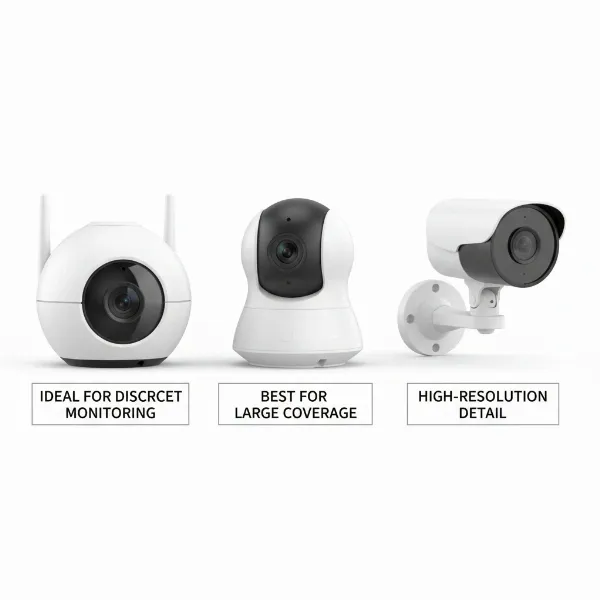 Three distinct indoor security camera models showcased side-by-side, each with a brief textual highlight of its best feature for business use. Product photography style.
Conclusion
Choosing the right indoor security camera for your workplace is a strategic decision that goes beyond simply buying a device. It involves a thorough understanding of your specific security needs, the various types of cameras available, and the key features that will offer the most value to your business. By prioritizing high-resolution imaging, robust night vision, intelligent alerts, and reliable storage, you can build a surveillance system that effectively protects your assets, monitors operations, and enhances overall safety. Remember to also consider the legal and ethical implications, ensuring your system respects privacy while providing crucial oversight.
Are you ready to elevate the security of your business with a tailored indoor surveillance solution?
Frequently Asked Questions
What resolution is recommended for indoor security cameras in a work environment?
For most business applications, a minimum of 1080p (Full HD) resolution is recommended to ensure clear and identifiable footage. For areas requiring very fine detail, such as cash handling zones or valuable item storage, upgrading to 4K (Ultra HD) cameras provides superior image clarity and better digital zoom capabilities.
Is Wi-Fi or wired better for business indoor security cameras?
Wired cameras, especially those using Power over Ethernet (PoE), are generally preferred for business indoor security due to their superior stability, reliability, and continuous power supply. While Wi-Fi cameras offer easier installation and flexibility, they are more susceptible to network interference and require strong, consistent wireless signals, which can be a concern for critical surveillance.
How do I ensure employee privacy with indoor security cameras?
To ensure employee privacy, choose cameras with features like privacy masking, which allows you to black out specific areas from recording, or the ability to schedule recording times. Always be aware of and comply with local and national laws regarding workplace surveillance and consider transparent communication with your employees about the purpose and scope of camera usage.
What is the advantage of using an NVR over cloud storage for business security?
An NVR (Network Video Recorder) provides dedicated local storage for your IP camera footage on internal hard drives, offering greater control, higher reliability, and no recurring monthly fees. Cloud storage, while convenient for remote access, often incurs subscription costs per camera and depends heavily on internet bandwidth, which can be less ideal for large-scale, continuous recording in a business setting.
Can indoor security cameras deter theft effectively in a workplace?
Yes, visible indoor security cameras serve as a significant deterrent to both internal and external theft. Their presence communicates that the premises are monitored, making potential perpetrators less likely to attempt illicit activities. The recorded footage also provides crucial evidence for investigations, further reinforcing their deterrent effect.