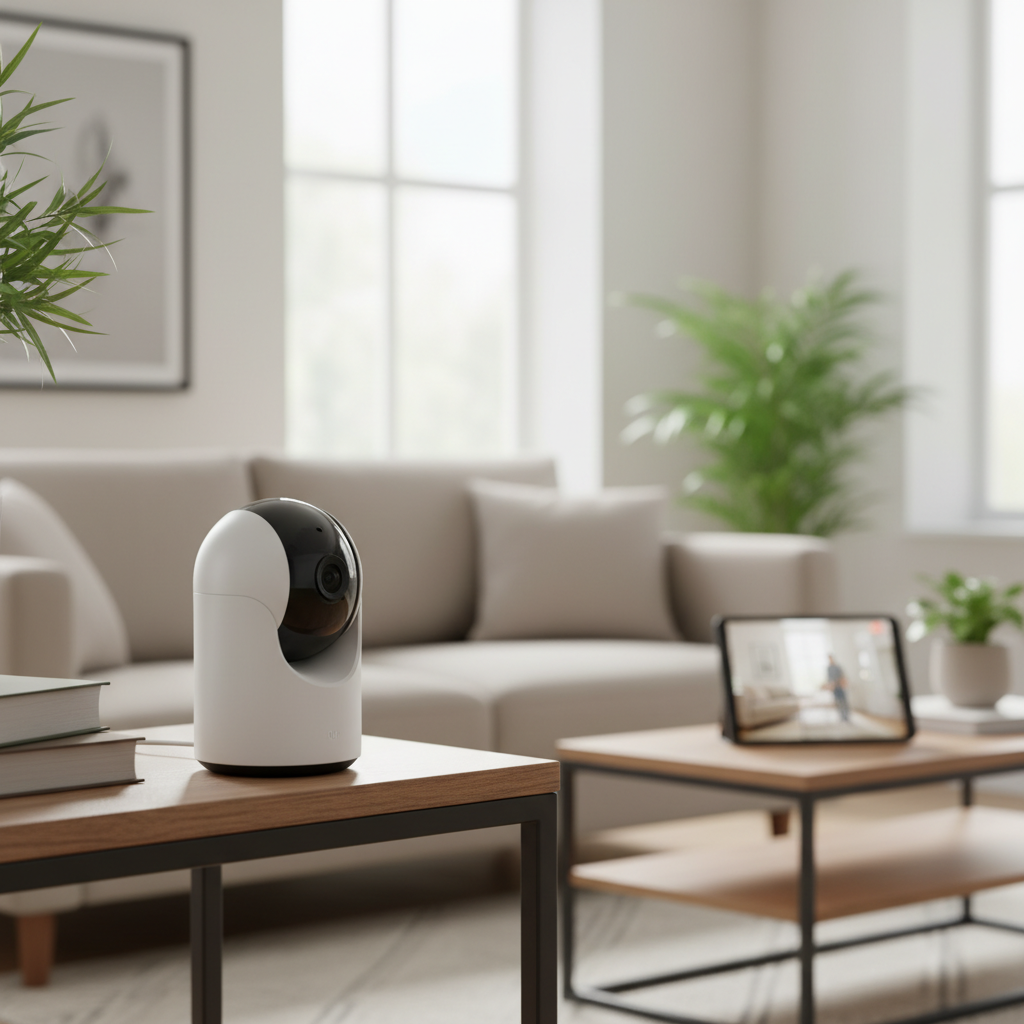
In an era where personal assets, from high-tech gadgets and cherished collections to important documents, are increasingly valuable, safeguarding them within your home has never been more critical. The feeling of vulnerability can be unsettling, especially when you’re away. An indoor security camera serves as your vigilant guardian, offering peace of mind and an essential layer of protection against potential threats. With a vast array of options on the market, selecting the ideal indoor security camera to specifically protect your valuable gear requires careful consideration of features, functionality, and reliability. This comprehensive guide will navigate you through the types of cameras available, highlight the most crucial features for protecting your cherished items, compare popular models, and provide actionable advice to help you make the smartest choice for your home.
An Overview of Indoor Security Cameras
An indoor security camera is a surveillance device designed to monitor the interior spaces of your home, capturing video and often audio footage of activities within its field of view. These cameras are specifically engineered for indoor environments, often prioritizing discreet design, advanced analytics, and seamless integration with smart home ecosystems over rugged weatherproofing.
The importance of indoor security cameras in protecting valuable gear cannot be overstated. They act as a deterrent to potential intruders, providing clear evidence in the unfortunate event of a break-in. Beyond crime prevention, they allow homeowners to monitor specific areas where valuable items are stored, ensuring that everything remains secure even when you’re not physically present. This constant vigilance offers an invaluable sense of security, transforming your home into a more protected sanctuary for your most prized possessions.
Common applications for indoor security cameras when protecting gear include monitoring home offices where electronics like computers and cameras are kept, securing display cabinets for collectibles, overseeing workshops with expensive tools, or simply keeping an eye on high-traffic areas where valuable items might be easily accessible. Their versatility makes them indispensable for anyone looking to add an extra layer of protection to their assets.
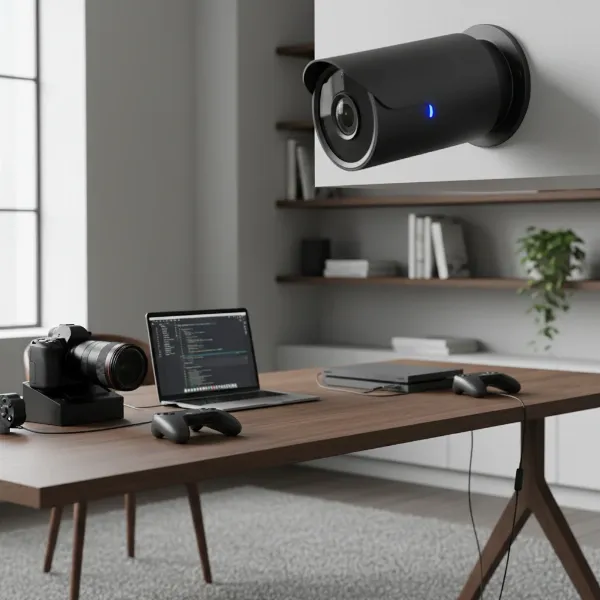 An indoor security camera monitoring valuable electronics and equipment in a modern home office setting.
Popular Types of Indoor Security Cameras
The market for indoor security cameras offers a diverse range of types, each with its own set of advantages and suitable applications. Understanding these distinctions is key to selecting a camera that best fits your specific security needs and home setup.
IP Cameras
IP (Internet Protocol) cameras are digital video cameras that transmit footage over a network, typically your home Wi-Fi or a wired Ethernet connection. They are widely popular due to their high resolution, advanced features, and network connectivity.
- Pros: Offer superior video quality (often 1080p, 2K, or even 4K), smart features like AI-powered motion detection, and easy integration with smart home systems. Footage can be accessed remotely via smartphone apps.
- Cons: Can be more expensive than analog counterparts and require a stable internet connection for remote access and cloud features. Higher resolution footage demands more storage and bandwidth.
- Applications: Ideal for users seeking high-definition surveillance of critical areas, leveraging smart analytics for specific alerts, and seamless remote monitoring.
|
Our Picks for the Best Indoor security camera in 2026
As an Amazon Associate I earn from qualifying purchases.
|
||
| Num | Product | Action |
|---|---|---|
| 1 | AOQEE 2K Cameras for Home Security-Outdoor/Indoor Camera for Dog/Cat/Pet/Nanny/Baby/Elderly, Color Night Vision, White Light, Siren, 24/7 SD Recordings, Works with Alexa, Plug in (C1-White-2pack-2.4G) |

|
| 2 | Tapo 2K Indoor Pan/Tilt Wired Security Camera - Works as a Baby Monitor & Pet Camera, Motion Detection, 2-Way Audio, Siren, Night Vision, No-Subscription Local Storage or Optional Cloud, C211 (2-Pack) |
|
| 3 | Tapo 1080P Indoor Wired Security Camera - Works as a Baby & Pet Monitor, Motion Detection, 2-Way Audio, Siren, Night Vision, Subscription-Free Local or Optional Cloud, Works with Alexa, C100(4-Pack) |
|
| 4 | Ring Indoor Cam Plus (newest model), Home or business security, Retinal 2K for crisp, true-to-life video quality, 4x Enhanced Zoom, Low-Light Sight, White |
|
| 5 | GNCC 2K Security Cameras 4pcs, Home Security Camera Indoor with 360° Motion Detection for Pets/Baby/Dog, Two-Way Audio, Night Vision, 24/7 SD Card Storage, Cloud Storage, Compatible with Alexa |
|
| 6 | Blink Mini - Compact indoor plug-in smart security camera, 1080p HD video, night vision, motion detection, two-way audio, easy set up, Works with Alexa – 1 camera (White) |
|
| 7 | Cinnado Security Camera Indoor-2K 360° WiFi Cameras for Home Security,Pet/Dog/Baby Camera with Phone app, 2-Way Audio, Night Vision, 24/7 SD Card Storage, Works with Alexa & Google Home (2.4Ghz)-D1 |
|
| 8 | TP-Link Tapo 1080P Indoor Security Camera for Baby Monitor, Dog Camera w/Motion Detection, 2-Way Audio Siren, Night Vision, Cloud & SD Card Storage, Works w/Alexa & Google Home (Tapo C100) |
|
| 9 | Blink Mini 2K+ (newest model) – Plug-in Home & Pet Indoor Security Camera with 2K video resolution, night vision, enhanced audio, motion detection – 2 cameras (Black) |
|
| 10 | Ring Indoor Cam, Home or business security in 1080p HD video, White |
|
Analog Cameras
Analog cameras represent an older generation of surveillance technology, transmitting video signals over coaxial cables to a Digital Video Recorder (DVR). While less common in new DIY home installations, they still have niche applications.
- Pros: Generally more affordable and can offer a highly reliable wired connection, making them less susceptible to network interference.
- Cons: Lower resolution compared to IP cameras, limited smart features, and typically require more complex wiring and a dedicated DVR system. Footage quality might not be sufficient for identifying fine details of valuable items.
- Applications: Best suited for existing legacy systems, or situations where budget is extremely tight and advanced features are not a priority.
PTZ (Pan-Tilt-Zoom) Cameras
PTZ cameras offer mechanical control over their lens, allowing users to remotely pan (move horizontally), tilt (move vertically), and zoom in or out. This flexibility provides comprehensive coverage from a single camera.
- Pros: Can monitor large areas, eliminate blind spots, and allow users to focus on specific details or follow movement. This is particularly useful for tracking suspicious activity around valuable gear.
- Cons: Often more expensive and can introduce moving parts that might wear out over time. Continuous 24/7 recording of the entire pan-tilt area can be challenging without advanced NVR systems.
- Applications: Excellent for monitoring expansive rooms like living areas, open-plan offices, or workshops where you want the flexibility to inspect different areas or items on demand.
Wi-Fi Cameras
Wi-Fi cameras are a sub-type of IP cameras that connect wirelessly to your home network, making installation significantly easier as they don’t require Ethernet cabling. They are a staple in the DIY home security market.
- Pros: Easy to install and relocate, offering flexibility in placement without the need for extensive wiring. Many models come with user-friendly apps for quick setup and remote access.
- Cons: Reliability can be affected by Wi-Fi signal strength and network congestion. They are also dependent on power outlets, though some battery-powered options exist.
- Applications: Perfect for renters or homeowners who prefer a simple, flexible setup. They are well-suited for monitoring specific entry points, hallways, or rooms where valuable gear is stored.
Essential Features for Protecting Your Valuables
When selecting an indoor security camera specifically for protecting valuable gear, certain features become paramount. These capabilities ensure not only that you have a watchful eye but also that any captured footage is useful and actionable.
Resolution and Image Quality
The clarity of the video footage is arguably the most critical feature. For identifying intruders or clearly seeing the condition of your valuable items, higher resolution is key. While 1080p (Full HD) is a good starting point, cameras offering 2K (1440p) or even 4K (2160p/8MP) resolution provide significantly more detail, allowing for better facial recognition and clearer views of small objects or serial numbers. “Investing in a camera with at least 2K resolution provides the necessary detail to distinguish fine features, which is crucial when dealing with potential theft of high-value items,” says a leading security expert from Digital Guardian.
Field of View and Pan-Tilt Capabilities
A wide field of view ensures that more of your room is covered, reducing blind spots. Cameras with pan-tilt-zoom (PTZ) functionality go a step further, allowing you to remotely adjust the camera’s angle to survey different parts of a room or zoom in on specific items. This dynamic coverage is invaluable for monitoring an area with dispersed valuables or investigating a specific alert. A static camera might miss crucial activity outside its fixed lens.
Night Vision
Many incidents occur under the cover of darkness. Therefore, robust night vision is essential for 24/7 protection of your gear. Most cameras use infrared (IR) LEDs to provide black-and-white night vision. Some advanced models offer color night vision, which can provide more detailed and identifiable footage, especially in dimly lit conditions where some ambient light is available. Ensure the night vision range is adequate for the size of the room you’re monitoring.
Motion Detection and Smart Alerts
Effective motion detection is crucial to avoid sifting through hours of uneventful footage. Look for cameras with customizable motion zones, allowing you to focus detection on areas where your gear is located and ignore less critical movements. Advanced features like human or pet detection can reduce false alarms. Timely, intelligent alerts sent to your smartphone or email ensure you’re immediately notified of any suspicious activity around your valuables, enabling a rapid response.
Data Storage Options (Local vs. Cloud)
How your footage is stored impacts both security and cost.
- Local Storage: Many cameras support microSD cards, Network Video Recorders (NVRs), or dedicated HomeBase units. This method keeps your footage physically on your property, offering enhanced privacy and often eliminating monthly subscription fees. For protecting gear, local storage is often preferred as it means your critical footage is less reliant on internet connectivity and isn’t stored on third-party servers.
- Cloud Storage: Footage is uploaded to secure online servers. This offers off-site backup, meaning your recordings are safe even if the camera is damaged or stolen. However, it usually involves recurring subscription fees and raises privacy concerns for some users.
For maximum security of your gear, a camera offering robust local storage options is highly recommended.
Two-Way Audio
A built-in microphone and speaker enable two-way communication. This feature is not just for interacting with family members or pets; it’s a powerful deterrent. If you receive an alert and see an unauthorized person near your valuable gear, you can speak directly through the camera to confront them, potentially scaring them off before any theft occurs.
Privacy Features
Privacy is a significant concern with indoor cameras. Features like a physical privacy shutter that blocks the camera’s lens when not in use, or privacy modes that disable recording and detection based on schedules or geofencing, are highly desirable. Local-only operation, where the camera functions without needing to connect to cloud services, further enhances privacy for sensitive areas where valuables are kept.
Connectivity and Remote Control
Reliable connectivity ensures that you can always access your camera’s live feed and recordings. Wired (Ethernet/PoE) connections offer the most stability, while dual-band Wi-Fi (2.4GHz and 5GHz) provides greater flexibility. A user-friendly mobile app for remote control, viewing footage, and adjusting settings from anywhere is non-negotiable for modern indoor security cameras.
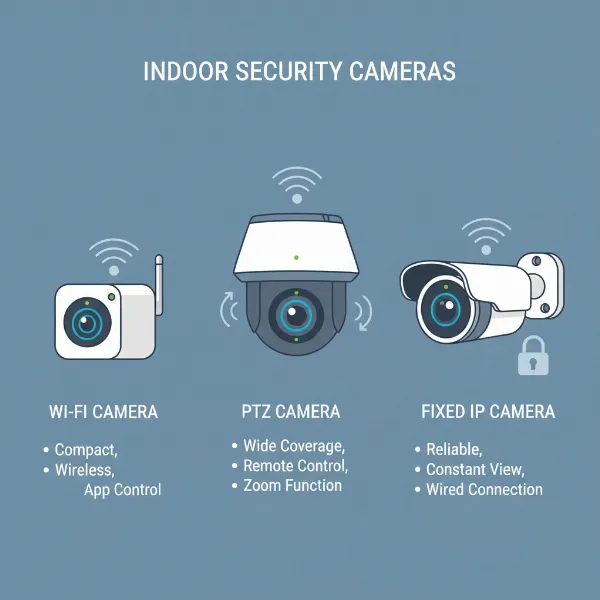 Various types of indoor security cameras, including IP, PTZ, and Wi-Fi models, illustrating different designs and functionalities.
Comparison Table of Popular Indoor Security Cameras
Choosing the right indoor security camera involves weighing various features against your specific needs and budget. Here’s a comparison of three popular models that offer strong capabilities for protecting your valuable gear.
| Feature | Eufy S350 | Google Nest Cam Indoor (Wired) | TP-Link Tapo C260 |
|---|---|---|---|
| Resolution | 4K (Dual-Lens) | 1080p | 4K UHD |
| Field of View | 360° pan & tilt | 130° | 360° pan & tilt |
| Night Vision | Color Night Vision | HDR Night Vision | Starlight Color Night Vision |
| Storage | Local (microSD, HomeBase 3) | Cloud (subscription required for full features) | Local (microSD up to 512GB), Cloud (Tapo Care optional) |
| AI Detection | Human, Pet, Crying, Vehicle | Person, Animal, Vehicle, Familiar Faces (with subscription) | Person, Vehicle, Pet |
| Price (Approx.) | $120 | $100 | $90 |
Note: Prices are approximate and subject to change. Features may vary slightly by region or generation.
 Icons representing key indoor security camera features like high resolution, night vision, motion detection, and local storage, for protecting valuables.
How to Choose the Best Indoor Security Camera for Your Gear
Making the right decision for your indoor security camera requires a thoughtful approach, considering both your specific needs and the available technology.
Assess Your Security Needs
Start by identifying exactly what gear you need to protect and where it’s located. Is it a single, high-value item in a specific corner, or multiple items spread across a larger room? This assessment will help determine the necessary field of view, whether you need pan-tilt functionality, and the ideal placement for your camera. For instance, a gaming setup in a basement might require robust night vision and a wide-angle lens, while a jewelry box in a bedroom could benefit from a camera with precise motion detection zones.
Budget Considerations
Indoor security cameras vary widely in price, from affordable entry-level models to premium systems with advanced features. Beyond the initial purchase price, factor in potential ongoing costs such as cloud storage subscriptions. If avoiding recurring fees is a priority, prioritize cameras with robust local storage options. A higher upfront investment in a feature-rich camera might save you money and provide greater peace of mind in the long run.
Reputable Brands
Stick to well-known and reputable brands in the security camera market. Companies like Eufy, Google Nest, TP-Link (Tapo/Kasa), Reolink, Arlo, Ring, and Wyze have established track records for quality, reliability, and ongoing software support. Researching a brand’s commitment to privacy and regular firmware updates is also crucial for long-term security.
Understand Technical Specifications
Don’t just look at marketing claims. Delve into the technical specifications:
- Resolution: Aim for at least 2K for clear identification.
- Field of View: Ensure it covers your critical areas.
- Night Vision Range: Does it cover the entire room in darkness?
- Storage Capacity: How much footage can it hold locally, and for how long?
- Connectivity: Is it Wi-Fi, wired, or both? How reliable is the connection?
Understanding these details ensures the camera meets your performance expectations.
Read User Reviews
Real-world experiences from other users can provide invaluable insights into a camera’s performance, ease of use, and common issues. Look for reviews that specifically mention usage scenarios similar to yours, such as monitoring valuables or experiences with false alarms. Pay attention to feedback regarding app stability, customer support, and the actual effectiveness of features like motion detection and night vision.
Warranty and Support
A good warranty and accessible customer support are important. In case of technical issues or malfunctions, knowing you can rely on the manufacturer for assistance or replacement provides an extra layer of confidence in your purchase. Check the warranty period and read reviews about the company’s support responsiveness.
Top Picks – Reviewed for Protecting Your Valuables
Based on their features, performance, and suitability for safeguarding valuable gear, here are three top indoor security camera picks.
Eufy S350: The Eufy S350 stands out for its dual-lens 4K resolution and strong emphasis on local storage. Its dual-lens system captures both a wide-angle view and a zoomed-in detail simultaneously, ensuring no critical information is missed. With advanced AI detection for humans, pets, and even crying, it intelligently alerts you only when it matters. The S350 integrates seamlessly with Eufy’s HomeBase 3, offering encrypted local storage without monthly fees, which is ideal for privacy-conscious users protecting sensitive items. Its physical privacy shutter further reinforces trust. This camera is best for those who prioritize maximum detail, robust local storage, and advanced privacy features for their valuable collections or electronics.
TP-Link Tapo C260: For users seeking exceptional clarity and comprehensive coverage at a competitive price, the TP-Link Tapo C260 is an excellent choice. This camera boasts 4K UHD resolution and 360° pan-tilt capabilities, allowing you to sweep across an entire room and zoom in on specific pieces of gear with remarkable detail. Its Starlight Color Night Vision maintains a clearer, more vibrant image in low light than traditional IR. The Tapo C260 offers flexible storage with local microSD card support up to 512GB, providing ample space for recordings without a mandatory subscription. Its value-for-money proposition makes it perfect for budget-conscious homeowners who still demand high-resolution surveillance and wide-area monitoring for their valuables.
Google Nest Cam Indoor (Wired, 3rd Gen): The Google Nest Cam Indoor (Wired) is a powerhouse for smart home integration and intelligent AI analytics. While offering 1080p resolution, its HDR (High Dynamic Range) Night Vision ensures excellent image quality even in challenging lighting conditions. What truly sets it apart is its advanced AI, capable of distinguishing between people, animals, and vehicles, and even recognizing familiar faces with a Nest Aware subscription. This reduces irrelevant alerts, focusing only on genuine threats to your gear. Its deep integration with the Google Home ecosystem allows for seamless control and viewing across devices. This camera is best for individuals who are already invested in the Google smart home environment and desire sophisticated, AI-driven alerts for precise monitoring of their valuable assets.
 A person reviewing security camera options on a tablet, considering features and needs for protecting home gear.
Conclusion
Choosing the best indoor security camera for protecting your valuable gear is a strategic decision that significantly enhances your home’s safety. By prioritizing high resolution, advanced night vision, intelligent motion detection, and secure storage options, you empower yourself with a vigilant guardian that offers peace of mind. Whether you lean towards the privacy and detail of Eufy, the clear value of TP-Link Tapo, or the smart integration of Google Nest, understanding your specific needs is the first step. Equip your home with the right indoor security camera, and rest assured that your cherished possessions are under watchful eyes.
What specific pieces of gear are you looking to protect, and what feature do you believe is most crucial in your ideal indoor security camera?
Frequently Asked Questions
How much resolution do I need for protecting gear?
For protecting valuable gear, a minimum of 1080p resolution is recommended, but 2K (1440p) or 4K (2160p/8MP) cameras provide significantly more detail. Higher resolution helps in identifying faces, distinguishing small details on items, and capturing clearer evidence if an incident occurs.
Is local storage more secure than cloud storage?
Local storage, such as microSD cards or NVRs, is often considered more private and secure because your footage remains physically on your property, reducing reliance on third-party servers and internet connectivity. However, cloud storage offers off-site backup, protecting footage even if the camera is damaged or stolen. The “best” option depends on your privacy concerns and specific security setup.
Can indoor cameras deter theft?
Yes, visible indoor security cameras can act as a significant deterrent to potential thieves. Their presence signals that the property is monitored, increasing the risk for intruders. Features like two-way audio also allow you to verbally confront and potentially scare off an intruder from a remote location.
What is a privacy mode?
A privacy mode is a feature that allows users to temporarily disable the camera’s recording and/or detection capabilities. This can be scheduled for specific times, activated manually, or triggered by geofencing (when your phone leaves the home area). Some cameras also include physical privacy shutters to cover the lens for complete peace of mind.
How do PTZ cameras help protect specific items?
PTZ (Pan-Tilt-Zoom) cameras are highly effective for protecting specific items because they allow you to remotely adjust the camera’s viewing angle and zoom. This means a single camera can monitor a wide area and then be directed to focus closely on a particular valuable item or a suspicious activity, ensuring comprehensive and flexible surveillance.