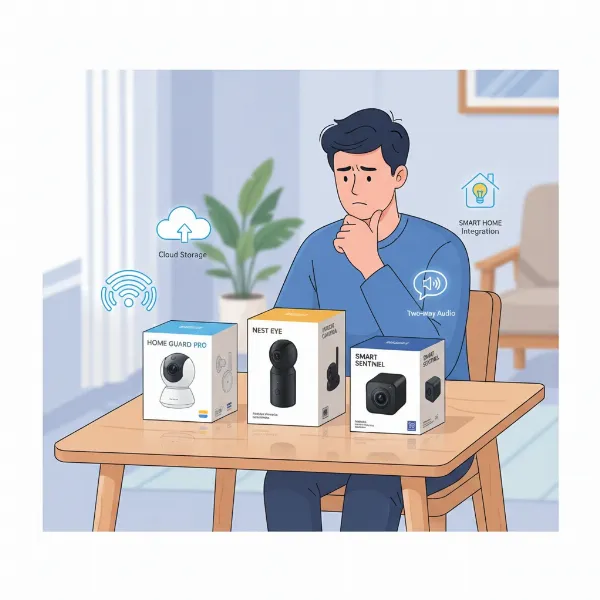
Ensuring the safety and security of your office is paramount in today’s dynamic business environment. An indoor security camera system for offices isn’t just about deterring theft; it’s a vital tool for monitoring daily operations, ensuring employee safety, and protecting valuable assets. This comprehensive guide will walk you through everything you need to know, from understanding different camera types and essential features to making informed purchasing decisions, helping you secure your workspace with confidence.
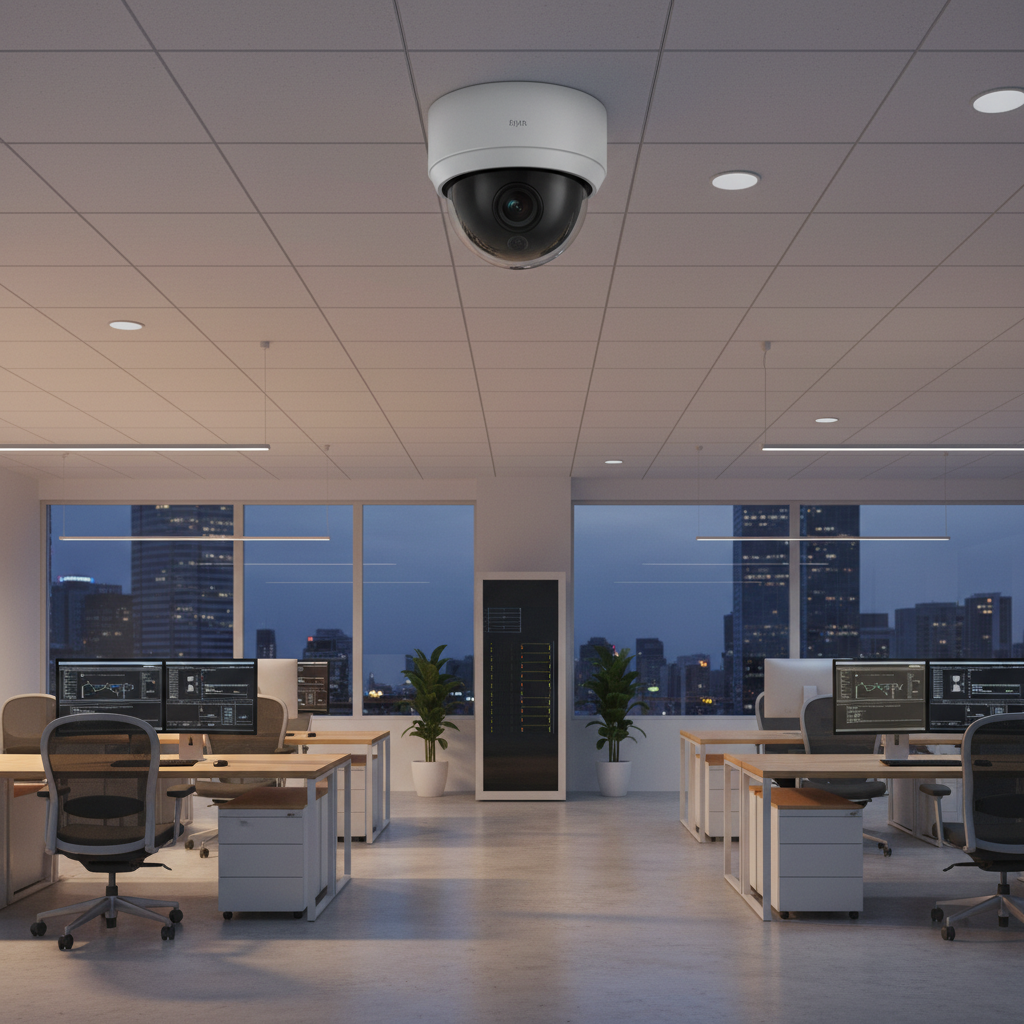
Overview of Indoor Security Cameras for Offices
Indoor security cameras are surveillance devices specifically designed for internal environments to monitor activities, enhance safety, and protect property within an office building. These cameras are crucial for creating a secure atmosphere, acting as both a deterrent to unauthorized activities and a valuable source of evidence if incidents occur.
Why are indoor security cameras so important for businesses? Beyond deterring potential intruders, they offer comprehensive monitoring capabilities, which are essential for safeguarding your business environment. You can effectively monitor daily operations, ensure the safety of employees and visitors, and protect sensitive areas with continuous oversight. Common applications include reception areas, individual offices, server rooms, storage areas, and general workspaces to prevent internal theft, verify incidents, and ensure compliance with safety protocols.
Types of Indoor Security Cameras for Offices
Choosing the right indoor security camera type is fundamental to building an effective surveillance system for your office. Each type offers distinct advantages and is suited for different office environments and security needs. Understanding these differences will help you make an informed decision about the best solution for your specific workspace.
IP Cameras (Network Cameras)
IP (Internet Protocol) cameras are digital video cameras that receive control data and send image data via an IP network. They are widely used in modern office environments due to their advanced capabilities and flexible installation.
- Advantages:
- Superior Image Quality: IP cameras typically offer higher resolutions (1080p, 2K, 4K) compared to analog systems, providing clearer and more detailed footage.
- Power over Ethernet (PoE): Many IP cameras use PoE, meaning a single Ethernet cable provides both power and data connectivity, simplifying installation and reducing cabling.
- Advanced Features: Often include built-in AI analytics like smart motion detection, facial recognition, and line crossing detection, significantly reducing false alarms.
- Scalability and Flexibility: Easy to expand by adding more cameras to an existing network without extensive re-wiring.
- Disadvantages:
- Higher Initial Cost: Generally more expensive than analog cameras, although long-term value can be greater.
- Network Dependence: Requires a stable network connection, and a complex setup can sometimes be challenging without IT expertise.
- Bandwidth Consumption: High-resolution video streams can consume significant network bandwidth, which needs to be managed.
- Applications: Ideal for general office surveillance, monitoring high-value areas like server rooms, or entry points where detailed identification is crucial.
|
Our Picks for the Best Indoor security camera in 2026
As an Amazon Associate I earn from qualifying purchases.
|
||
| Num | Product | Action |
|---|---|---|
| 1 | Ring Indoor Cam, Home or business security in 1080p HD video, White |

|
| 2 | Cinnado Security Camera Indoor-2K 360° WiFi Cameras for Home Security,Pet/Dog/Baby Camera with Phone app, 2-Way Audio, Night Vision, 24/7 SD Card Storage, Works with Alexa & Google Home (2.4Ghz)-D1 |
|
| 3 | Ring Indoor Cam Plus (newest model), Home or business security, Retinal 2K for crisp, true-to-life video quality, 4x Enhanced Zoom, Low-Light Sight, White |
|
| 4 | TP-Link Tapo 1080P Indoor Security Camera for Baby Monitor, Dog Camera w/Motion Detection, 2-Way Audio Siren, Night Vision, Cloud & SD Card Storage, Works w/Alexa & Google Home (Tapo C100) |
|
| 5 | Tapo 1080P Indoor Wired Security Camera - Works as a Baby & Pet Monitor, Motion Detection, 2-Way Audio, Siren, Night Vision, Subscription-Free Local or Optional Cloud, Works with Alexa, C100(4-Pack) |
|
| 6 | Tapo 2K Indoor Pan/Tilt Wired Security Camera - Works as a Baby Monitor & Pet Camera, Motion Detection, 2-Way Audio, Siren, Night Vision, No-Subscription Local Storage or Optional Cloud, C211 (2-Pack) |
|
| 7 | GNCC 2K Security Cameras 4pcs, Home Security Camera Indoor with 360° Motion Detection for Pets/Baby/Dog, Two-Way Audio, Night Vision, 24/7 SD Card Storage, Cloud Storage, Compatible with Alexa |
|
| 8 | Blink Mini - Compact indoor plug-in smart security camera, 1080p HD video, night vision, motion detection, two-way audio, easy set up, Works with Alexa – 1 camera (White) |
|
| 9 | Blink Mini 2K+ (newest model) – Plug-in Home & Pet Indoor Security Camera with 2K video resolution, night vision, enhanced audio, motion detection – 2 cameras (Black) |
|
| 10 | AOQEE 2K Cameras for Home Security-Outdoor/Indoor Camera for Dog/Cat/Pet/Nanny/Baby/Elderly, Color Night Vision, White Light, Siren, 24/7 SD Recordings, Works with Alexa, Plug in (C1-White-2pack-2.4G) |
|
Analog Cameras
Analog cameras transmit video signals over coaxial cables to a Digital Video Recorder (DVR). While older technology, they still have a place in some office security setups.
- Advantages:
- Lower Cost: Generally more affordable for initial setup, especially for smaller businesses or those on a tight budget.
- Simplicity: Simpler to install and operate for basic surveillance needs, requiring less network configuration.
- Reliability: Less prone to network-related issues, as they operate on a dedicated coaxial cable system.
- Disadvantages:
- Lower Resolution: Typically offer lower video resolution (e.g., 1080p) compared to IP cameras, making it harder to discern fine details.
- Limited Features: Lack advanced smart features and analytics found in IP cameras.
- Complex Cabling: Each camera requires a separate coaxial cable for video and an additional power cable, leading to more wiring.
- Applications: Suitable for small offices or businesses looking for a budget-friendly basic surveillance solution, or for upgrading existing analog systems.
PTZ (Pan-Tilt-Zoom) Cameras
PTZ cameras offer dynamic surveillance by allowing users to remotely control the camera’s pan (horizontal movement), tilt (vertical movement), and zoom functions. This flexibility makes them powerful tools for covering large areas.
- Advantages:
- Wide Coverage: A single PTZ camera can monitor an area that would typically require multiple fixed cameras, thanks to its ability to rotate and tilt.
- Optical Zoom: Provides clear, detailed close-ups without pixelation, which is crucial for identifying distant objects or individuals.
- Auto-Tracking: Many models can automatically track moving objects or people, ensuring continuous monitoring of suspicious activity.
- Preset Tours: Can be programmed to patrol specific areas or points of interest automatically.
- Disadvantages:
- Higher Cost: PTZ cameras are usually more expensive than fixed-lens cameras due to their advanced mechanics and features.
- Blind Spots: While panning or tilting, the camera may momentarily leave certain areas unmonitored if not managed properly.
- Visibility: Their larger size and movement can make them more noticeable, which might be undesirable in some discreet office settings.
- Applications: Excellent for large open office floors, lobbies, warehouses, or large common areas within an office complex where dynamic monitoring and close-up detail are required.
WiFi Cameras
WiFi cameras connect wirelessly to your office network, offering significant flexibility in placement without the need for extensive cabling. They transmit video data over a wireless connection.
- Advantages:
- Flexible Placement: Can be installed almost anywhere within Wi-Fi range, making them ideal for rented spaces or temporary setups where running cables is difficult.
- Easy Setup: Generally simpler to install and configure compared to wired systems, often involving a quick app-based setup.
- Aesthetics: Less wiring contributes to a cleaner, more discreet appearance in an office environment.
- Disadvantages:
- Network Reliability: Performance is dependent on the strength and stability of the Wi-Fi signal; interference can lead to drops or reduced quality.
- Bandwidth & Latency: High-resolution streams can strain Wi-Fi bandwidth, potentially causing lag or affecting other network devices.
- Power Source: Still requires a power outlet, unless battery-powered, which then introduces battery management.
- Security Concerns: Wireless signals can be more vulnerable to interception if not properly encrypted, requiring strong network security.
- Applications: Best for small offices, temporary monitoring needs, or areas where running Ethernet cables is impractical, such as conference rooms or individual offices.
[image-1|office-security-camera-types|Various indoor security camera types mounted in a modern office environment for surveillance.|
A modern, well-lit office space with diverse security cameras mounted discreetly on walls and ceilings. Show a dome camera in a reception area, a bullet camera in a hallway, and a small, cube-like Wi-Fi camera on a desk in a private office. The overall style is realistic and professional, demonstrating different camera placements in a typical office setting.]
Important Features of Indoor Security Cameras for Offices
When selecting an indoor security camera for your office, focusing on key features ensures that the chosen system meets specific operational and security demands. These features dictate the effectiveness, reliability, and usability of your surveillance infrastructure.
Resolution and Image Quality
The clarity and detail of your camera’s footage are paramount for identification and evidence gathering. Cameras with higher resolutions offer sharper images, which is crucial for identifying faces or reading text on documents. While 1080p (2MP) is suitable for general surveillance in smaller spaces, 2K (4MP) strikes a better balance for medium-sized offices, providing clear facial detail up to 30-40 feet away. For larger areas or situations requiring the highest level of detail, 4K (8MP) cameras are optimal, capable of capturing facial details up to 50 feet.
Field of View and Pan-Tilt-Zoom Capability
The field of view (FoV) determines how much area a camera can see. A wide-angle lens (e.g., 90-180 degrees) is effective for covering large open-plan offices or reception areas. For dynamic coverage of expansive spaces like large lobbies or corridors, cameras with Pan-Tilt-Zoom (PTZ) capabilities are invaluable. They allow you to remotely adjust the camera’s angle and zoom in on specific points of interest, replacing the need for multiple fixed cameras.
Night Vision
Office activities don’t always stop at dusk, and security is a 24/7 concern. Effective night vision ensures clear surveillance in low-light or complete darkness. Most cameras use infrared (IR) LEDs for black-and-white night vision. However, some advanced models feature “Starlight” sensors that can capture full-color video in very low ambient light before switching to IR. Others employ white light LEDs to provide full-color night vision even in total darkness, which can be useful for offices needing continuous color detail.
Motion Detection Capabilities
Modern indoor security cameras go beyond simple motion alerts, incorporating advanced detection technologies to reduce false alarms and provide more intelligent monitoring.
- Smart Motion Detection (SMD): This technology distinguishes between people and vehicles, filtering out irrelevant motion from animals, swaying trees, or shadows.
- Line Crossing and Intrusion Box Detection: Allows you to define virtual lines or zones, triggering an alert only when a person or vehicle crosses a specified boundary or enters a restricted area.
- Face Detection: Some cameras can detect faces, which can be integrated into broader security systems for access control or to flag unknown individuals.
- Active Deterrence: For sensitive office areas, cameras with active deterrence features can emit flashing lights, a siren, or even play custom voice prompts to immediately warn off trespassers, acting as a proactive security measure.
Data Storage (SD Card, NVR, Cloud)
How your video footage is stored is a critical consideration for accessibility, retention, and cost.
- Local Storage (MicroSD Card): Many cameras offer an onboard microSD card slot for local storage, providing a cost-effective solution without monthly fees. Some even support Auto Network Replenishment (ANR), where the camera records to the SD card during network outages and syncs footage back to the NVR once reconnected.
- Network Video Recorder (NVR): For multi-camera setups, an NVR is the standard for IP camera systems, providing centralized recording to an internal hard drive (HDD) and advanced management features.
- Cloud Storage: Offers off-site storage, protecting footage from physical damage or theft and providing easy remote access from anywhere. However, cloud storage often involves recurring subscription fees.
Two-Way Audio
A built-in microphone and speaker enable two-way audio communication. This feature is highly beneficial for office environments, allowing you to:
- Communicate with visitors at reception remotely.
- Address employees directly if you’re off-site.
- Issue verbal warnings to potential intruders, working in conjunction with active deterrence.
- Capture ambient audio, which can provide crucial context during incident review.
Connectivity and Remote Control
The camera’s connectivity determines ease of installation and remote accessibility. PoE (Power over Ethernet) offers a streamlined solution for wired IP cameras, using a single cable for power and data. Wi-Fi cameras provide flexibility but rely on strong network signals. Remote control through dedicated mobile apps or web interfaces allows you to view live feeds, review recordings, and adjust settings from anywhere, ensuring constant oversight of your office.
“The right set of features can transform a basic security camera into an intelligent guardian for your business. Prioritize smart detection and reliable storage to maximize effectiveness and minimize false alarms.” – Ray Ansari, Security and Surveillance Expert at CCTV Camera World
Comparison Table of Popular Indoor Security Cameras for Offices
Choosing the ideal indoor security camera often involves balancing features, performance, and cost. Here’s a comparison of three distinct camera types that cater to various office security needs, offering different benefits for specific applications.
| Feature | AvaEye 4MP Dome (IP2KDE) | AvaEye 4K Smart Bullet (IP4KBEYE4) | AvaEye 2K PTZ (PTZIR2K25) |
|---|---|---|---|
| Resolution | 2K (4MP) | 4K (8MP) | 2K (4MP) |
| Field of View | 94° wide-angle | 87° fixed | 25X Optical Zoom, 360° pan/tilt |
| Night Vision | IR 100ft, Starlight color | Dual: IR 100ft, White Light 100ft (Color) | IR 330ft, Starlight color |
| Motion Detection | Person/Vehicle Smart Motion, Line Crossing, Intrusion Box | Person/Vehicle Smart Motion, Line Crossing, Intrusion Box, Face | Person/Vehicle Smart Motion, Line Crossing, Intrusion Box, Auto-tracking |
| Audio | No microphone | Two-way audio (mic & speaker) | Two-way audio (mic & speaker), audio inputs |
| Storage | Optional SD Card (up to 256GB), NVR | Optional SD Card (up to 256GB), NVR | Optional SD Card, NVR |
| Key Differentiating Feature for Office | Discreet, Vandal-resistant (IK10), Blends into ceilings | Active Deterrence (strobe, siren, voice alerts), Proactive security | Covers very large areas, Manual/Auto-tracking, High-detail zoom |
| Ideal Office Use | Reception, lobbies, low-ceiling areas, customer interaction zones | Restricted access areas, entrances, high-security zones, active warning | Large open-plan offices, lobbies, warehouses within an office complex |
| Connectivity | PoE (Wired) | PoE (Wired) | PoE+ (Wired) |
How to Choose an Indoor Security Camera for Your Office
Selecting the right indoor security camera system for your office requires a thoughtful approach, aligning your security goals with the available technology. Consider these steps to make the most informed decision.
Determine Your Needs
Start by identifying the specific areas you need to monitor and the primary purpose of your surveillance. Are you aiming to deter theft in the reception area, ensure employee safety in common spaces, protect sensitive data in server rooms, or monitor stock in an office-attached warehouse? Understanding your core objectives will guide your feature selection. For example, discreet dome cameras might be better for lobbies, while cameras with active deterrence might be suitable for sensitive after-hours zones.
Budget
Your budget will significantly influence your choices. Consider not just the upfront cost of the cameras and associated hardware (NVR, cables, mounts) but also potential ongoing expenses. These can include professional installation, cloud storage subscriptions, and maintenance. While cheaper options exist, investing in quality often means better reliability, superior image clarity, and more advanced features that offer greater long-term value.
Reputable Brands and Vendors
Opt for well-known brands with a proven track record in commercial security and choose vendors that offer comprehensive support. Reputable brands often provide better product reliability, regular software updates, and robust security features. A good vendor should offer pre-sales advice, post-sales support, and warranty services to ensure your system functions effectively for years to come.
Review Technical Specifications
Dive into the technical details of potential cameras. Pay close attention to resolution, field of view, night vision capabilities, and the specifics of motion detection (e.g., does it include person/vehicle filtering?). For office environments, features like two-way audio, local storage options (e.g., microSD support with ANR), and robust build quality (e.g., IK10 vandal resistance for accessible areas) can be particularly important. Ensure the camera supports protocols like ONVIF if you plan to integrate with existing NVRs from other brands.
Consult User Reviews and Expert Opinions
Real-world feedback from other business owners or security professionals can provide invaluable insights into a camera’s performance and reliability. Look for reviews that specifically mention use in office or commercial settings. Expert opinions can also highlight crucial details, such as ease of installation, software usability, and the effectiveness of advanced features.
Warranty and Support Policy
For any business investment, a strong warranty and reliable customer support are crucial. Understand the length of the warranty, what it covers, and the process for technical support or returns. A responsive support team can be a lifesaver if you encounter technical issues, minimizing downtime and ensuring your security system remains operational.
Top Picks – Best Indoor Security Cameras for Offices
Based on a combination of features, performance, and suitability for various office environments, here are three top picks for indoor security cameras, each excelling in different aspects.
AvaEye 4MP Dome Camera (IP2KDE)
The AvaEye 4MP Dome Camera is an excellent choice for general indoor office surveillance where discretion and resilience are key. It captures crisp 2K (4MP) video with a 94° wide-angle view, providing clear footage for identifying details up to 40 feet away. Its discreet black dome housing blends seamlessly into ceilings, making it ideal for monitoring reception areas, lobbies, and common workspaces without being visually intrusive. With IK10 vandal resistance and IP67 weatherproofing, it’s tough enough for accessible indoor locations or covered entryways. This camera also features Starlight technology for color video in low light and smart motion detection to filter out false alarms, ensuring reliable, unobtrusive monitoring.
AvaEye 4K Smart Bullet Camera with Active Deterrence (IP4KBEYE4)
For office areas requiring a more proactive security approach, the AvaEye 4K Smart Bullet Camera is a standout. This 8MP 4K camera records ultra-HD video, capturing exceptional detail over an 87° field of view. Its unique strength lies in active deterrence features, including flashing lights, a siren, and two-way audio with voice prompts, which can be triggered automatically by smart AI detection (people and vehicles). This makes it perfect for protecting restricted access zones, valuable equipment areas within the office, or deterring loiterers at after-hours entrances. It also offers dual night vision options (IR or full-color with white light LEDs) and robust IP67 weather resistance.
AvaEye 2K PTZ Auto-Tracking Camera (PTZIR2K25)
The AvaEye 2K PTZ Camera is designed for expansive office environments or adjacent industrial spaces within an office complex that require dynamic, wide-area coverage. Boasting a massive 25X optical zoom and 360° endless pan, it can monitor an area equivalent to multiple fixed cameras. Its auto-tracking feature intelligently follows people or vehicles, providing continuous surveillance in large open-plan offices, lobbies, or warehouses. With 2K (4MP) resolution and Starlight technology for low-light clarity, it can capture facial details up to 800 feet away at maximum zoom during the day. This camera is an ideal solution for comprehensive oversight and detailed investigation across vast indoor areas.
[image-2|office-security-camera-feature-highlights|An infographic highlighting key features of modern indoor office security cameras, such as high resolution, night vision, and smart detection.|
An infographic with clean, modern design. It features icons and text bubbles demonstrating key security camera features: a magnifying glass over a crisp image for “High Resolution,” a crescent moon and stars for “Night Vision,” a person icon with a motion path for “Smart Motion Detection,” and two speech bubbles for “Two-Way Audio.” The background is a subtle, blurred image of a contemporary office interior.]
Conclusion
Choosing the right indoor security camera for your office is a strategic decision that significantly impacts the safety, efficiency, and peace of mind of your business. By carefully considering camera types, essential features like resolution, night vision, and smart detection, and evaluating your specific needs, you can build a robust surveillance system tailored to your unique workspace. From discreet monitoring in reception areas to proactive deterrence in sensitive zones, a well-chosen indoor security camera system acts as a vigilant guardian, ensuring that your employees, assets, and operations are continuously protected. What aspects of office security are most critical for your business?
Frequently Asked Questions
What resolution is best for office security cameras?
The best resolution depends on the area size and detail required. 2MP (1080p) is good for small spaces, 4MP (2K) for medium spaces needing facial detail up to 40 feet, and 8MP (4K) for larger areas or critical detail up to 50 feet.
Should I choose a PoE or Wi-Fi camera system for my office?
PoE (Power over Ethernet) cameras generally offer superior image clarity, easier installation with a single cable for power and video, and more reliable features. Wi-Fi cameras provide placement flexibility but are dependent on strong, stable network signals, making PoE a more robust choice for most office setups.
Can indoor security cameras also deter internal theft in an office?
Absolutely. The visible presence of indoor security cameras can significantly deter internal theft by employees or visitors, as it creates a sense of accountability and increases the perceived risk of getting caught. High-quality footage also serves as irrefutable evidence should an incident occur.
Do office security cameras require a monthly subscription?
Not necessarily. Many indoor security cameras offer local storage options via microSD cards or connect to an NVR (Network Video Recorder) for footage storage without ongoing fees. Cloud storage, while offering remote access and off-site backup, typically involves a monthly subscription.
How important is two-way audio for an office security camera?
Two-way audio is highly beneficial for office security. It allows for remote communication with visitors, employees, or even intruders, enhancing responsiveness and providing valuable audio context for recorded incidents. It can be a powerful tool for customer service and deterrence.
Can I monitor my office security cameras remotely?
Yes, most modern indoor security cameras, especially IP and Wi-Fi models, offer remote monitoring capabilities through dedicated smartphone apps or web interfaces. This allows business owners and authorized personnel to view live feeds, review recordings, and receive alerts from anywhere with an internet connection.
Are vandal-resistant cameras necessary for indoor office use?
Vandal-resistant cameras, often rated IK10 for impact protection, are highly recommended for indoor office areas that are easily accessible to the public or where tampering is a concern. This includes reception areas, lobbies, or any camera placed within reach, ensuring the camera remains operational even if targeted.