Choosing the right indoor security camera can feel like a maze, especially when confronting the critical decision of where your precious footage will be stored. Will it be tucked away safely in your home on a local device, or streamed securely to the vast expanse of the cloud? This fundamental choice profoundly impacts everything from your data’s security and accessibility to your ongoing costs and peace of mind. As your personal guide with years of experience in home security tech, I understand the common dilemmas homeowners face. This comprehensive guide aims to demystify the options—local storage, cloud storage, and even a hybrid approach—helping you pinpoint the perfect solution to safeguard your home and family.
Understanding Indoor Security Cameras
An indoor security camera is more than just a lens; it’s a vigilant eye protecting your most cherished spaces. These devices are specifically designed to monitor the interior of your home, offering critical surveillance against intruders, providing a watchful presence for children or pets, and even offering peace of mind when you’re away. They capture video and sometimes audio, serving as a deterrent to crime and providing crucial evidence if an incident occurs.
The importance of indoor security cameras extends beyond just security. They are vital for monitoring loved ones, checking in on pets, and even observing activity within your home while you’re at work or on vacation. Common applications include entry point surveillance, monitoring nurseries, keeping an eye on valuables, and integrating with smart home systems for a cohesive security ecosystem.
Decoding Storage Options for Your Indoor Security Camera
When selecting an indoor security camera, how and where its recordings are stored is as vital as the camera’s features themselves. The choice between local storage, cloud storage, or a hybrid model dictates accessibility, cost, and the ultimate security of your video evidence.
Local Storage
Local storage solutions keep your camera’s video footage physically within your home or property. This method offers immediate control and is a popular choice for those prioritizing privacy and a one-time investment.
-
Explanation: Local storage typically involves either a microSD card inserted directly into the camera, a Network Video Recorder (NVR), a Digital Video Recorder (DVR), or a Network Attached Storage (NAS) device.
- MicroSD cards are the simplest form, offering on-camera storage. They are convenient for single cameras but have limited capacity.
- NVRs are dedicated devices that connect to IP cameras over a network, storing footage on internal hard drives. They are common for multi-camera setups.
- DVRs are similar but traditionally used with analog cameras, converting analog signals to digital for storage.
- NAS devices are networked storage devices that allow multiple devices to save data, offering greater flexibility and capacity.
-
Pros:
- No ongoing fees: Once you purchase the hardware, there are no monthly subscription costs.
- Full data control: Your footage stays on your property, giving you complete privacy and ownership.
- Internet independent recording: Cameras can record even if your internet goes down (though remote viewing would be affected).
- Faster on-site access: Accessing footage locally can be quicker without relying on internet upload/download speeds.
- Higher resolution potential: Often maintains original video quality without cloud compression.
-
Cons:
- Physical vulnerability: The storage device (camera with SD card, NVR/DVR) can be stolen or damaged, leading to permanent data loss.
- Limited remote access: Remote viewing typically requires a more complex network setup or is less seamless than cloud-based systems.
- Maintenance: Hard drives can fail and require replacement; software updates might be manual.
- Scalability limitations: Expanding storage often means purchasing additional hardware.
|
Our Picks for the Best Indoor security camera in 2026
As an Amazon Associate I earn from qualifying purchases.
|
||
| Num | Product | Action |
|---|---|---|
| 1 | TP-Link Tapo 1080P Indoor Security Camera for Baby Monitor, Dog Camera w/Motion Detection, 2-Way Audio Siren, Night Vision, Cloud & SD Card Storage, Works w/Alexa & Google Home (Tapo C100) |

|
| 2 | Tapo 2K Indoor Pan/Tilt Wired Security Camera - Works as a Baby Monitor & Pet Camera, Motion Detection, 2-Way Audio, Siren, Night Vision, No-Subscription Local Storage or Optional Cloud, C211 (2-Pack) |
|
| 3 | Blink Mini - Compact indoor plug-in smart security camera, 1080p HD video, night vision, motion detection, two-way audio, easy set up, Works with Alexa – 1 camera (White) |
|
| 4 | Ring Indoor Cam, Home or business security in 1080p HD video, White |
|
| 5 | GNCC 2K Security Cameras 4pcs, Home Security Camera Indoor with 360° Motion Detection for Pets/Baby/Dog, Two-Way Audio, Night Vision, 24/7 SD Card Storage, Cloud Storage, Compatible with Alexa |
|
| 6 | Cinnado Security Camera Indoor-2K 360° WiFi Cameras for Home Security,Pet/Dog/Baby Camera with Phone app, 2-Way Audio, Night Vision, 24/7 SD Card Storage, Works with Alexa & Google Home (2.4Ghz)-D1 |
|
| 7 | Ring Indoor Cam Plus (newest model), Home or business security, Retinal 2K for crisp, true-to-life video quality, 4x Enhanced Zoom, Low-Light Sight, White |
|
| 8 | AOQEE 2K Cameras for Home Security-Outdoor/Indoor Camera for Dog/Cat/Pet/Nanny/Baby/Elderly, Color Night Vision, White Light, Siren, 24/7 SD Recordings, Works with Alexa, Plug in (C1-White-2pack-2.4G) |
|
| 9 | Tapo 1080P Indoor Wired Security Camera - Works as a Baby & Pet Monitor, Motion Detection, 2-Way Audio, Siren, Night Vision, Subscription-Free Local or Optional Cloud, Works with Alexa, C100(4-Pack) |
|
| 10 | Blink Mini 2K+ (newest model) – Plug-in Home & Pet Indoor Security Camera with 2K video resolution, night vision, enhanced audio, motion detection – 2 cameras (Black) |
|
Cloud Storage
Cloud storage involves transmitting your camera’s video footage over the internet to remote servers managed by a third-party service provider. This approach has surged in popularity due to its convenience and robust data protection.
-
Explanation: When a camera records an event, the footage is uploaded to the cloud via your internet connection. You then access this footage through a dedicated app on your smartphone, tablet, or a web browser from anywhere in the world. This typically operates on a subscription model, with different tiers offering varying storage durations and features.
-
Pros:
- Remote accessibility: View live feeds and recorded clips from any location with an internet connection.
- Off-site backup: Footage is safe even if your camera or local storage device is stolen or destroyed.
- Scalability: Easily adjust your storage capacity by upgrading your subscription plan without needing new hardware.
- Lower upfront costs: Often, you only pay for the camera, with the storage cost spread monthly or annually.
- Maintenance-free: The service provider handles all software updates, security, and storage management.
- Advanced features: Many subscriptions unlock AI analytics like person, pet, or package detection, and continuous video recording (CVR).
-
Cons:
- Ongoing subscription fees: Costs can accumulate over time, potentially becoming more expensive than local storage in the long run, especially with multiple cameras.
- Internet dependency: A stable and robust internet connection is crucial for both recording and accessing footage. No internet means no cloud recording.
- Privacy concerns: Entrusting your sensitive video data to a third-party provider raises questions about data ownership and access policies.
- Potential video quality degradation: Some services may compress video to save bandwidth, affecting original resolution.
- Limited retention: Most plans offer video history for a set period (e.g., 30-180 days), after which footage is deleted.
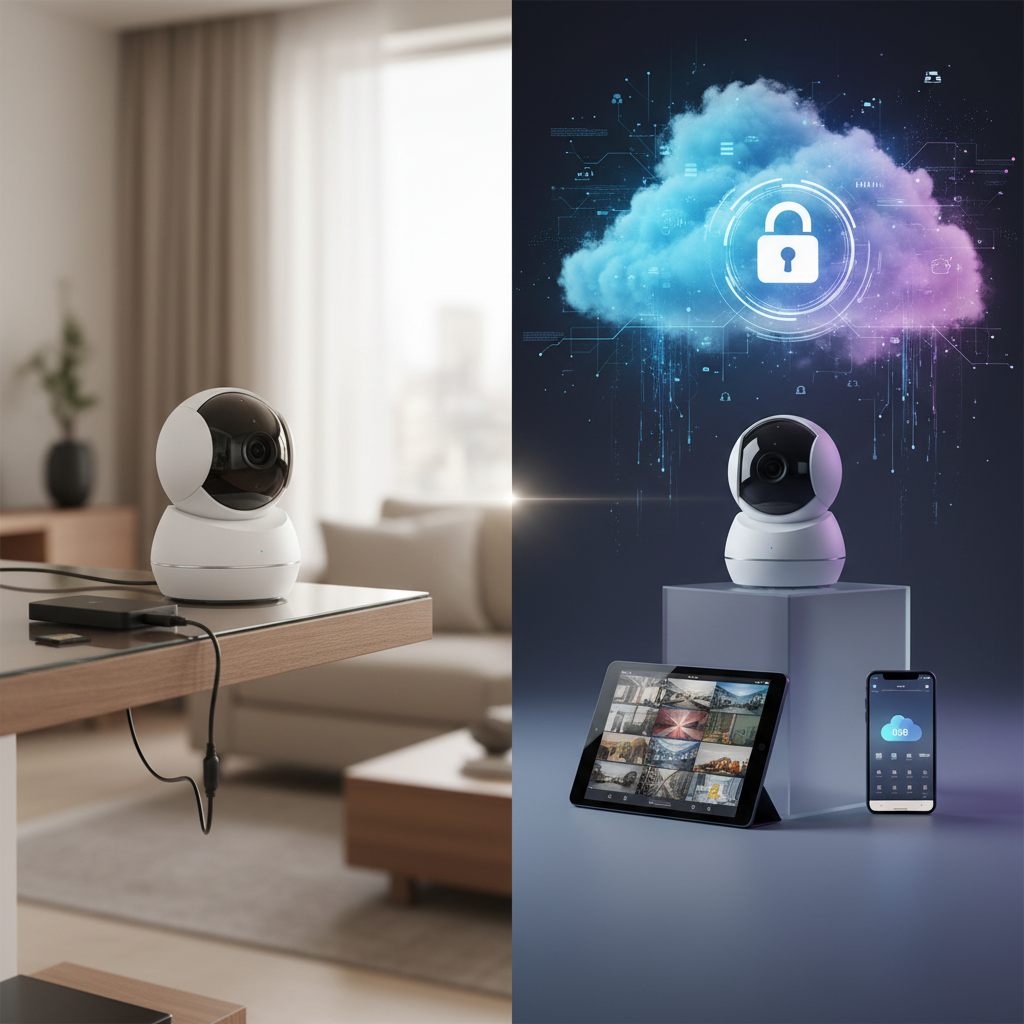
[image-1|cloud-vs-local-storage-comparison|An illustrative comparison of local and cloud storage solutions for indoor security cameras, showing a physical hard drive and a cloud icon.|
An infographic illustrating the concepts of local and cloud storage for security cameras. On one side, a physical hard drive or SD card is shown within a house outline, connected by a cable to a camera. On the other side, a camera is shown with an arrow pointing to a cloud icon, representing remote servers. Clearly label “Local Storage” and “Cloud Storage” with small icons representing their core pros like “Privacy” and “Remote Access” respectively, in a modern, clean, and illustrative style.]
Hybrid Storage
Hybrid storage systems combine the strengths of both local and cloud storage, offering a robust and flexible surveillance solution. This approach aims to mitigate the drawbacks of each standalone option by providing redundancy and diverse access methods.
-
Explanation: In a hybrid setup, footage is often stored locally first (e.g., on an SD card or NVR) and simultaneously, or selectively, uploaded to the cloud. This means you have an immediate, on-site backup while also benefiting from remote access and off-site data protection. For instance, motion-triggered events might be uploaded to the cloud for easy remote viewing, while continuous recording is maintained locally for comprehensive coverage.
-
Benefits:
- Enhanced redundancy: Your footage is stored in two locations, significantly reducing the risk of complete data loss due to theft, damage, or internet outages.
- Flexible access: Enjoy fast local access when on-site and convenient remote access via the cloud when away.
- Optimized bandwidth: Continuous recording can happen locally, reserving internet bandwidth for essential cloud uploads or alerts.
- Balanced privacy and security: You retain local control over some data while benefiting from the robust security measures of cloud providers for critical clips.
Key Features Influencing Your Storage Choice
When deciding between local and cloud storage for your indoor security camera, several crucial features come into play. Understanding these elements will help you align your storage choice with your specific security needs and lifestyle.
Data Security and Privacy
Data security and privacy are paramount when dealing with surveillance footage. Local storage offers inherent privacy as your data never leaves your premises, giving you complete control over who accesses it. However, this also means your data is vulnerable to physical threats like theft or damage to the storage device itself. Cloud storage, conversely, relies on third-party providers who typically invest heavily in encryption and data redundancy measures to protect your footage from cyber threats and physical loss. Yet, it requires trusting the provider’s privacy policies and security protocols.
Accessibility and Remote Monitoring
The ability to access your camera’s feed and recordings remotely is a major differentiator. Cloud storage excels here, allowing seamless viewing from anywhere in the world via a smartphone app or web browser, provided you have an internet connection. Local storage systems, especially those relying solely on microSD cards, offer limited remote access. While NVR/DVR systems can often be configured for remote viewing, it typically involves more complex network setup and may not be as instantaneous or user-friendly as a cloud-based service.
Cost Considerations (Upfront vs. Ongoing)
Cost is a significant factor. Local storage often involves a higher upfront investment for hardware like NVRs, DVRs, or larger SD cards, but then incurs no recurring fees. Over time, this can prove more economical. Cloud storage, on the other hand, typically has a lower initial cost (sometimes just the camera itself) but requires ongoing monthly or annual subscription fees. These cumulative costs can surpass the initial investment of a local system, especially for multiple cameras or extended retention periods.
Internet Reliance and Bandwidth
Internet connectivity plays a critical role, particularly for cloud storage. A stable and sufficiently fast internet connection is essential for uploading high-quality video footage to the cloud and for seamless remote viewing. If your internet connection is unreliable or has limited bandwidth, cloud storage may lead to dropped frames, lower video quality, or delayed access. Local storage, especially on-camera SD cards or NVRs, can record continuously without an internet connection, making it ideal for areas with poor connectivity, though remote access would be impacted.
[image-2|internet-reliance-security-camera|A visual metaphor of an indoor security camera struggling with a weak Wi-Fi signal, represented by broken lines and a buffering icon.|
An indoor security camera placed on a shelf, with faint, broken Wi-Fi signal lines emanating from it, visually suggesting a weak internet connection. A small buffering icon or a red ‘X’ over a cloud symbol could be subtly integrated to indicate connectivity issues, set in a cozy home environment with soft, ambient lighting in a realistic photography style.]
Storage Capacity and Retention
The amount of footage you can store and how long it’s kept are key considerations. Local storage capacity is limited by the physical size of the SD card or hard drive you install. While hard drives can offer significant storage, they eventually fill up, overwriting older footage. Cloud storage provides scalable capacity, with plans offering varying retention periods, typically ranging from a few days to several months. While flexible, these limits mean older footage will automatically be deleted unless you manually download it or upgrade to a higher-tier plan.
Advanced Features and AI Analytics
Many modern indoor security cameras offer advanced features like person detection, facial recognition, package detection, and activity zones. While some basic features might be available with local processing, most sophisticated AI analytics and smart alerts are typically tied to cloud subscriptions. These features enhance the camera’s intelligence, reduce false alarms, and make reviewing events more efficient. Choosing a cloud plan often means unlocking the full potential of your smart security camera.
Comparison Table: Local vs. Cloud Storage for Indoor Security Cameras
This table offers a clear side-by-side comparison to help you weigh the pros and cons of local and cloud storage options for your indoor security camera system.
| Feature | Local Storage (SD Card, NVR/DVR) | Cloud Storage |
|---|---|---|
| Initial Cost | Higher (for NVR/DVR/HDD) / Lower (for SD card) | Lower (often just camera cost, but sometimes cameras are pricier if designed for cloud) |
| Ongoing Cost | None (after hardware purchase) | Monthly/Annual subscription fees, which can add up significantly |
| Data Security | Vulnerable to physical theft/damage on-site; depends on physical security measures. | Secure off-site backup, robust encryption, data redundancy, less prone to physical damage. |
| Privacy | Full control, data stays on-site; minimal third-party involvement. | Relies on third-party provider’s privacy policies and security protocols; data stored remotely. |
| Remote Access | Limited or requires complex network setup for NVR/DVR; SD card usually no remote access. | Excellent, accessible from anywhere with an internet connection via app/web. |
| Internet Reliance | Records without internet (for local storage on device); internet only needed for remote viewing. | Requires stable internet for recording, uploading, and access; no internet means no cloud recording. |
| Maintenance | Manual (hardware replacement, software updates, storage management). | Provider handles all infrastructure maintenance, software updates, and storage management. |
| Scalability | Limited by hardware capacity; expanding requires purchasing more devices. | Highly scalable, easily adjust storage capacity and features by upgrading subscription plans. |
| Video Quality | Often maintains original, higher resolution; no bandwidth compression. | Can be degraded or compressed to save bandwidth and storage costs; varies by plan. |
| Retention Period | Limited by physical capacity of the storage device; older footage is overwritten. | Varies by plan (e.g., 7, 30, 60, 180 days); footage automatically deleted after period. |
Guiding Your Decision: Picking the Right Storage for Your Home
Choosing between local and cloud storage, or a hybrid approach, ultimately comes down to your personal priorities and specific home security needs. There’s no one-size-fits-all answer, but by carefully considering several factors, you can make the most informed decision.
Assess Your Security Priorities
What aspects of security matter most to you? If absolute data privacy and control are paramount, and you have robust physical security measures in place to protect on-site equipment, local storage might be your preferred choice. However, if protection against physical theft of your recording device, off-site data backup, and seamless remote access are critical, then cloud storage or a hybrid solution will offer greater peace of mind. Consider how devastating it would be to lose all footage in a break-in if it were only stored locally.
Evaluate Your Internet Connection
Your home’s internet reliability is a non-negotiable factor. If you experience frequent outages or have a slow, inconsistent connection, a system heavily reliant on cloud storage will likely disappoint. Local storage provides a safety net, ensuring recording continues even without internet. For cloud-centric systems, a fast, stable broadband connection is essential for uninterrupted uploads and high-quality remote viewing. A hybrid setup can offer the best of both worlds, recording locally during outages and syncing to the cloud when connectivity returns.
Consider Your Budget and Long-Term Costs
Think beyond the initial camera purchase. Local storage systems typically have higher upfront costs for NVRs, DVRs, or larger capacity SD cards, but then offer virtually no ongoing expenses. Cloud storage, conversely, boasts lower initial investment but involves recurring monthly or annual subscription fees that can add up substantially over several years, especially if you have multiple cameras. Calculate the total cost of ownership over a 3-5 year period to get a realistic financial picture for both options.
Determine Desired Features and Retention
Do you need advanced AI analytics like smart alerts for people, pets, or packages? Are continuous video recording (CVR) and a long video history important to you? Many of these premium features are often bundled with cloud storage subscriptions. If these intelligent capabilities are crucial for your security strategy, cloud storage is likely a better fit. If basic motion detection and short-term playback suffice, local storage might be adequate. Also, consider how long you need to retain footage – some local setups offer longer periods without overwriting if you size your storage correctly, while cloud plans have fixed retention limits.
Explore Hybrid Solutions for Optimal Balance
For many homeowners, a hybrid approach truly offers the best of both worlds. Imagine having an SD card in your camera for continuous local recording, ensuring no footage is lost even during internet disruptions. Simultaneously, critical motion-triggered events are uploaded to the cloud, providing an off-site backup and enabling easy remote access from anywhere. This redundancy protects against both physical theft and internet outages, offering maximum flexibility and security. Many leading camera brands now offer cameras that support both local and cloud storage options, allowing you to tailor your system to your exact preferences.
Top Indoor Security Camera Brands and Their Storage Approaches
The market is rich with indoor security camera options, each offering distinct storage philosophies. Understanding these can help narrow down your choices.
-
Eufy: Known for its “local first” approach, Eufy often integrates generous on-device storage (like large-capacity eMMC or microSD card slots) and sometimes offers HomeBase hubs for local NVR-like functionality. While they do offer optional cloud subscriptions for those who want off-site backup and remote access, their core value proposition often lies in minimizing recurring fees through robust local storage. This is ideal for users prioritizing privacy and avoiding subscriptions.
-
Ring/Nest (Google Nest): These brands are heavily integrated with cloud ecosystems. Ring cameras typically require a Ring Protect subscription for video recording and storage, offering extensive cloud history and features like person detection. Google Nest Cams also lean heavily on Nest Aware subscriptions for continuous recording, facial recognition, and longer video history, though some newer Nest cameras offer a few hours of event video history without a subscription. These are excellent for users who value seamless remote access, advanced AI features, and don’t mind ongoing subscription costs.
-
Reolink/Tapo (TP-Link): These brands often champion flexibility, providing strong support for both local and optional cloud storage. Many Reolink and Tapo cameras include microSD card slots for local recording and can also connect to Reolink NVRs for centralized local storage. They typically offer their own cloud services as an add-on, allowing users to choose a hybrid model or go fully local. This makes them versatile choices for users who want options and perhaps a more budget-friendly approach to storage.
“The true value of a security camera isn’t just in what it sees, but in how reliably and securely that visual evidence is preserved when you need it most.” – Mo, Admin of ReviewByMo.com
Conclusion
The decision between local and cloud storage for your indoor security camera is pivotal to building an effective home surveillance system. Local storage offers unparalleled privacy and freedom from recurring fees, making it a strong contender for those prioritizing control and internet independence. However, it carries inherent risks of physical loss. Cloud storage counters this with robust off-site backup, seamless remote access, and advanced smart features, albeit with ongoing costs and reliance on internet connectivity.
Ultimately, the optimal choice hinges on your specific needs: your budget, internet stability, desired level of remote access, and how you weigh data privacy against off-site security. For many, a hybrid approach—combining the best attributes of both—provides the most comprehensive and flexible indoor security camera solution, ensuring your home is always protected, and your footage is always accessible. What aspect of camera storage matters most to you in securing your home?
Câu Hỏi Thường Gặp
What happens to my security camera footage if my internet goes out?
If your indoor security camera relies solely on cloud storage, it will stop recording and uploading footage to the cloud during an internet outage. However, cameras with local storage (like an SD card) will continue to record locally, ensuring no footage is lost during the disruption. Hybrid systems offer the best of both, storing locally and syncing to the cloud when internet returns.
Can I access local storage camera footage remotely?
Yes, some local storage cameras, particularly those connected to an NVR or DVR, can be configured for remote access. This usually involves setting up network forwarding or using a dedicated app that connects to your local system over the internet. However, it can be more complex to set up and might not be as seamless as cloud-based remote access.
Is cloud storage for security cameras truly secure?
Reputable cloud storage providers for security cameras employ strong encryption, multi-factor authentication, and secure server infrastructure to protect your data. They often have robust cybersecurity measures in place to prevent unauthorized access. However, no system is entirely foolproof, and it’s essential to choose providers with transparent privacy policies and a strong track record of security.
How much does cloud storage for indoor security cameras typically cost?
The cost of cloud storage for indoor security cameras varies widely depending on the brand, number of cameras, and desired features and video retention period. Basic plans might start from $3-$5 per month per camera, while more comprehensive plans offering longer video history, continuous recording, and advanced AI features can range from $10-$20 per month or more, especially for unlimited cameras.