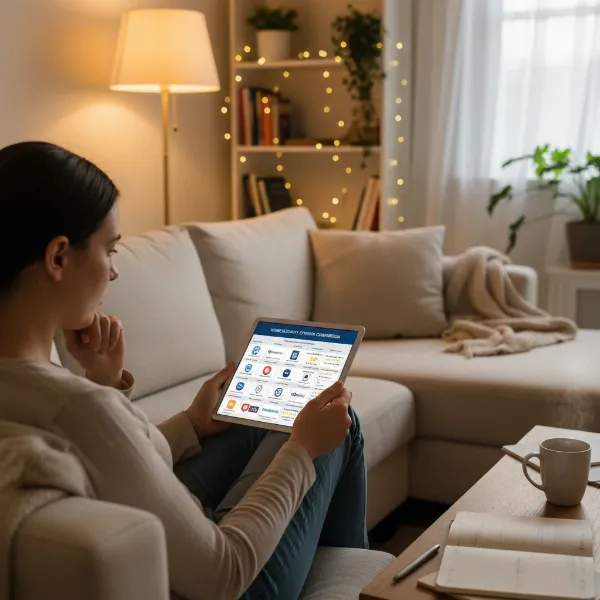
Securing your small apartment doesn’t require a fortress, but rather smart, discreet, and efficient solutions. An indoor security camera for a small apartment can offer unparalleled peace of mind, allowing you to monitor your space, loved ones, or even pets, whether you’re at work, on vacation, or just in another room. This comprehensive guide will walk you through everything you need to know, from understanding different camera types and essential features to making an informed purchase, ensuring your compact living space remains safe and sound.
Total Overview of Indoor Security Cameras
Indoor security cameras are sophisticated surveillance devices designed to monitor the interior of a home or apartment. Far beyond simple video streaming, modern cameras integrate advanced technology to enhance safety and provide peace of mind. They act as vigilant eyes, offering continuous monitoring and the ability to respond to unexpected events.
These cameras play a crucial role in safeguarding your home, especially in smaller apartments where every corner counts. They deter potential intruders, allow you to check in on children, elderly relatives, or pets, and provide crucial footage for investigations or insurance claims in the event of an incident. Many users leverage them for everyday needs, like ensuring a babysitter is comfortable or monitoring a delivery inside the door.
Common applications extend to monitoring entry points like front doors or hallways, keeping an eye on living rooms and shared spaces, or even discreetly observing areas with valuables. For pet owners, they offer a way to interact with furry friends and monitor their behavior while away. Caregivers benefit from real-time video and two-way talk, maintaining connection and reassurance.
Popular Types of Indoor Security Cameras
The landscape of indoor security cameras offers diverse options, each with unique strengths. Understanding these types helps you select the best fit for your small apartment.
IP and WiFi Cameras
Internet Protocol (IP) cameras, often synonymous with WiFi cameras in the consumer market, are the most prevalent type for modern smart homes. They connect directly to your home’s Wi-Fi network to transmit video footage over the internet.
- Advantages:
- Flexibility and Easy Installation: Wireless setup makes them ideal for apartments or rentals where drilling may be limited.
- Remote Access: View live feeds and recordings from anywhere via a smartphone app.
- Advanced Features: Often include smart detection, two-way audio, and cloud storage.
- Disadvantages:
- Reliance on Wi-Fi: Requires a stable internet connection; potential for lag or dropped footage with poor signal.
- Power Source: While wireless for data, many still need to be plugged into an outlet, though battery-powered options offer complete wire-free placement.
- Real-world applications: Perfect for monitoring general living areas, entryways, or as a baby or pet monitor, providing real-time alerts and communication capabilities.
|
Our Picks for the Best Indoor security camera in 2026
As an Amazon Associate I earn from qualifying purchases.
|
||
| Num | Product | Action |
|---|---|---|
| 1 | AOQEE 2K Cameras for Home Security-Outdoor/Indoor Camera for Dog/Cat/Pet/Nanny/Baby/Elderly, Color Night Vision, White Light, Siren, 24/7 SD Recordings, Works with Alexa, Plug in (C1-White-2pack-2.4G) |

|
| 2 | Cinnado Security Camera Indoor-2K 360° WiFi Cameras for Home Security,Pet/Dog/Baby Camera with Phone app, 2-Way Audio, Night Vision, 24/7 SD Card Storage, Works with Alexa & Google Home (2.4Ghz)-D1 |
|
| 3 | Tapo 2K Indoor Pan/Tilt Wired Security Camera - Works as a Baby Monitor & Pet Camera, Motion Detection, 2-Way Audio, Siren, Night Vision, No-Subscription Local Storage or Optional Cloud, C211 (2-Pack) |
|
| 4 | Ring Indoor Cam, Home or business security in 1080p HD video, White |
|
| 5 | Tapo 1080P Indoor Wired Security Camera - Works as a Baby & Pet Monitor, Motion Detection, 2-Way Audio, Siren, Night Vision, Subscription-Free Local or Optional Cloud, Works with Alexa, C100(4-Pack) |
|
| 6 | GNCC 2K Security Cameras 4pcs, Home Security Camera Indoor with 360° Motion Detection for Pets/Baby/Dog, Two-Way Audio, Night Vision, 24/7 SD Card Storage, Cloud Storage, Compatible with Alexa |
|
| 7 | Blink Mini 2K+ (newest model) – Plug-in Home & Pet Indoor Security Camera with 2K video resolution, night vision, enhanced audio, motion detection – 2 cameras (Black) |
|
| 8 | TP-Link Tapo 1080P Indoor Security Camera for Baby Monitor, Dog Camera w/Motion Detection, 2-Way Audio Siren, Night Vision, Cloud & SD Card Storage, Works w/Alexa & Google Home (Tapo C100) |
|
| 9 | Ring Indoor Cam Plus (newest model), Home or business security, Retinal 2K for crisp, true-to-life video quality, 4x Enhanced Zoom, Low-Light Sight, White |
|
| 10 | Blink Mini - Compact indoor plug-in smart security camera, 1080p HD video, night vision, motion detection, two-way audio, easy set up, Works with Alexa – 1 camera (White) |
|
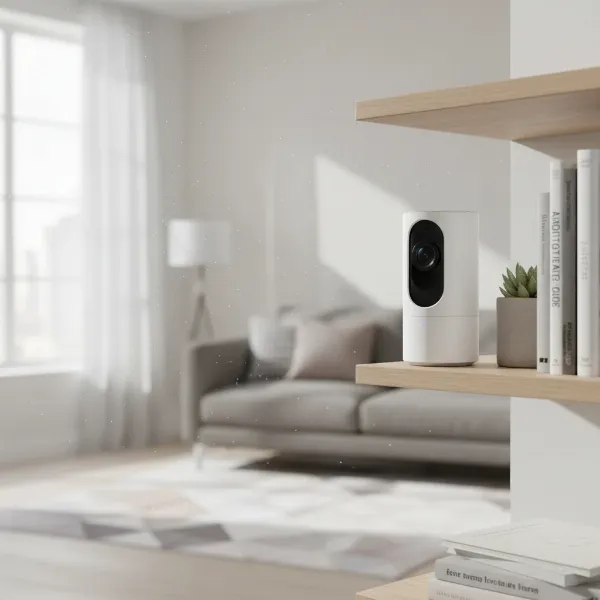 A modern, compact WiFi indoor security camera designed for apartment use, featuring a sleek white finish, placed discreetly on a bookshelf in a minimalist apartment living room. Soft, natural light from a window illuminates the scene, highlighting the camera's small size and seamless integration into the home decor. Angled for wide coverage with a clean, functional aesthetic.
Analog Cameras
While less common for consumer indoor use today, analog cameras transmit video over coaxial cables to a digital video recorder (DVR). They are generally a more traditional, wired solution.
- Advantages:
- Reliability: Wired connection provides a stable signal, less prone to interference.
- Local Storage: Typically store footage directly on a DVR, avoiding monthly cloud fees.
- Disadvantages:
- Complex Installation: Requires running cables, which can be challenging and less aesthetic in an apartment.
- Lower Resolution: Often offer lower video quality compared to modern IP cameras.
- Limited Smart Features: Lack advanced AI, remote control, and app integration found in newer models.
- Real-world applications: More suited for larger, permanent installations where extensive wiring is feasible and cloud dependence is undesirable. For small apartments, their drawbacks usually outweigh the benefits.
PTZ (Pan-Tilt-Zoom) Cameras
Pan-Tilt-Zoom (PTZ) cameras offer dynamic viewing capabilities, allowing you to remotely adjust the camera’s lens to pan horizontally, tilt vertically, and zoom in on specific areas.
- Advantages:
- Wide Coverage: A single PTZ camera can monitor a large room by rotating its view, potentially replacing multiple fixed cameras.
- Remote Control: Adjust the viewing angle and zoom via a smartphone app.
- Motion Tracking: Many models automatically follow detected motion.
- Disadvantages:
- Higher Cost: Generally more expensive than fixed cameras.
- Mechanical Noise: Motorized movements can sometimes be audible.
- Real-world applications: Ideal for monitoring expansive living rooms, open-concept spaces, or areas where you need to track movement across a wide field.
Important Features of Indoor Security Cameras
When selecting an indoor security camera for a small apartment, several features are paramount for optimal performance and user satisfaction.
Resolution and Image Quality
High-definition video is crucial for clearly identifying faces, objects, and details. While 1080p Full HD is standard, 2K or even 4K resolution cameras offer superior clarity, allowing for clearer digital zooming. Higher resolution can make a significant difference when reviewing footage or trying to discern subtle details.
Viewing Angle and Pan/Tilt Capability
The camera’s field of view determines how much area it can cover. For small apartments, a wide-angle lens, typically 120-150 degrees or more, is beneficial to monitor an entire room without needing multiple devices. Pan-and-tilt functionality, which allows remote adjustment of the camera’s orientation, further enhances coverage and eliminates blind spots.
Night Vision
Security needs don’t stop when the lights go out. Most burglaries occur at night, making robust night vision essential for 24/7 protection. Infrared (IR) LEDs enable cameras to capture clear black-and-white footage in complete darkness. Advanced models now offer color night vision, providing more detail and clarity in low-light conditions.
Motion Detection Capabilities
Motion detection is a foundational feature, triggering recording and alerts only when movement is detected, which conserves storage space. Modern cameras often incorporate AI-driven person detection to differentiate between irrelevant movements (like pets or curtains swaying) and genuine security concerns, reducing false alarms and “alert fatigue.”
Data Storage (SD card, Cloud)
How your footage is stored is a critical consideration. Options include:
- Local Storage: Typically via a microSD card inserted directly into the camera or through a DVR/NVR. This offers privacy, no recurring fees, and continuous recording capacity depending on card size.
- Cloud Storage: Footage is uploaded to remote servers, providing convenient remote access and protection against physical damage to the camera. Most cloud storage options involve a monthly subscription fee.
- Hybrid Storage: A growing trend in 2026, combining both local and cloud storage for redundancy and flexibility. This allows for both immediate remote access and a secure local backup.
Two-Way Audio
This feature transforms a camera into an interactive communication tool. Two-way audio allows you to hear what’s happening in the room and speak through the camera from your phone. It’s useful for checking in with family, soothing a pet, or warning a potential intruder. Some cameras also detect ambient sounds like glass breaking.
Connectivity and Remote Control
Most indoor security cameras connect via Wi-Fi. Look for models with stable Wi-Fi connectivity and an intuitive mobile app for iOS and Android devices. Remote control capabilities mean you can view live feeds, review recordings, adjust settings, and receive alerts from anywhere. Compatibility with smart home ecosystems like Amazon Alexa or Google Assistant allows for voice control and integration with other smart devices.
Privacy Features
In an always-on smart home, privacy is paramount. Top-tier cameras offer features like encrypted data, customizable privacy zones (areas you don’t want recorded), and physical lens covers that can be activated when you’re home. Two-factor authentication and strong, unique passwords for the companion app are also essential for account security.
“For apartment dwellers, size and discreet placement are just as important as image quality. You want a camera that blends seamlessly into your living space while still offering robust monitoring.” – ReviewByMo Admin, Indoor Security Camera Expert
Comparison Table of Popular Indoor Security Cameras
Choosing the right indoor security camera for a small apartment involves weighing features against cost and specific needs. Here’s a comparison of some popular models well-suited for smaller living spaces:
| Feature | TP-Link Tapo C260 | Arlo Essential Indoor (2nd Gen) | Blink Mini 2K+ | Eufy Indoor Cam E220 (2K Pan & Tilt) |
|---|---|---|---|---|
| Resolution | 4K | 1080p | 2K | 2K |
| Viewing Angle | 360° (Pan-Tilt) | 130° | 138° | 360° (Pan-Tilt) |
| Night Vision | Color Night Vision | Infrared (B&W) | Infrared (B&W) | Infrared (B&W) |
| Local Storage | MicroSD (up to 512GB) | No (Subscription required) | No (Sync Module 2 + USB) | MicroSD (up to 128GB) |
| Cloud Storage | Optional (Tapo Care) | Optional (Arlo Secure) | Optional (Blink Plan) | Optional (Eufy Cloud) |
| Two-Way Audio | Yes | Yes | Yes | Yes |
| Smart Detection | People, Pets, Vehicles, Cry Detection | Person, Motion | Motion, Person, Vehicle (with sub) | Motion, Person, Sound, Baby Cry |
| Smart Integration | Alexa, Google Home, Samsung Bixby | Alexa, Google Assistant, IFTTT | Alexa, IFTTT | Alexa, Google Assistant, Apple HomeKit |
| Privacy Features | Custom Privacy Zones | Automated Privacy Shield | N/A | Custom Privacy Zones |
| Price | Under $60 | Around $30 | Around $25 | Around $40 |
Note: Prices are approximate and subject to change.
Guide to Buying an Indoor Security Camera
Navigating the market for the best indoor security camera for your small apartment can be straightforward if you follow a few key steps.
Determine Your Needs
Before diving into specifications, consider what you primarily want the camera to do. Are you monitoring a baby, keeping an eye on pets, deterring intruders, or simply checking in on your home while away? Your primary use case will dictate essential features like two-way audio, advanced motion detection, or specific fields of view. For a small apartment, compactness and discreet design might be higher priorities than for a larger home.
Budget Considerations
Indoor security cameras range widely in price, from budget-friendly options under $30 to premium systems over $100, often before factoring in subscription costs. Decide on a realistic budget, remembering to account for potential monthly cloud storage fees if local storage isn’t sufficient or desired. Many affordable cameras offer excellent core features without breaking the bank.
Reputable Brands
Stick with established brands known for reliability, security, and customer support. Companies like Arlo, TP-Link (Tapo, Kasa), Google (Nest), Ring, and Eufy consistently receive positive reviews for their indoor camera offerings. These brands often provide better app experiences, regular firmware updates, and stronger privacy safeguards.
Read Specifications Carefully
Don’t just glance at the headline features. Dive into the details:
- Resolution: Aim for at least 1080p; 2K offers more detail.
- Field of View: A wider angle (130°+) is better for apartment rooms. Pan-tilt adds flexibility.
- Night Vision: Check if it’s black-and-white IR or color night vision.
- Storage: Understand local (microSD card capacity) vs. cloud (subscription costs, retention period).
- Power: Is it wired (plug-in) or truly wireless (battery-powered)? Battery life is a factor for the latter.
- Smart Home Compatibility: Ensure it works with your existing ecosystem (Alexa, Google Home, HomeKit).
Check User Reviews
While expert reviews provide technical insights, user reviews offer real-world perspectives on ease of use, app reliability, customer service, and how the camera performs in various home environments. Look for consistent feedback regarding false alarms, connectivity issues, or battery performance.
Warranty and Support
A good warranty provides peace of mind. Check the manufacturer’s warranty period and the availability of customer support. Knowing you can get help with installation, troubleshooting, or defects is invaluable, especially for tech products.
Top Picks – Reviews of the Best Indoor Security Cameras
For those in small apartments, balancing features, size, and cost is key. Here are some of the best indoor security cameras that excel in these areas.
TP-Link Tapo C260
The TP-Link Tapo C260 stands out as an exceptional value, offering features typically found in much pricier models. This wired camera delivers impressive 4K video resolution and a full 360-degree horizontal pan and 116-degree vertical tilt, allowing it to cover a significant area with a single device. Its AI-powered detection can identify people, pets, and vehicles, and even crying babies, all processed locally without mandatory subscription fees. It supports local storage via a microSD card (up to 512GB) and offers optional cloud support.
- Pros: Incredibly low price, 4K resolution, comprehensive 360-degree view, no monthly fees for local storage, advanced local AI features, dual-band Wi-Fi 6.
- Cons: No HDR, color night vision is decent but not outstanding, memory card not included.
- Best for: Budget-conscious users needing wide coverage and advanced AI features without ongoing subscription costs, ideal for monitoring a large apartment living space.
Arlo Essential Indoor Camera (2nd Generation)
The Arlo Essential Indoor Camera (2nd Generation) is an excellent budget-friendly choice that prioritizes privacy. This wired camera offers sharp 1080p video and accurate motion alerts. One of its standout features is an automated physical privacy shield that can be set to close when you’re home and open when you leave, or controlled manually via the app. It supports voice control with Alexa and Google Assistant and integrates with IFTTT.
- Pros: Affordable price, sharp 1080p video, automated privacy shield, voice control, good third-party device support.
- Cons: Access to recorded video requires a subscription (Arlo Secure), no 2K resolution.
- Best for: Users on a tight budget who prioritize privacy with a physical shutter and reliable basic monitoring, especially if they already use Arlo products.
Blink Mini 2K+
The Blink Mini 2K+ is a compact and highly affordable wired indoor security camera, making it perfect for discreet monitoring in small spaces. It captures sharp 2K video with a 138-degree field of view and features two-way audio with noise cancellation. It’s particularly well-suited for Amazon Alexa users, offering seamless integration for live viewing and control. While it detects motion, AI-powered person and vehicle detection, along with video saving and sharing, require a Blink subscription plan or a Blink Sync Module 2 for local USB drive storage.
- Pros: Very affordable, extremely compact size, sharp 2K video, excellent Alexa integration.
- Cons: Many advanced features and recorded video access require a subscription or separate Sync Module for local storage, limited smart home support beyond Alexa.
- Best for: Alexa users and those seeking an ultra-compact, inexpensive camera for basic monitoring with good video quality in a small apartment.
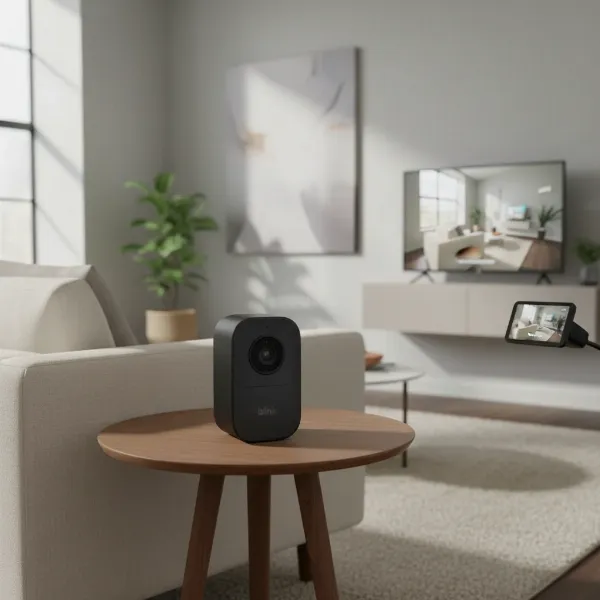 A sleek, compact Blink Mini 2K+ indoor security camera discreetly placed on a small side table next to a minimalist couch in a contemporary apartment living room. The camera is subtle, blending with modern decor, and captures a wide view of the living space with soft, ambient lighting. A smart display, like an Echo Show, is visible in the background, showing the live feed from the camera.
Conclusion
Choosing the best indoor security camera for a small apartment boils down to finding a balance between essential features, ease of use, and budget-friendly options that cater to your specific lifestyle. Whether you prioritize advanced AI detection, a physical privacy shutter, or simply a reliable monitor for pets and deliveries, the market offers robust solutions that ensure peace of mind. Modern indoor security cameras are more than just surveillance tools; they are integral parts of a connected home, keeping you informed and in control. Which features are most crucial for your apartment’s unique security needs?
Frequently Asked Questions
What resolution is recommended for an indoor security camera in a small apartment?
For a small apartment, a camera with at least 1080p Full HD resolution is recommended to ensure clear and detailed footage. If your budget allows, 2K resolution offers even sharper images, which can be beneficial for zooming in on details without significant pixelation.
Can I use an indoor security camera without a subscription?
Yes, many indoor security cameras offer local storage options, typically via a microSD card, allowing you to record footage without a monthly subscription fee. Brands like TP-Link (Tapo/Kasa) and Eufy often provide this flexibility. However, some advanced features or extended cloud storage may still require a subscription.
Are wireless indoor cameras reliable for apartment use?
Wireless indoor cameras, primarily Wi-Fi-based, are generally reliable for apartment use, especially due to their easy installation and flexibility in placement. Ensure your apartment has a strong and stable Wi-Fi signal to prevent connectivity issues and maintain consistent recording and live streaming quality.
Where is the best place to put an indoor security camera in an apartment?
For optimal coverage in a small apartment, strategically place your indoor security camera to monitor main entry points (like the front door or hallways), or high-traffic areas such as the living room. Mounting it high on a shelf or wall can provide a wider field of view.
How do indoor security cameras handle privacy concerns?
Many modern indoor security cameras address privacy concerns through features such as physical privacy shutters, customizable activity zones to exclude private areas from recording, and end-to-end encryption for data transmission. Always ensure your camera’s app uses two-factor authentication for added security.