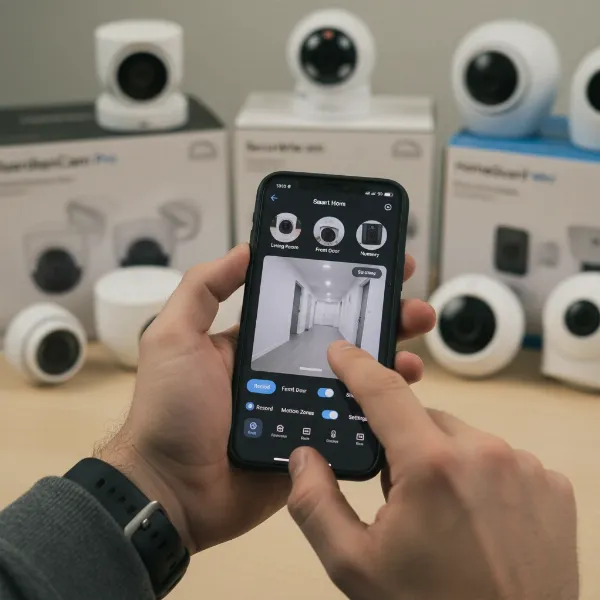
In today’s interconnected world, the home office has evolved from a simple corner desk into a vital command center for many professionals. As work and personal life increasingly intertwine within these dedicated spaces, the need for robust security that respects privacy has never been more critical. Choosing the right indoor security camera for your home office isn’t just about deterring theft; it’s about safeguarding confidential data, monitoring valuable equipment, and ensuring peace of mind whether you’re at your desk or away. This comprehensive guide will navigate the complexities of home office security cameras, helping you select a device that perfectly balances protection and privacy.
Overview of Indoor Security Cameras for Home Offices
An indoor security camera in a home office context is a surveillance device specifically chosen and configured to protect a workspace that often contains sensitive documents, expensive electronics, and personal information. Unlike general home security cameras designed for living rooms, those for home offices prioritize features that address unique concerns such as data privacy, discreet monitoring, and reliable operation even during internet outages. Their importance lies in deterring unauthorized access to work equipment or physical documents, monitoring unexpected visitors or package deliveries, and offering reassurance to remote workers about the safety of their professional environment. Common applications extend beyond simple intrusion detection to ensuring pets behave during important virtual meetings or keeping an eye on the office space when traveling.
Types of Indoor Security Cameras
The market offers a diverse range of indoor security cameras, each with distinct advantages and disadvantages suitable for various home office setups. Understanding these types helps in choosing a camera that aligns with your specific security and privacy needs.
IP Camera
IP (Internet Protocol) cameras, also known as network cameras, transmit video footage over your internet network. They are a popular choice due to their advanced features and flexibility.
- Pros: IP cameras typically offer high-resolution video (often 2K or 4K), smart features like AI-powered detection, and easy remote access via a smartphone app or web portal. They can integrate seamlessly with other smart home devices, providing a cohesive security ecosystem.
- Cons: These cameras require a stable Wi-Fi or wired network connection to function effectively. Over-reliance on cloud storage can raise privacy concerns if sensitive work data is involved, and subscription fees are often necessary to unlock full features or extended video history.
- Home Office Application: IP cameras are ideal for home offices requiring advanced monitoring capabilities, intelligent alerts, and convenient remote access to check on the space when you’re away.
|
Our Picks for the Best Indoor security camera in 2026
As an Amazon Associate I earn from qualifying purchases.
|
||
| Num | Product | Action |
|---|---|---|
| 1 | Ring Indoor Cam Plus (newest model), Home or business security, Retinal 2K for crisp, true-to-life video quality, 4x Enhanced Zoom, Low-Light Sight, White |

|
| 2 | Cinnado Security Camera Indoor-2K 360° WiFi Cameras for Home Security,Pet/Dog/Baby Camera with Phone app, 2-Way Audio, Night Vision, 24/7 SD Card Storage, Works with Alexa & Google Home (2.4Ghz)-D1 |
|
| 3 | Ring Indoor Cam, Home or business security in 1080p HD video, White |
|
| 4 | AOQEE 2K Cameras for Home Security-Outdoor/Indoor Camera for Dog/Cat/Pet/Nanny/Baby/Elderly, Color Night Vision, White Light, Siren, 24/7 SD Recordings, Works with Alexa, Plug in (C1-White-2pack-2.4G) |
|
| 5 | Tapo 1080P Indoor Wired Security Camera - Works as a Baby & Pet Monitor, Motion Detection, 2-Way Audio, Siren, Night Vision, Subscription-Free Local or Optional Cloud, Works with Alexa, C100(4-Pack) |
|
| 6 | Tapo 2K Indoor Pan/Tilt Wired Security Camera - Works as a Baby Monitor & Pet Camera, Motion Detection, 2-Way Audio, Siren, Night Vision, No-Subscription Local Storage or Optional Cloud, C211 (2-Pack) |
|
| 7 | TP-Link Tapo 1080P Indoor Security Camera for Baby Monitor, Dog Camera w/Motion Detection, 2-Way Audio Siren, Night Vision, Cloud & SD Card Storage, Works w/Alexa & Google Home (Tapo C100) |
|
| 8 | Blink Mini - Compact indoor plug-in smart security camera, 1080p HD video, night vision, motion detection, two-way audio, easy set up, Works with Alexa – 1 camera (White) |
|
| 9 | GNCC 2K Security Cameras 4pcs, Home Security Camera Indoor with 360° Motion Detection for Pets/Baby/Dog, Two-Way Audio, Night Vision, 24/7 SD Card Storage, Cloud Storage, Compatible with Alexa |
|
| 10 | Blink Mini 2K+ (newest model) – Plug-in Home & Pet Indoor Security Camera with 2K video resolution, night vision, enhanced audio, motion detection – 2 cameras (Black) |
|
Analog Camera
Analog cameras are traditional surveillance devices that transmit video over coaxial cables to a digital video recorder (DVR). While less common in modern smart homes, they still have a place for specific applications.
- Pros: They are generally simpler to set up for a basic system and less susceptible to network interference once wired. Their direct wiring can offer a robust and reliable connection.
- Cons: Analog cameras typically have lower resolution compared to IP cameras, offering fewer smart features like AI detection or advanced remote control. They often require more extensive cabling and a dedicated DVR for recording.
- Home Office Application: Analog cameras are less suited for a smart home office environment due to their limited features and lower video quality, but could serve as a basic, robust monitoring solution if smart capabilities are not a priority.
PTZ (Pan-Tilt-Zoom) Camera
PTZ cameras allow users to remotely control the camera’s lens to pan (move horizontally), tilt (move vertically), and zoom in or out. This provides expansive coverage from a single device.
- Pros: A single PTZ camera can monitor a wide area, eliminating blind spots in larger home offices. Remote control enables dynamic surveillance, letting you focus on specific areas of interest as needed.
- Cons: While versatile, PTZ cameras can be more noticeable than fixed cameras, which might be a concern for discretion. Continuous motion can also potentially trigger privacy over-reach if not managed with activity zones.
- Home Office Application: Excellent for large home office spaces where comprehensive coverage is needed, or for actively tracking movements, such as a pet or a delivery person entering the room.
WiFi Camera
WiFi cameras are the most prevalent type of indoor security camera, connecting wirelessly to your home’s Wi-Fi network for data transmission.
- Pros: They offer significant flexibility in placement since they don’t require ethernet cabling, making installation easier and less intrusive. Many models are compact and designed to blend into home décor.
- Cons: Their performance is dependent on the strength and stability of your Wi-Fi signal. They may experience signal interference, and battery-powered models require periodic recharging or battery replacement.
- Home Office Application: WiFi cameras are a common and convenient choice for most home offices, offering a balance of ease of use and features, as long as your Wi-Fi network is reliable.
Crucial Features for a Home Office Security Camera
When selecting an indoor security camera for your home office, specific features become paramount to ensure both effective security and the protection of your professional and personal privacy.
Resolution and Image Quality
The clarity of your camera’s footage directly impacts its usefulness. High resolution allows for clearer identification of faces, objects, and text on documents. While 1080p (Full HD) is a standard minimum, opting for 2K (1440p) or even 4K resolution provides significantly more detail, which can be crucial for zooming in on live or recorded video without losing critical information.
Field of View and Rotation
A wide field of view ensures that the camera covers a significant portion of your office space. For larger rooms or comprehensive monitoring, cameras with a field of view between 120 and 180 degrees are beneficial. Pan-tilt-zoom (PTZ) capabilities offer the ultimate flexibility, allowing you to remotely adjust the camera’s perspective to cover a full 360 degrees, eliminating blind spots and enabling targeted monitoring.
Night Vision
Security needs don’t stop when the lights go out. Night vision is an essential feature for 24/7 protection, allowing the camera to capture clear footage in low-light or complete darkness. Most cameras utilize infrared (IR) LEDs for black-and-white night vision, while some advanced models offer color night vision for enhanced detail.
Motion and Sound Detection
Intelligent motion and sound detection are vital for reducing false alarms and focusing on relevant events. Advanced cameras can distinguish between people, animals, and vehicles, sending more specific alerts. Granular activity zones allow you to mask specific areas, like computer screens or HVAC vents, to prevent false triggers from screen activity or air currents, while still actively monitoring sensitive areas like document storage. This tuning prevents constant, irrelevant notifications.
Data Storage
For a home office, data storage options are particularly important for privacy and evidence preservation. Local storage, such as a microSD card slot or integration with a Network Attached Storage (NAS) device, is highly recommended as it keeps your footage physically within your control, reducing reliance on cloud servers. This is especially important for confidential work documents, as cloud outages can lead to lost footage. Encrypted cloud storage can serve as a valuable backup, but always prioritize local storage for primary data retention. Many services require a subscription for extended cloud storage or advanced features.
Two-Way Audio
Two-way audio allows you to hear what’s happening in your office and speak through the camera’s built-in speaker. This feature is useful for communicating with family members, interacting with pets, or verbally deterring an intruder. For privacy, look for cameras that allow you to easily mute the microphone or disable audio recording when not needed, especially during calls or sensitive work.
Connectivity and Remote Control
Reliable connectivity and a user-friendly app are fundamental. Most cameras connect via Wi-Fi, while some offer Bluetooth for easier setup or wired (PoE) options for greater stability. A good companion app allows you to view live feeds, review recordings, configure settings, and manage privacy features from anywhere. Compatibility with smart home ecosystems like Amazon Alexa or Google Assistant enables voice control and automation with other devices.
Privacy Features (Critical for Home Office)
Given the sensitive nature of a home office, dedicated privacy features are crucial. A physical privacy shutter that can block the camera lens when activated provides the highest level of assurance against unwanted surveillance. Easy on/off modes or scheduling capabilities allow you to disable recording when you’re present and working. Customizable privacy zones further ensure that only specific, non-sensitive areas are monitored, protecting areas like your computer screen or sensitive documents from being recorded.
“For home office use, privacy isn’t just a feature; it’s a foundational requirement. Cameras with physical shutters or robust privacy zones ensure that your professional life remains secure from unintended oversight.” – Aoife O’Connell, Security Camera Expert
Comparison Table of Popular Indoor Security Cameras for Home Office Use
Choosing the right indoor security camera involves comparing key features across various models. Here’s a comparison of some popular options well-suited for a home office environment:
| Feature | Arlo Essential Pan Tilt Indoor | Eufy Indoor Cam E220 | Google Nest Cam Indoor (Wired, 3rd Gen) | Wyze Cam v4 |
|---|---|---|---|---|
| Resolution | 2K | 2K | 2K (1440p) | 1440p |
| Field of View / Pan-Tilt | 130° FOV, 360° Pan & Tilt | 125° FOV, 360° Pan & Tilt | 152° Diagonal (Fixed) | 116° |
| Night Vision | Yes (Color) | Yes (2K clarity) | Yes (Infrared) | Yes (Color) |
| Local Storage | No (Subscription req for recorded video) | Yes (MicroSD up to 128GB) | Yes (6 hrs free, subscription for more) | Yes (MicroSD) |
| Privacy Features | On-demand privacy mode | On-device AI, Activity zones | Customizable activity zones | Activity zones |
| Subscription | Required for full features | Optional | Optional (for more than 6 hrs/AI) | Optional (for more than 12 sec clips/no cooldown) |
| Price (Approx.) | $35-50 | $40-55 | $75-100 | $30 |
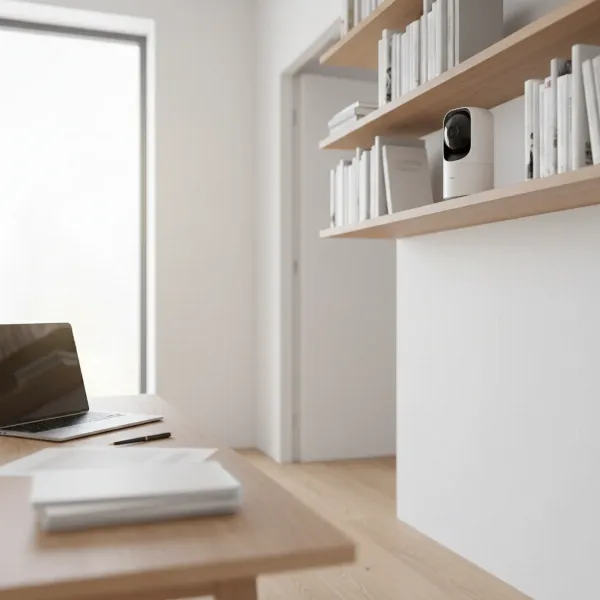 Indoor security camera discreetly set up in a modern home office with a laptop and documents on the desk.
Guide to Purchasing an Indoor Security Camera
Making an informed decision about your home office security camera involves a systematic approach to evaluating your needs and the options available.
Identify Your Needs
Before even looking at cameras, clearly define what you need to monitor. Are you primarily concerned about theft of expensive work equipment, unauthorized access to sensitive documents, or simply checking in on the space while you’re away? Consider if you need to monitor pet behavior during work calls or ensure package deliveries are safe. Prioritize privacy needs – do you require a physical shutter or just motion detection? Your specific concerns will guide your feature requirements.
Budget
Determine a realistic budget, factoring in both the initial purchase price and any ongoing subscription fees. While more expensive cameras often offer advanced features and better video quality, many affordable options now provide excellent value with essential functionalities. Evaluate if a subscription-free model with local storage might be a better long-term investment for your home office.
Reputable Brands
Stick to well-known brands that have a proven track record in security, privacy, and customer support. Companies like Arlo, Eufy, Google Nest, and Wyze are frequently reviewed and offer reliable devices with varying feature sets. Researching the brand’s commitment to data privacy is particularly important for home office use.
Read Specifications
Always delve into the technical specifications. Pay close attention to resolution, field of view, night vision capabilities, and available data storage options. For home office use, verify the presence of crucial privacy features such as physical shutters, activity zones, and easy on/off controls. These details ensure the camera meets both your security and privacy demands.
Tham khảo đánh giá từ người dùng khác
User reviews can provide invaluable real-world insights into a camera’s performance, ease of use, and common issues. Look for reviews specifically mentioning home office scenarios, privacy concerns, and the accuracy of motion detection to gauge how well a camera performs in a similar environment to yours. This helps in understanding typical user experiences beyond manufacturer claims.
Warranty and Support
A good warranty and accessible customer support are crucial for any electronic device. Check the manufacturer’s warranty period and research their customer service responsiveness. Knowing that you have reliable support can save a lot of frustration if you encounter technical issues or need assistance with setup or features.
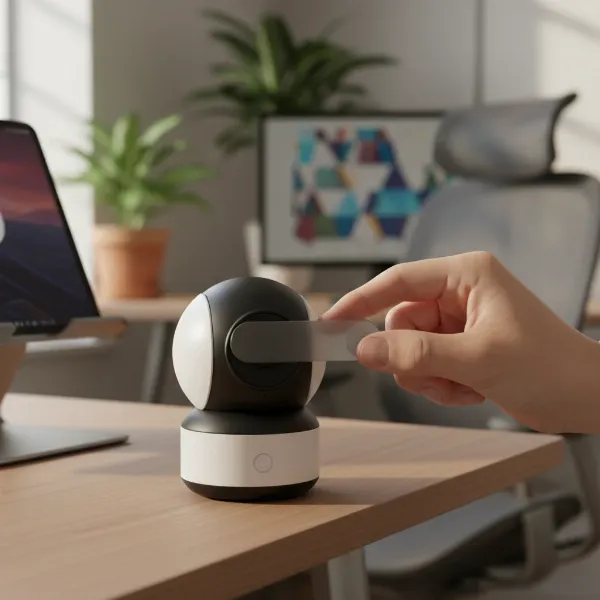 A person activating a privacy shutter on an indoor security camera in a home office setting.
Top Picks – Best Indoor Security Cameras for Home Office Use
Based on a balance of features, performance, and suitability for a home office environment, these indoor security cameras stand out as top recommendations.
Arlo Essential Pan Tilt Indoor (2025)
The Arlo Essential Pan Tilt Indoor camera is an excellent choice for those seeking comprehensive coverage with an active privacy feature.
- Pros: This camera delivers sharp 2K video quality, and its smooth mechanical pan-and-tilt functionality ensures a 360-degree view of your office space. It boasts AI-powered intelligent alerts, reducing false notifications. Crucially for a home office, it includes an on-demand privacy mode that physically hides the lens, offering peace of mind when you need it.
- Cons: Access to recorded video and advanced AI alerts typically requires a paid subscription. It also lacks a local recording option, which might be a concern for some users with strict data privacy requirements.
- Why for Home Office: Its wide coverage makes it suitable for larger office spaces, and the dedicated privacy mode is a significant advantage for maintaining confidentiality during work hours.
Eufy Indoor Cam E220 / 2K Pan & Tilt P24
The Eufy Indoor Cam E220 (also known as 2K Pan & Tilt P24) is a standout for users prioritizing local storage and on-device privacy.
- Pros: It captures clear 2K video and offers pan and tilt functionality for extensive room coverage. A major benefit is its on-device AI, which processes alerts locally, reducing false alarms and enhancing privacy by not sending all data to the cloud. It supports local storage via a microSD card, eliminating the need for mandatory subscriptions to save recordings.
- Cons: While it works with major smart home assistants, some advanced features might not be fully available within certain integrations like HomeKit. Some users report mixed feedback on connectivity and tilt range.
- Why for Home Office: This camera’s emphasis on local storage and on-device AI makes it an excellent choice for protecting sensitive work data without relying heavily on cloud services, offering greater data control.
Google Nest Cam Indoor (Wired, 3rd Gen)
For those integrated into the Google Home ecosystem and seeking advanced AI features, the Google Nest Cam Indoor (Wired, 3rd Gen) is a strong contender.
- Pros: This camera provides sharp 2K video and features Gemini AI-powered event descriptions, smart video search, and customizable activity zones. It offers six hours of free onboard video storage, even without a subscription, ensuring some local backup during internet outages. Its seamless integration with Google Assistant and Alexa enhances overall smart home control.
- Cons: Unlocking full AI features and extended cloud video history (beyond six hours) requires a paid subscription. It does not offer a mechanical pan-tilt feature, relying on its wide 152-degree field of view for coverage.
- Why for Home Office: Its advanced AI can help quickly identify relevant events, and its integration with Google Home allows for convenient, automated control, making it a good fit for a connected home office.
Conclusion
Securing your home office requires a thoughtful approach, balancing robust protection with crucial privacy considerations. The right indoor security camera acts as a silent guardian, deterring potential threats and providing peace of mind. By prioritizing features such as high-resolution video, intelligent motion detection, reliable local storage, and dedicated privacy controls like physical shutters or customizable activity zones, you can create a secure yet private workspace. Evaluating your specific needs, budget, and desired smart home integration will guide you to the perfect camera that safeguards your professional sanctuary.
What are your top priorities when securing your dedicated workspace?
Frequently Asked Questions
Can I use any indoor security camera in my home office?
While you can use almost any indoor camera, it’s best to choose one with features specifically beneficial for a home office, such as high resolution for detail, reliable local storage, and robust privacy options like physical shutters or advanced activity zones. Generic cameras may lack the nuanced features needed to protect sensitive work or maintain privacy effectively.
What are the essential privacy features for a home office camera?
Essential privacy features include a physical privacy shutter to block the lens, customizable activity zones to exclude sensitive areas (like your computer screen), and easy on/off modes or scheduling to disable recording when you’re working or at home. These features help ensure that your professional and personal moments remain private.
Is local storage better than cloud storage for home office security?
For a home office, local storage (e.g., microSD card or NAS) is generally preferred because it keeps your data within your physical control, reducing reliance on internet connectivity and third-party servers. This is critical for protecting confidential documents and ensuring footage is available even during internet outages, which cloud-reliant cameras can struggle with.
How can I prevent my home office camera from recording sensitive work?
Utilize privacy features like physical shutters, granular activity zones to mask off your computer screen and sensitive document areas, and scheduling features to automatically turn off recording during your work hours. Some cameras with on-device AI can also be configured to only detect human shapes, ignoring screen activity or minor movements.
Are subscription fees necessary for a good home office security camera?
Not always. Many excellent home office security cameras, particularly those with local storage options, offer full functionality without a mandatory subscription fee. However, subscriptions often provide additional benefits like extended cloud storage, advanced AI features (e.g., facial recognition), and professional monitoring, which can be valuable depending on your needs.