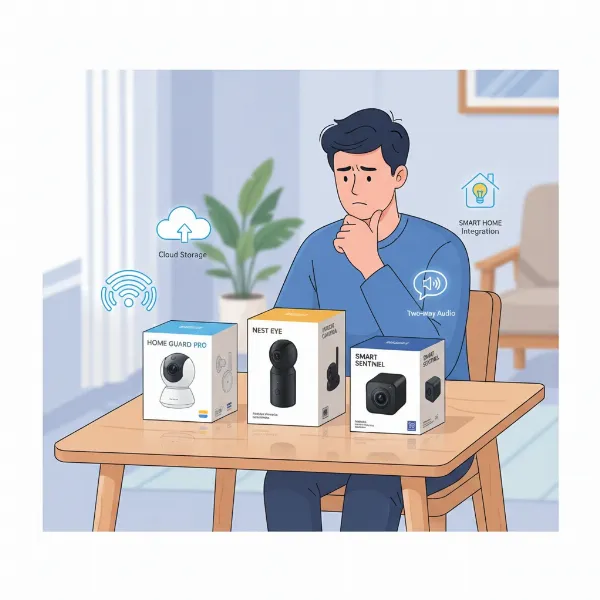
In the realm of home technology, indoor security cameras have become indispensable tools for peace of mind, offering a vigilant eye over our most cherished spaces. Yet, the true power of these devices isn’t just in their ability to record, but in how and where that crucial footage is stored. As an expert with over a decade of hands-on experience testing hundreds of models, I’ve seen firsthand the common pitfalls users encounter when navigating storage solutions. This comprehensive guide will dissect the nuances of indoor security camera storage, from understanding different types to making informed decisions, ensuring your surveillance system truly serves your needs.
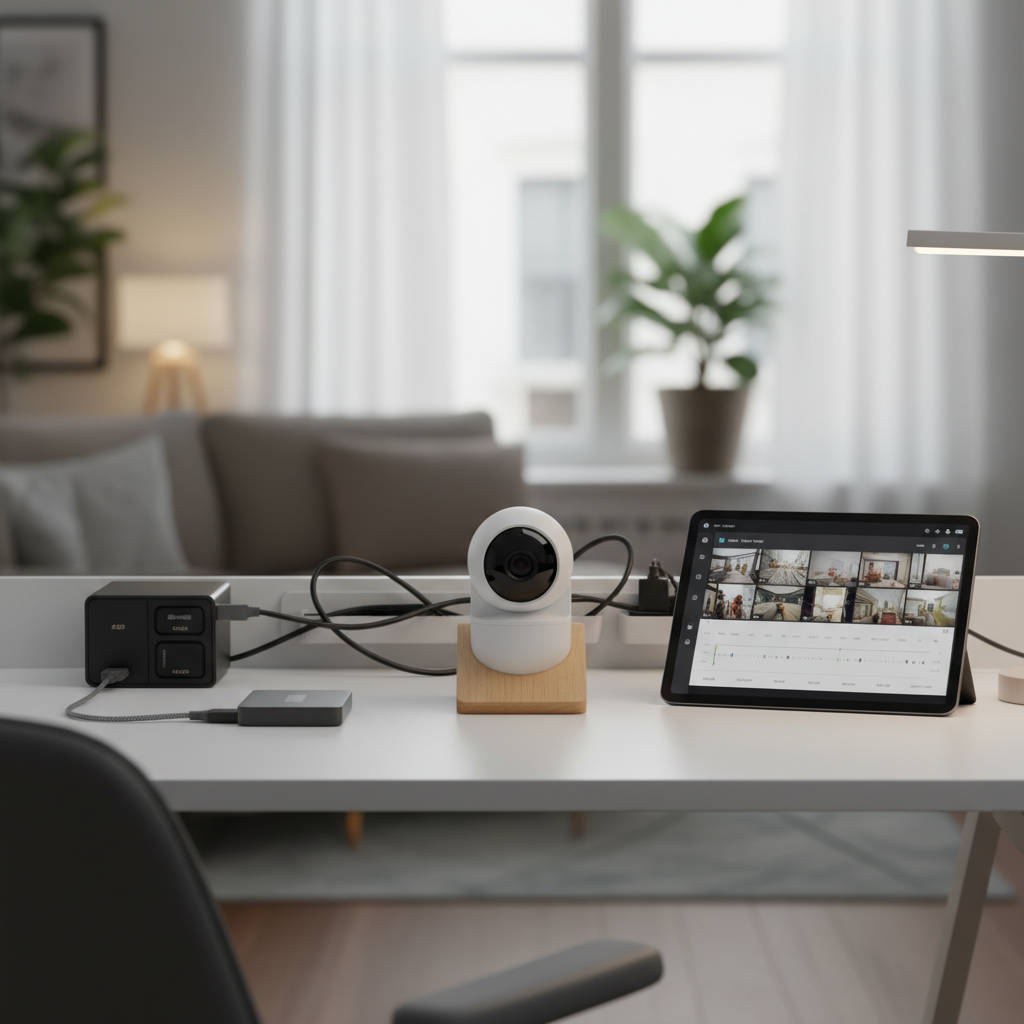
Overview of Indoor Security Camera Storage
At its core, storage for an indoor security camera refers to the method by which video recordings are saved and made accessible. It’s the digital repository for every captured moment, from mundane daily activities to critical security events. Effective storage is paramount for home protection, as it determines whether you can review footage of an incident, track suspicious activity, or simply check in on pets and loved ones while away. Without a reliable storage solution, even the most advanced camera becomes little more than a live-streaming device with no memory. The primary goal is to ensure that recorded data is securely maintained and readily available when needed, transforming raw video into actionable insights.
Types of Indoor Security Camera Storage
Understanding the different types of storage available is the first step in building a robust home surveillance system. Each option comes with its own set of advantages and limitations, catering to varied user needs and priorities.
Local Storage
Local storage involves saving footage directly on physical devices located within your home, offering a high degree of control and often eliminating ongoing fees. This can include several formats:
- MicroSD Cards: Many indoor cameras feature a slot for a microSD card, allowing footage to be stored directly on the camera itself. This is a straightforward and budget-friendly option, particularly for single-camera setups. The main benefits are autonomy and no reliance on internet connectivity for recording. However, microSD cards have restricted capacity and are vulnerable to theft or damage if the camera is compromised.
- Network Video Recorders (NVRs) / Digital Video Recorders (DVRs): NVRs and DVRs are centralized systems often used for multiple cameras. DVRs typically work with analog cameras, while NVRs are designed for IP cameras, connecting over a network. These systems offer substantial storage capacity, often using hard drives, and allow for centralized management of footage. NVRs and DVRs provide a sense of control and immediate access but require additional hardware and can be complex to install.
- Network Attached Storage (NAS): A NAS is a dedicated file storage device connected to a network, allowing multiple devices to access stored data. This offers a highly scalable and flexible local storage solution, providing more robust storage capacity and often allowing for custom configurations.
|
Our Picks for the Best Indoor security camera in 2026
As an Amazon Associate I earn from qualifying purchases.
|
||
| Num | Product | Action |
|---|---|---|
| 1 | GNCC 2K Security Cameras 4pcs, Home Security Camera Indoor with 360° Motion Detection for Pets/Baby/Dog, Two-Way Audio, Night Vision, 24/7 SD Card Storage, Cloud Storage, Compatible with Alexa |

|
| 2 | Tapo 2K Indoor Pan/Tilt Wired Security Camera - Works as a Baby Monitor & Pet Camera, Motion Detection, 2-Way Audio, Siren, Night Vision, No-Subscription Local Storage or Optional Cloud, C211 (2-Pack) |
|
| 3 | Ring Indoor Cam Plus (newest model), Home or business security, Retinal 2K for crisp, true-to-life video quality, 4x Enhanced Zoom, Low-Light Sight, White |
|
| 4 | TP-Link Tapo 1080P Indoor Security Camera for Baby Monitor, Dog Camera w/Motion Detection, 2-Way Audio Siren, Night Vision, Cloud & SD Card Storage, Works w/Alexa & Google Home (Tapo C100) |
|
| 5 | AOQEE 2K Cameras for Home Security-Outdoor/Indoor Camera for Dog/Cat/Pet/Nanny/Baby/Elderly, Color Night Vision, White Light, Siren, 24/7 SD Recordings, Works with Alexa, Plug in (C1-White-2pack-2.4G) |
|
| 6 | Tapo 1080P Indoor Wired Security Camera - Works as a Baby & Pet Monitor, Motion Detection, 2-Way Audio, Siren, Night Vision, Subscription-Free Local or Optional Cloud, Works with Alexa, C100(4-Pack) |
|
| 7 | Cinnado Security Camera Indoor-2K 360° WiFi Cameras for Home Security,Pet/Dog/Baby Camera with Phone app, 2-Way Audio, Night Vision, 24/7 SD Card Storage, Works with Alexa & Google Home (2.4Ghz)-D1 |
|
| 8 | Blink Mini 2K+ (newest model) – Plug-in Home & Pet Indoor Security Camera with 2K video resolution, night vision, enhanced audio, motion detection – 2 cameras (Black) |
|
| 9 | Blink Mini - Compact indoor plug-in smart security camera, 1080p HD video, night vision, motion detection, two-way audio, easy set up, Works with Alexa – 1 camera (White) |
|
| 10 | Ring Indoor Cam, Home or business security in 1080p HD video, White |
|
The primary advantages of local storage include complete physical control over your data, the absence of recurring subscription fees, and independence from internet connectivity for recording. This makes it appealing for users prioritizing privacy or those in areas with unreliable internet. However, local storage devices are susceptible to physical theft or damage, potentially leading to permanent data loss if the device is compromised. Expanding capacity typically requires hardware upgrades and managing footage can be a manual process.
Cloud Storage
Cloud storage involves saving camera footage on remote servers managed by third-party providers, accessed over the internet. This method has gained significant popularity due to its convenience and accessibility.
The main advantages of cloud storage are remote access from any location with an internet connection, secure off-site backup that protects against physical threats to your home, and scalability that allows users to increase storage capacity as needed. Many cloud solutions also offer automatic software updates and require minimal maintenance from the user. Popular brands like Ring and Arlo offer extensive cloud plans, with Ring providing up to 180 days of video history across all its plans.
However, cloud storage typically requires ongoing subscription fees, which can add up over time. It relies heavily on a stable internet connection for uploading and accessing footage. Privacy concerns also exist, as data is stored on third-party servers, raising questions about data ownership and potential vulnerability to data breaches. Some providers, like Google Nest, have increased their subscription prices, impacting long-term costs.
Key Factors When Choosing Indoor Camera Storage
Selecting the optimal storage solution for your indoor security camera involves evaluating several critical factors. These elements collectively determine the effectiveness, convenience, and cost of your surveillance system.
Resolution and Image Quality
The clarity of your camera’s footage directly impacts storage needs. Higher resolutions, such as 1080p, 2K, or even 4K, produce significantly larger files, demanding more storage space. While high-definition footage is crucial for identifying details like faces or license plates, it also means your storage capacity will fill up faster. For instance, 4K footage consumes substantially more space than 1080p, necessitating a balance between desired video quality and available storage.
Recording Frequency
How often your camera records plays a major role. Continuous Video Recording (CVR) captures footage 24/7, requiring vast amounts of storage. In contrast, motion-activated recording, which only saves clips when activity is detected, conserves significant space. Some cameras also offer sound-triggered recording, adding another layer of selective capture. Choosing between these modes depends on your surveillance needs and how much storage you’re willing to commit.
Retention Period
The length of time you need to store footage is a key consideration. Some users may only need a few days of history, while others might require weeks or even months for investigative purposes or compliance. Cloud services often specify video history durations, such as Ring’s 180 days or Arlo’s 60 days. Local storage capacity directly dictates how long footage can be retained before being overwritten.
Cost
Storage costs can vary widely. Local storage typically involves a higher upfront investment for hardware (microSD cards, NVRs, hard drives) but no ongoing monthly fees. Cloud storage, conversely, often has lower initial camera costs but requires recurring subscription fees, which can accumulate significantly over time. It’s essential to compare both initial and ongoing expenses to fit your budget.
Security and Privacy
Data security and privacy are paramount. Cloud systems generally offer advanced encryption and regular security audits, protecting data off-site. However, they rely on trusting a third-party provider and face theoretical risks of cyber-attacks or data breaches. Local storage, not connected to the internet, reduces cyber-attack risks but is vulnerable to physical theft or damage. Ensuring strong passwords, two-factor authentication, and encryption are crucial for both.
Accessibility
Consider how and where you need to access your footage. Cloud storage provides remote access from anywhere with an internet connection, offering immense convenience. Local storage typically requires physical presence for direct access, though many modern NVR/DVR systems and some cameras offer remote viewing capabilities via a local network or internet connection, often through a VPN for added security.
Scalability
Your future storage needs might grow. Cloud services are highly scalable, allowing users to easily increase capacity, usually through upgraded subscription plans. Local storage, however, often requires purchasing additional or larger hardware to expand capacity, which can be less flexible.
Comparing Popular Indoor Security Camera Storage Options
The market offers a diverse range of indoor security cameras, each with unique storage propositions. Here’s a comparison of how some popular brands handle storage, highlighting key features for informed decision-making.
| Feature | Camera A (e.g., Kasa Spot KC400) | Camera B (e.g., SimpliSafe) | Camera C (e.g., Eufy Indoor Cam) |
|---|---|---|---|
| Resolution | 2K | 1080p | 2K |
| Local Storage | MicroSD (up to 256GB), continuous recording | Optional, limited | MicroSD (up to 128GB), HomeBase |
| Cloud Storage | Subscription-based (Kasa Care) | Subscription-based (with professional monitoring) | Subscription-based (Cloud Storage Plan) |
| Night Vision | Black-and-white, up to 30 feet | Standard, clear | Color Night Vision |
| Two-Way Audio | Yes | Yes | Yes |
| Privacy Features | – | Manual privacy shutter | AI-powered person/pet detection for local processing |
| Monthly Fees for Storage | Yes, for cloud | Yes, for cloud + monitoring | No, for basic local storage; Yes for cloud |
| Retention (Cloud) | Varies by plan | Varies by plan | Varies by plan |
The Kasa Spot KC400 stands out for offering 2K resolution and robust local storage via a microSD card, supporting non-stop video recording, which is a significant advantage for users prioritizing continuous capture without immediate cloud reliance. SimpliSafe offers a comprehensive cloud plan that integrates professional monitoring, making it a strong contender for those seeking a complete security system with off-site video storage and added services. Eufy Indoor Cams are often praised for their strong local storage options, including HomeBase integration and the ability to get many smart features without requiring a subscription, aligning with consumer reports highlighting cameras with local storage for greater control over footage.
“When it comes to home security cameras, the storage solution is as critical as the camera itself. It’s the difference between having undeniable evidence and a missed opportunity.” – Admin, ReviewByMo.com
How to Choose the Best Storage for Your Indoor Security Camera
Navigating the array of storage options can seem daunting, but a systematic approach will help you pinpoint the best solution for your unique home security needs.
Assess Your Needs
Begin by clearly defining what you want your indoor security camera to achieve.
- Privacy Level: How comfortable are you with your footage being stored on third-party servers? If absolute privacy is key, local storage with strong encryption is preferable.
- Budget: Determine your upfront and ongoing budget. Are you willing to pay monthly fees for convenience and remote access, or do you prefer a one-time investment in hardware?
- Remote Access: Is it essential for you to view live feeds and recorded footage from anywhere? If so, cloud storage or a local system with robust remote access capabilities is necessary.
- Number of Cameras: A single camera might suffice with a large microSD card, while multiple cameras often benefit from centralized NVR/DVR or cloud solutions.
- Internet Reliability: If your internet connection is unstable or prone to outages, local storage offers more reliability for continuous recording.
Understand the Trade-offs
Recognize that every storage solution involves compromises. Local storage provides control, privacy, and no recurring fees but can be vulnerable to physical damage and limited in scalability. Cloud storage offers convenience, remote access, and off-site backup but comes with subscription costs and relies on internet connectivity and trust in a third-party provider. The “best” option isn’t universal; it’s the one that most effectively balances these trade-offs against your personal priorities.
Hybrid Solutions
Often, the most robust and flexible approach is a hybrid storage system. Many cameras now offer both local (e.g., microSD card) and cloud storage options. This setup provides redundancy: local storage ensures continuous recording even during internet outages or if cloud services are interrupted, while cloud storage acts as an off-site backup, protecting your footage if local devices are compromised. For example, some users combine continuous recording to an SD card with cloud uploads for specific events, offering the best of both worlds.
Check Camera Compatibility
Finally, ensure the storage solution you choose is compatible with your desired camera. Not all cameras support all types of local storage, and cloud plans vary significantly between brands. Always read the specifications and reviews to confirm the storage capabilities of a camera before purchase. Look for cameras that offer flexibility, such as supporting a high-capacity microSD card and offering a reasonable cloud subscription option.
Top Picks: Indoor Security Cameras with Excellent Storage
Based on extensive testing and user feedback, here are some top indoor security cameras that excel in their storage offerings, catering to different needs.
TP-Link Kasa Spot KC400
The Kasa Spot KC400 is an excellent choice for those prioritizing high-resolution local storage. It records in 2K resolution, providing sharp, detailed video quality, and supports local storage via a microSD card up to 256GB for non-stop video recording. This feature is particularly valuable for users who want continuous surveillance without necessarily relying on ongoing cloud subscriptions. Its black-and-white night vision is remarkably sharp up to 30 feet, ensuring clear footage even in the dark. A cloud subscription is available for those who desire off-site backup and enhanced features.
SimpliSafe Indoor Camera
For users seeking a comprehensive security solution with integrated cloud storage and professional monitoring, SimpliSafe is a top pick. While its individual camera features are solid, its strength lies in its ecosystem. SimpliSafe’s cloud plans offer more than just video storage; they often include professional monitoring, cellular backup, and unique features like Live Guard Protection. This makes it ideal for those who want their indoor camera footage securely stored off-site as part of a larger, professionally managed home security system.
Eufy Indoor Cams (e.g., Eufy Solo IndoorCam C24)
Eufy consistently receives praise for its commitment to local storage and privacy. Many Eufy indoor cameras feature robust local storage options via microSD cards, and some can integrate with a HomeBase for expanded local storage. What sets Eufy apart is its ability to offer many advanced features, such as smart notifications and advanced detection, without requiring a monthly subscription, leveraging on-device AI for processing. This makes Eufy a strong contender for privacy-conscious users who want effective surveillance and storage without recurring cloud fees, although cloud plans are also available for redundancy.
Conclusion
Choosing the right indoor security camera storage is a pivotal decision that impacts everything from video accessibility to overall privacy and cost. Whether you opt for the autonomy and privacy of local storage, the convenience and redundancy of cloud storage, or a smart hybrid approach, understanding the nuances of each option is key. By carefully assessing your specific needs regarding resolution, recording frequency, retention, cost, security, and accessibility, you can select a storage solution that truly enhances your home security. Don’t let your valuable footage be an afterthought—make an informed choice that keeps your home safe and your mind at ease. What kind of storage solution will provide you with the most peace of mind for your home?
Frequently Asked Questions
What is the difference between local and cloud storage for indoor cameras?
Local storage saves footage directly on devices in your home, like microSD cards or NVRs, offering physical control and no monthly fees. Cloud storage saves footage on remote servers accessible via the internet, providing remote access and off-site backup, usually with subscription fees.
How much storage do I need for my indoor security camera?
Storage needs depend on camera resolution, recording frequency (continuous vs. motion-activated), and desired video retention period. High-resolution continuous recording requires significantly more space than low-resolution, event-based recording. Always add a 20-30% buffer.
Are indoor security cameras with local storage more secure?
Local storage can offer a different kind of security by keeping footage off the internet, reducing cyber-attack risks. However, it’s vulnerable to physical theft or damage. Cloud storage protects against physical threats but introduces reliance on third-party server security.
Can I use both local and cloud storage for my indoor camera?
Yes, many modern indoor security cameras offer hybrid storage solutions. This allows you to record continuously to a local device (like a microSD card) while simultaneously uploading event-triggered clips to the cloud for redundancy and off-site backup.
Do all indoor security cameras require a monthly subscription for storage?
No, not all indoor security cameras require a monthly subscription. Many cameras offer local storage options via microSD cards, which have no recurring fees after the initial purchase of the card. Subscription fees typically apply to cloud storage services.
What happens to my footage if my internet goes down with cloud storage?
If your internet goes down, cameras relying solely on cloud storage will not be able to upload new footage. Some cameras with local backup can continue recording to an SD card during an outage and then upload the footage once the internet connection is restored.
How long do indoor security cameras typically keep footage in the cloud?
The duration for which footage is kept in the cloud varies significantly by provider and subscription plan. Some services offer 7 to 30 days, while others, like Ring, can provide up to 180 days of video history, depending on the plan chosen.