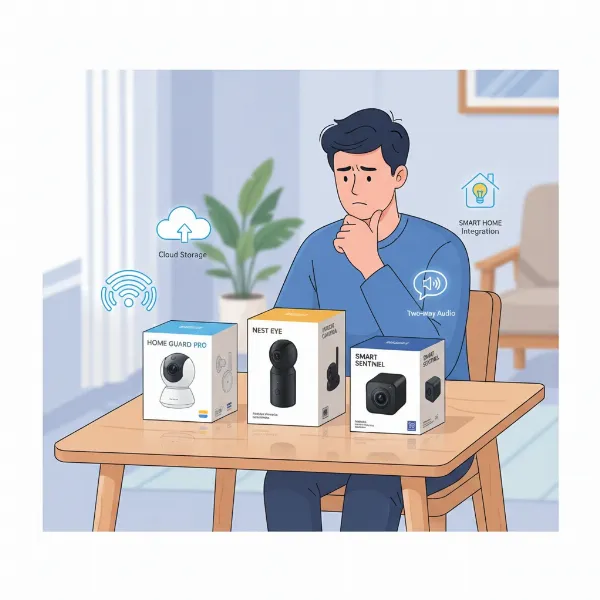
Protecting your home and family has never been more crucial, especially with busy modern lifestyles. If you’ve ever worried about what happens when you’re away, or simply want to keep a watchful eye on your loved ones and pets, an indoor security camera offers invaluable peace of mind. This comprehensive guide will walk you through everything you need to know about selecting the best indoor security camera, from understanding key features and available types to exploring top models designed with today’s families in mind.
Overview of Indoor Security Cameras
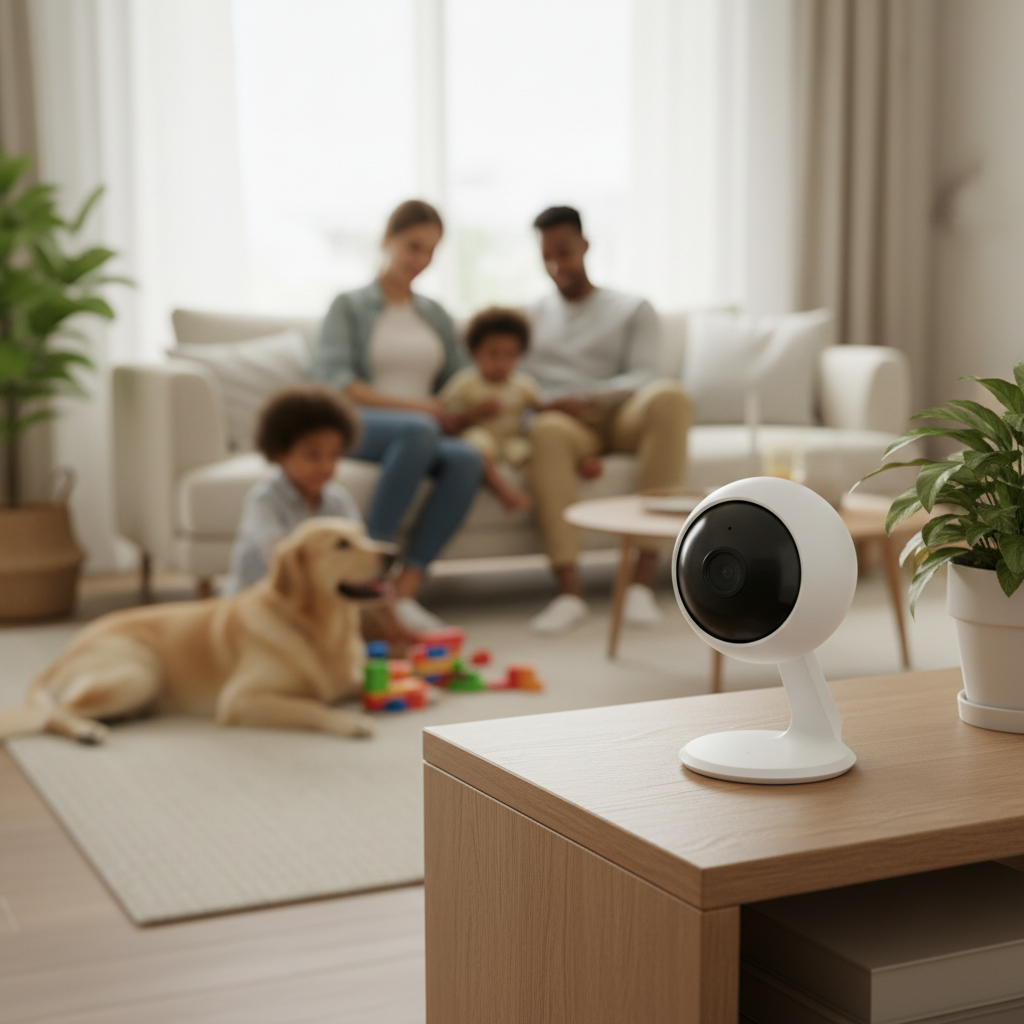
An indoor security camera is a vital component of any contemporary home security system, designed to monitor the interior of your residence. These devices provide continuous surveillance, acting as your eyes and ears whether you’re at work, on vacation, or simply in another room. Beyond deterring potential intruders, indoor cameras serve numerous practical applications for modern families, enhancing safety and connectivity within the home.
The primary importance of indoor security cameras lies in their ability to provide real-time monitoring and record unexpected incidents, offering invaluable evidence if a break-in occurs. They also empower homeowners to check in on children, elderly relatives, or pets, transforming into effective nanny cams or pet monitors. This multi-faceted utility means indoor cameras are no longer a luxury but an essential tool for maintaining peace of mind and staying connected to your household.
Common applications for indoor security cameras include monitoring entry points like front doors or hallways to confirm movement, ensuring the safety of children or elderly family members with real-time video and two-way talk, and keeping an eye on pets to monitor behavior or send alerts for unexpected activity. They also prove crucial for capturing footage of unexpected events, which can be saved for investigations or insurance claims.
Types of Indoor Security Cameras
The market offers a diverse range of indoor security cameras, each with unique advantages and applications. Understanding the different types helps you choose the most suitable option for your home’s layout and your specific monitoring needs.
IP Cameras
Internet Protocol (IP) cameras are digital cameras that send and receive video footage over an IP network, such as your home Wi-Fi. They are the most common type of smart security camera today, known for their high-resolution video quality and advanced features.
- Advantages: IP cameras typically offer superior video resolution, ranging from 1080p to 4K, providing crisp and detailed images. They often integrate seamlessly with smart home ecosystems, offering remote access via smartphone apps, AI-powered analytics, and cloud storage options. Their network connectivity allows for flexible placement, especially with wireless models.
- Disadvantages: IP cameras are reliant on a stable internet connection, and video quality can suffer with poor Wi-Fi. They can also be susceptible to cyber threats if not properly secured with strong passwords and encryption. Some advanced features may require ongoing subscription fees for cloud storage or enhanced AI.
- Practical Applications: Ideal for homeowners who want high-quality video, smart features like person detection, and remote monitoring from anywhere. They are excellent for general home surveillance, pet monitoring, and integrating into a broader smart home setup.
|
Our Picks for the Best Indoor security camera in 2026
As an Amazon Associate I earn from qualifying purchases.
|
||
| Num | Product | Action |
|---|---|---|
| 1 | Tapo 1080P Indoor Wired Security Camera - Works as a Baby & Pet Monitor, Motion Detection, 2-Way Audio, Siren, Night Vision, Subscription-Free Local or Optional Cloud, Works with Alexa, C100(4-Pack) |

|
| 2 | Ring Indoor Cam, Home or business security in 1080p HD video, White |
|
| 3 | Tapo 2K Indoor Pan/Tilt Wired Security Camera - Works as a Baby Monitor & Pet Camera, Motion Detection, 2-Way Audio, Siren, Night Vision, No-Subscription Local Storage or Optional Cloud, C211 (2-Pack) |
|
| 4 | Ring Indoor Cam Plus (newest model), Home or business security, Retinal 2K for crisp, true-to-life video quality, 4x Enhanced Zoom, Low-Light Sight, White |
|
| 5 | GNCC 2K Security Cameras 4pcs, Home Security Camera Indoor with 360° Motion Detection for Pets/Baby/Dog, Two-Way Audio, Night Vision, 24/7 SD Card Storage, Cloud Storage, Compatible with Alexa |
|
| 6 | Cinnado Security Camera Indoor-2K 360° WiFi Cameras for Home Security,Pet/Dog/Baby Camera with Phone app, 2-Way Audio, Night Vision, 24/7 SD Card Storage, Works with Alexa & Google Home (2.4Ghz)-D1 |
|
| 7 | TP-Link Tapo 1080P Indoor Security Camera for Baby Monitor, Dog Camera w/Motion Detection, 2-Way Audio Siren, Night Vision, Cloud & SD Card Storage, Works w/Alexa & Google Home (Tapo C100) |
|
| 8 | AOQEE 2K Cameras for Home Security-Outdoor/Indoor Camera for Dog/Cat/Pet/Nanny/Baby/Elderly, Color Night Vision, White Light, Siren, 24/7 SD Recordings, Works with Alexa, Plug in (C1-White-2pack-2.4G) |
|
| 9 | Blink Mini 2K+ (newest model) – Plug-in Home & Pet Indoor Security Camera with 2K video resolution, night vision, enhanced audio, motion detection – 2 cameras (Black) |
|
| 10 | Blink Mini - Compact indoor plug-in smart security camera, 1080p HD video, night vision, motion detection, two-way audio, easy set up, Works with Alexa – 1 camera (White) |
|
Analog Cameras
Analog cameras, often referred to as CCTV (Closed-Circuit Television) cameras, are an older technology that transmits video signals over coaxial cables to a digital video recorder (DVR). While less common in modern smart homes, they still have niche applications.
- Advantages: Analog systems are generally less expensive upfront and do not rely on an internet connection for basic recording, making them suitable for areas with unreliable Wi-Fi. They typically offer continuous recording to a local DVR, avoiding ongoing cloud subscription costs.
- Disadvantages: Video resolution is usually lower (often D1 or 960H, though some modern HD-over-coax exist), lacking the clarity of IP cameras. They do not support smart features like remote viewing, two-way audio, or AI-powered alerts without significant additional hardware. Installation can be more involved due to the need for cabling.
- Practical Applications: Best for users who prioritize continuous local recording without internet dependency and do not require advanced smart features or high-definition remote viewing. They might be chosen for basic, continuous surveillance in specific, less critical areas.
PTZ (Pan-Tilt-Zoom) Cameras
PTZ cameras are a specialized type of IP camera that offers remote control over their viewing angle. “Pan” refers to horizontal movement, “tilt” to vertical movement, and “zoom” to the ability to magnify the image.
- Advantages: PTZ cameras provide extensive coverage of large spaces with a single device, eliminating potential blind spots. Their ability to remotely adjust the view allows for dynamic monitoring and focusing on specific areas of interest as needed. Many offer auto-tracking features that follow detected motion.
- Disadvantages: While they cover a wide area, they often don’t provide continuous wide-angle recording unless manually controlled or programmed with patrol routes, meaning they might miss events outside their immediate focus. They can also be more expensive than fixed-position cameras.
- Practical Applications: Excellent for monitoring large living rooms, open-plan spaces, or areas where you need to track movement across a wide field of view. They are particularly useful for active surveillance when you want to manually direct the camera’s focus.
WiFi Cameras
WiFi cameras are essentially wireless IP cameras that connect to your home network via Wi-Fi. They are the most popular choice for indoor home security due to their ease of installation and flexible placement.
- Advantages: These cameras are typically easy to install, often just requiring a power source and connection to your Wi-Fi network, eliminating the need for extensive wiring. They offer great flexibility in placement, making them ideal for renters or those who frequently rearrange their home. Remote access via a smartphone app is standard.
- Disadvantages: Their performance is highly dependent on the strength and stability of your Wi-Fi signal. Battery-powered models offer ultimate flexibility but require recharging, while plug-in models still need an outlet. Like all IP cameras, they can be vulnerable to internet outages or cyber threats.
- Practical Applications: Perfect for most modern families seeking a balance of convenience, smart features, and easy setup. They are widely used for general home monitoring, pet surveillance, and keeping an eye on children.
Essential Features of Indoor Security Cameras
When choosing an indoor security camera, a myriad of features can enhance its effectiveness and integrate seamlessly into your family’s life. Focusing on key capabilities ensures you select a device that truly meets your needs.
Resolution and Image Quality
The clarity of your camera’s footage is paramount for identifying faces and details. A minimum of 1080p HD resolution is recommended for clear images. However, many cameras now offer 2K (1440p) or even 4K resolution, providing even sharper video and allowing for greater digital zoom without losing detail. High Dynamic Range (HDR) is also a valuable feature that helps the camera handle challenging lighting conditions, such as bright windows contrasting with darker indoor areas, ensuring balanced exposure.
Viewing Angle and Pan-Tilt-Zoom Capabilities
A wide field of view (FOV), ideally 130 degrees or more, allows a single camera to cover a larger area of a room. For even more comprehensive coverage, pan-tilt-zoom (PTZ) functionality enables you to remotely adjust the camera’s horizontal (pan) and vertical (tilt) orientation, as well as zoom in on specific details. This is particularly useful for monitoring large open spaces or tracking moving subjects.
Night Vision
Since many incidents occur in low-light conditions, robust night vision is essential for 24/7 protection. Most indoor cameras use infrared (IR) LEDs to provide clear black-and-white footage in complete darkness. Advanced models may offer color night vision, which uses specialized sensors or integrated spotlights to capture color video even at night, providing more detail and clarity.
Motion and Sound Detection
Modern indoor cameras go beyond basic motion detection. Look for advanced AI-powered features like person detection, which differentiates human movement from pets, shadows, or curtains, significantly reducing false alarms. Some cameras also offer pet detection, package detection, or even vehicle detection if placed near an indoor garage entrance. Sound detection, such as alerts for loud noises or glass breaking, adds another layer of security, providing a more complete picture of what’s happening.
Data Storage (Local and Cloud)
Choosing the right storage method is crucial for accessing your footage.
- Local Storage: This typically involves a microSD card slot directly on the camera or integration with a Network Video Recorder (NVR) or Digital Video Recorder (DVR) on-site. Local storage avoids recurring subscription fees and provides direct control over your data, ensuring recordings continue even without an internet connection. However, physical theft or damage to the device could result in data loss.
- Cloud Storage: This involves securely uploading footage to remote servers over the internet. Cloud storage offers convenient remote access from anywhere, automatic backups, and scalability. Most cloud services come with a monthly or annual subscription fee, which can add up over time. Free cloud storage tiers often have limitations on recording duration or clip length.
Many modern cameras offer a hybrid storage approach, combining local storage for continuous recording and immediate access with cloud storage for off-site backup and remote accessibility, providing both resilience and convenience.
Two-Way Audio
Two-way audio allows you to both hear what’s happening in the camera’s vicinity and speak through its built-in speaker. This interactive feature is invaluable for communicating with family members, comforting pets, or even verbally deterring an intruder. Features like noise cancellation and echo suppression enhance audio clarity.
Connectivity and Remote Control
Most indoor cameras connect to your home Wi-Fi network and are controlled via a dedicated smartphone app. This app serves as your central hub for viewing live feeds, reviewing recorded footage, adjusting settings, and receiving alerts. Look for intuitive apps with user-friendly interfaces. Compatibility with smart home platforms like Amazon Alexa or Google Assistant enables voice control and allows for integration into broader home automation routines, such as turning on lights when motion is detected.
Comparison of Popular Indoor Security Cameras
| Feature | Google Nest Cam Indoor (Wired, 3rd Gen) | Arlo Essential Indoor (2nd Gen) | TP-Link Tapo C225 | Eufy Indoor Cam 2K Pan & Tilt (P24) |
|---|---|---|---|---|
| Resolution | Up to 2K with HDR | 2K (1440p) | 2K QHD (1440p) | 2K (1440p) |
| Viewing Angle | 152° (fixed), PTZ via digital | 130° (fixed) | 360° pan, 169° tilt | 360° pan, 96° tilt |
| Night Vision | Infrared (B&W), good clarity | Infrared (B&W) | Starlight Sensor Color Night Vision, IR | Infrared (B&W), good clarity |
| Motion Detection | AI-powered person, activity zones | AI-powered person, sound, activity zones | AI-powered person, pet, crying baby | AI-powered person, pet, sound, vehicle |
| Storage | 6 hrs free cloud, Nest Aware subscription | Free local (7 days clips) + Arlo Secure subscription | Local (microSD up to 256GB), Cloud (subscription) | Local (microSD up to 128GB/256GB), Cloud (subscription) |
| Price (approx.) | ~$99 | ~$40-$50 | ~$40-$50 | ~$40-$50 |
| Key Differentiator | Strong AI, smart home integration | Privacy shutter, wireless option | Excellent value, PTZ, color night vision | Comprehensive free AI, PTZ, local storage |
How to Choose the Best Indoor Security Camera
Selecting the ideal indoor security camera requires a thoughtful approach, balancing your specific needs with available technology and budget. Start by clarifying your priorities and then evaluate cameras based on key criteria.
Determine Your Usage Needs
Before diving into specifications, consider how you intend to use the camera. Are you primarily looking to deter intruders at entry points, monitor a baby or an elderly family member, keep an eye on pets, or generally oversee your living spaces? A parent working late might prioritize reliable two-way talk and smart alerts, while a frequent traveler would value flexible storage access and quick motion clips with remote access. Understanding these real-life scenarios will guide your selection.
Set Your Budget
Indoor security cameras vary widely in price, from under $40 for basic models to several hundred dollars for advanced systems. Factor in not just the upfront cost of the camera but also potential ongoing expenses like cloud storage subscriptions or professional monitoring services. Some cameras offer robust features with free local storage, providing better long-term value for budget-conscious families.
Research Reputable Brands
Opt for established brands known for reliability, security, and good customer support. Companies like Google Nest, Arlo, Ring, Wyze, TP-Link Tapo, and Eufy are consistently rated highly in expert reviews. Reputable brands often provide better software updates, stronger data encryption, and more stable app experiences.
Review Technical Specifications
Pay close attention to the details:
- Resolution: Aim for at least 1080p, but 2K or 4K offers superior clarity.
- Field of View: A wider angle (130°+) covers more space. PTZ features are a plus for large rooms.
- Night Vision: Infrared is standard; color night vision provides more detail.
- Detection Capabilities: Look for advanced AI features like person, pet, or sound detection to minimize irrelevant alerts.
- Storage Options: Decide between local, cloud, or a hybrid approach based on your privacy and accessibility preferences.
- Connectivity: Ensure compatibility with your existing Wi-Fi network (2.4GHz is common, some support 5GHz).
Consult User Reviews
Real-world experiences from other users can provide invaluable insights into a camera’s performance, ease of use, and common issues. Pay attention to feedback regarding app stability, false alarms, battery life (for wireless models), and customer service responsiveness. While expert reviews offer technical analysis, user reviews reflect daily functionality.
Understand Warranty and Support
A good warranty and accessible customer support are crucial, especially for tech products. Check the warranty period and what it covers. Knowing that you can get assistance with installation, troubleshooting, or defects adds significant value and peace of mind.
Top Picks – Best Indoor Security Cameras
Choosing the right indoor security camera can feel overwhelming with the many options available. Here are four top recommendations that cater to different needs and priorities for modern families, based on their performance, features, and user value.
Google Nest Cam Indoor (Wired, 3rd Gen)
The Google Nest Cam Indoor (Wired, 3rd Gen) stands out as an excellent choice for families seeking intelligent monitoring and seamless smart home integration. This camera delivers sharp 2K resolution with High Dynamic Range (HDR), ensuring clear and vibrant video quality even in challenging lighting. Its 152-degree field of view provides broad coverage, and while it’s a fixed camera, digital zoom allows you to focus on details. One of its strongest assets is its AI-powered features, including person detection and the ability to differentiate familiar faces (with a Nest Aware subscription), significantly reducing false alarms. It offers six hours of free cloud video history, with extended options available via Nest Aware ($8/month), which also unlocks advanced AI features and 24/7 continuous recording. Setup is straightforward, and it integrates flawlessly with Google Home and Alexa, allowing for voice control and personalized routines. The camera’s sleek, unobtrusive design blends well into any home decor.
Arlo Essential Indoor Camera (2nd Gen)
For families prioritizing privacy and wireless flexibility, the Arlo Essential Indoor Camera (2nd Gen) is a strong contender. This camera records in crisp 2K resolution and features a 130-degree viewing angle, capturing significant room coverage. Its standout feature is an automated physical privacy shutter that can be easily closed via the Arlo Secure App, physically blocking the lens and microphone when you desire complete privacy. This addresses a common concern for indoor cameras. The Arlo Essential Indoor also boasts clear infrared night vision, two-way audio with noise cancellation, and an integrated siren that can be triggered remotely. It offers AI-powered alerts for people and sound detection, reducing irrelevant notifications. While it connects directly to Wi-Fi for easy DIY setup, many premium features, including extended cloud storage beyond the trial, require an Arlo Secure Plan. It works well with both Alexa and Google Assistant.
TP-Link Tapo C225
The TP-Link Tapo C225 offers exceptional value, especially for those who need wide coverage and advanced features without a hefty price tag. This camera provides 2K QHD (1440p) resolution, delivering clear and detailed images. Its most impressive feature is its full pan-and-tilt functionality, offering 360-degree horizontal and 169-degree vertical rotation, allowing you to remotely scan an entire room and eliminate blind spots. The Tapo C225 also excels in low-light conditions with its Starlight Sensor for color night vision, providing impressive clarity even when ambient light is minimal, complemented by traditional IR night vision. It includes AI-powered detection for people, pets, and even crying babies, often without requiring a subscription. For storage, it supports a local microSD card (up to 256GB), making it a great option for avoiding recurring cloud fees, although cloud storage is also available. Easy to install and manage via the Tapo app, it’s a versatile and budget-friendly choice.
Eufy Indoor Cam 2K Pan & Tilt (e.g., P24 or S350)
The Eufy Indoor Cam 2K Pan & Tilt is an excellent option for families seeking high-resolution video, comprehensive AI features, and a strong emphasis on local storage to avoid subscription costs. Offering 2K (1440p) resolution, this camera captures vivid and detailed footage. Its pan-and-tilt capabilities provide extensive coverage (360° horizontal, 96° vertical), and it often includes an auto-tracking feature that follows moving subjects. Eufy distinguishes itself by providing advanced AI detection for people, pets, and even vehicles (depending on the model) for free, directly on the device, meaning you get intelligent alerts without a monthly fee. It supports local storage via a microSD card (up to 128GB or 256GB), ensuring your footage is always accessible even if your internet goes down. The two-way audio is clear, and it integrates with popular smart assistants. Eufy’s commitment to subscription-free advanced features makes it a highly appealing choice for cost-conscious yet feature-demanding users.
Conclusion
Choosing the best indoor security camera for your modern family involves understanding your unique needs and matching them with the right features. Whether you prioritize cutting-edge AI, robust privacy features, expansive coverage, or budget-friendly options, today’s market offers a diverse range of smart, reliable devices. By focusing on essential elements like high-resolution video, advanced motion detection, flexible storage, and seamless smart home integration, you can empower your home with enhanced security and constant connection.
Ultimately, the goal is peace of mind – the confidence that your home, loved ones, and cherished possessions are safely monitored. What aspects of home security matter most to your family as you consider adding an indoor camera?
Frequently Asked Questions
Do indoor cameras record 24/7?
Many indoor security cameras offer continuous, 24/7 recording, particularly those with wired power and sufficient local storage or an active cloud subscription. However, some models are designed to record only when motion or sound is detected, which conserves storage space and bandwidth. Always check the product specifications and subscription details if 24/7 recording is a priority.
Can I use an indoor cam through a window?
While it is technically possible to aim an indoor camera out a window, it is generally not recommended for optimal performance, especially at night. Most cameras use infrared (IR) for night vision, and these IR lights tend to reflect off the glass, resulting in washed-out or unusable footage. For outdoor monitoring, a dedicated, weatherproof outdoor security camera is always the superior choice.
Are indoor security cameras DIY-friendly?
Many indoor cameras are designed to be DIY-friendly, especially models that are battery-powered or plug directly into an outlet and connect via Wi-Fi. These often come with intuitive mobile apps that guide you through a simple setup process. Some advanced systems or those with complex wiring may benefit from professional installation to ensure optimal placement and full integration with a broader smart home ecosystem.
How can I hide my indoor camera?
If you prefer a discreet setup, you can strategically place an indoor camera on a high shelf or mount it on a wall to keep it out of direct view while still capturing a wide area. Blending it with everyday items like plants, books, or decorative pieces can also make it less noticeable. The key is to ensure the lens remains unobstructed and has a clear line of sight to the area you wish to monitor.
Can I use an indoor camera as a baby monitor?
Yes, many smart indoor cameras are perfectly suited for use as baby monitors. Features like high-resolution night vision, two-way audio, and sound detection (especially for crying) make them highly effective. The added benefits of mobile access from anywhere and the ability to review video history often make them more versatile than traditional baby monitors.