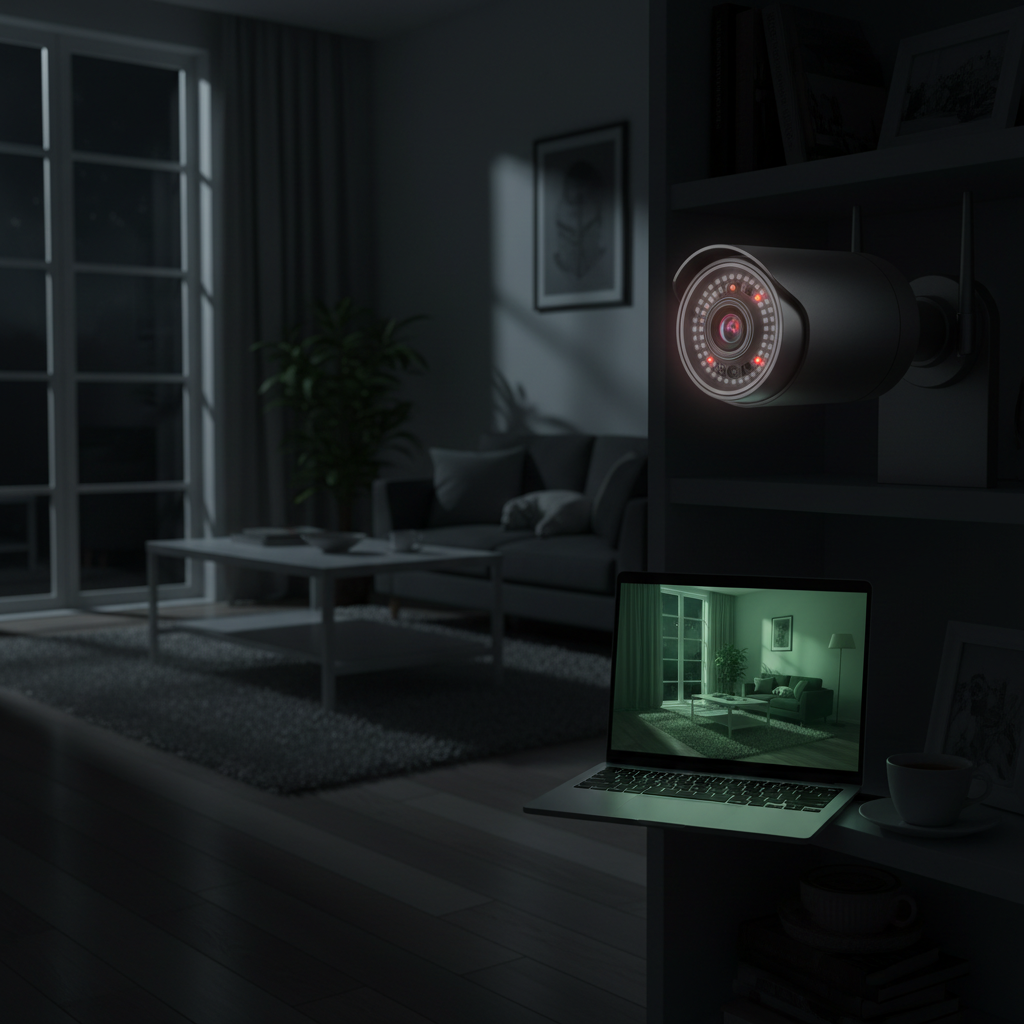
Have you ever wondered what happens inside your home when you’re not there? Whether it’s to check on your beloved pets, ensure your children are safe, or simply gain peace of mind, an indoor security camera offers a watchful eye. With countless options flooding the market, choosing the right indoor security camera can feel overwhelming. This comprehensive guide is designed to cut through the noise, providing you with expert insights and practical advice to help you select the perfect device for your home, just like a trusted friend would. We’ll cover everything from camera types and essential features to a detailed buying process and top product recommendations.
Overview of Indoor Security Cameras
An indoor security camera is a digital device designed to monitor the interior spaces of your home, capturing video and often audio footage. These cameras typically connect to your home network, allowing you to view live feeds or recorded clips remotely via a smartphone app or web portal. They serve as an essential component of modern home security systems, offering a constant layer of protection and vigilance.
The importance of indoor security cameras in safeguarding your home cannot be overstated. Beyond deterring potential intruders, they provide tangible evidence in case of a break-in, helping authorities in their investigations. More commonly, these cameras offer immense peace of mind, allowing you to visually confirm the safety of your family members, monitor pets, or keep an eye on elderly relatives from anywhere in the world. Their applications are diverse, ranging from acting as advanced baby monitors to simply ensuring everything is in order when you’re away on vacation.
Popular Types of Indoor Security Cameras
The world of indoor security cameras features several distinct types, each with its own connectivity, capabilities, and ideal use cases. Understanding these differences is crucial for selecting a system that perfectly aligns with your home environment and security objectives.
IP Camera (Network Camera)
IP cameras, or Internet Protocol cameras, are digital video cameras that transmit footage over a network, often your home Wi-Fi or an Ethernet cable. Unlike older analog systems, IP cameras digitize video within the camera itself before sending it, resulting in higher resolution and more advanced features. They typically store footage on Network Video Recorders (NVRs) or directly to cloud services.
- Pros: Superior image quality (often 1080p, 2K, or 4K), advanced features like AI-powered person/pet detection, remote access, and scalability.
- Cons: Can be more expensive, require a stable network connection, and may consume more bandwidth.
- Applications: Ideal for users seeking high-definition surveillance with smart features and flexible remote monitoring, especially when integrating with existing smart home ecosystems.
|
Our Picks for the Best Indoor security camera in 2026
As an Amazon Associate I earn from qualifying purchases.
|
||
| Num | Product | Action |
|---|---|---|
| 1 | Ring Indoor Cam Plus (newest model), Home or business security, Retinal 2K for crisp, true-to-life video quality, 4x Enhanced Zoom, Low-Light Sight, White |

|
| 2 | Cinnado Security Camera Indoor-2K 360° WiFi Cameras for Home Security,Pet/Dog/Baby Camera with Phone app, 2-Way Audio, Night Vision, 24/7 SD Card Storage, Works with Alexa & Google Home (2.4Ghz)-D1 |
|
| 3 | Blink Mini - Compact indoor plug-in smart security camera, 1080p HD video, night vision, motion detection, two-way audio, easy set up, Works with Alexa – 1 camera (White) |
|
| 4 | TP-Link Tapo 1080P Indoor Security Camera for Baby Monitor, Dog Camera w/Motion Detection, 2-Way Audio Siren, Night Vision, Cloud & SD Card Storage, Works w/Alexa & Google Home (Tapo C100) |
|
| 5 | Tapo 2K Indoor Pan/Tilt Wired Security Camera - Works as a Baby Monitor & Pet Camera, Motion Detection, 2-Way Audio, Siren, Night Vision, No-Subscription Local Storage or Optional Cloud, C211 (2-Pack) |
|
| 6 | Ring Indoor Cam, Home or business security in 1080p HD video, White |
|
| 7 | Tapo 1080P Indoor Wired Security Camera - Works as a Baby & Pet Monitor, Motion Detection, 2-Way Audio, Siren, Night Vision, Subscription-Free Local or Optional Cloud, Works with Alexa, C100(4-Pack) |
|
| 8 | AOQEE 2K Cameras for Home Security-Outdoor/Indoor Camera for Dog/Cat/Pet/Nanny/Baby/Elderly, Color Night Vision, White Light, Siren, 24/7 SD Recordings, Works with Alexa, Plug in (C1-White-2pack-2.4G) |
|
| 9 | GNCC 2K Security Cameras 4pcs, Home Security Camera Indoor with 360° Motion Detection for Pets/Baby/Dog, Two-Way Audio, Night Vision, 24/7 SD Card Storage, Cloud Storage, Compatible with Alexa |
|
| 10 | Blink Mini 2K+ (newest model) – Plug-in Home & Pet Indoor Security Camera with 2K video resolution, night vision, enhanced audio, motion detection – 2 cameras (Black) |
|
Analog Camera (CCTV)
Analog cameras, often referred to as Closed-Circuit Television (CCTV) cameras, are traditional systems that transmit raw video signals over coaxial cables to a Digital Video Recorder (DVR). The DVR then processes and stores the footage. These cameras are generally older technology but remain a viable option for certain setups.
- Pros: Often more affordable initially, provide a stable wired connection that isn’t dependent on Wi-Fi, and can be integrated into existing coaxial wiring setups.
- Cons: Lower resolution compared to IP cameras, require extensive cabling, lack advanced smart features like two-way audio or AI detection, and remote access can be more limited.
- Applications: Best suited for those on a tight budget, properties with existing coaxial infrastructure, or users who prefer a simpler, local recording solution without advanced remote capabilities.
PTZ (Pan-Tilt-Zoom) Camera
PTZ cameras are a specialized type of security camera equipped with motorized lenses that allow them to pan (move horizontally), tilt (move vertically), and zoom in or out remotely. This dynamic functionality enables a single camera to monitor a much larger area than a fixed-lens camera.
- Pros: Provides comprehensive coverage with fewer cameras, allows for active monitoring and adjustment of the field of view in real-time, and can track moving subjects.
- Cons: Can have blind spots if not actively controlled or if motion tracking fails, generally more expensive than fixed cameras, and continuous movement might require more power.
- Applications: Excellent for monitoring large open-plan living areas, warehouses, or rooms where you need the flexibility to focus on different points of interest throughout the day.
WiFi Camera
WiFi cameras are the most common type of indoor security camera for residential use, leveraging your home’s wireless internet connection to transmit video and audio data. These cameras offer significant flexibility in placement as they eliminate the need for extensive data cabling, though most still require a power cable.
- Pros: Easy installation and flexible placement, remote viewing via smartphone apps, and integration with smart home devices.
- Cons: Reliability is dependent on Wi-Fi signal strength, potential for network interference, and may have limited local storage options without a subscription.
- Applications: Perfect for homeowners seeking a convenient, easy-to-set-up solution for monitoring specific rooms, pets, or family members without the hassle of complex wiring.
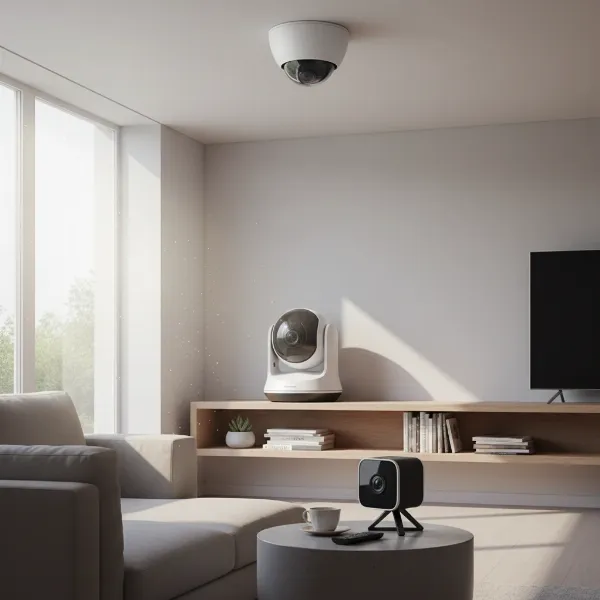 Various indoor security camera types including a dome, a pan-tilt, and a cube camera shown in a modern home setting.
Important Features of Indoor Security Cameras
When choosing an indoor security camera, its capabilities extend far beyond simply recording video. A robust set of features ensures that the camera provides effective surveillance, convenient control, and ultimately, enhanced peace of mind.
Resolution and Image Quality
The clarity of your camera’s footage is paramount. Higher resolution means more detailed images, making it easier to identify faces, objects, and specific events. Most modern indoor cameras offer at least 1080p Full HD resolution, which is generally sufficient for clear viewing. For even sharper details or the ability to zoom in without significant pixelation, consider cameras with 2K or 4K resolution, although these typically come at a higher cost and require more storage space.
Field of View and Pan/Tilt Capability
The field of view (FOV) dictates how much area the camera can capture. A wide-angle lens, often 110-140 degrees, is ideal for monitoring larger spaces like living rooms with a single device. For extensive coverage or the ability to track movement across an entire room, cameras with pan, tilt, and zoom (PTZ) capabilities are invaluable. These allow you to remotely adjust the camera’s angle and zoom level through an app, ensuring there are no blind spots.
Night Vision
Security needs don’t stop when the sun goes down. Night vision is an essential feature, ensuring your camera provides clear footage even in low-light or complete darkness. Most cameras utilize infrared (IR) LEDs to capture black-and-white video at night. More advanced models may offer “color night vision” by leveraging ambient light or specialized sensors, providing more detail and clarity in nocturnal recordings.
Motion Detection
Motion detection is a crucial feature that triggers recording and sends alerts when activity is sensed. This conserves storage space by only recording relevant events and notifies you instantly of potential issues. Look for cameras with adjustable motion sensitivity to minimize false alarms from pets or minor environmental changes. Advanced systems often include AI-powered detection, which can differentiate between people, animals, and vehicles, providing more precise alerts.
Data Storage (Memory Card, Cloud)
How your camera stores footage is a key consideration. You typically have two main options:
- Local Storage: Many cameras include a microSD card slot for onboard storage, allowing you to record footage directly to the device. This is often a free option, but the storage capacity is limited by the card size, and the footage is vulnerable if the camera is stolen.
- Cloud Storage: This involves uploading footage to secure remote servers. Cloud storage usually requires a paid subscription but offers greater convenience, unlimited capacity (depending on the plan), and access to recordings from anywhere. It also ensures your footage is safe even if the camera is tampered with.
Two-Way Audio
A camera equipped with a built-in microphone and speaker enables two-way audio communication. This feature is incredibly versatile, allowing you to speak to family members or pets remotely, or even deter an intruder with your voice. It transforms your security camera into a communication tool, adding an extra layer of interaction and control.
Connectivity and Remote Control
Most indoor security cameras offer wireless connectivity via Wi-Fi, streaming live video to a dedicated smartphone app. This app serves as your central control hub, allowing you to view feeds, review recordings, adjust settings, and receive alerts from anywhere with an internet connection. Some cameras also offer wired Ethernet connections for enhanced stability and reliability, especially in areas with poor Wi-Fi coverage. Compatibility with smart home platforms like Amazon Alexa or Google Assistant allows for voice control and seamless integration into your existing smart home ecosystem.
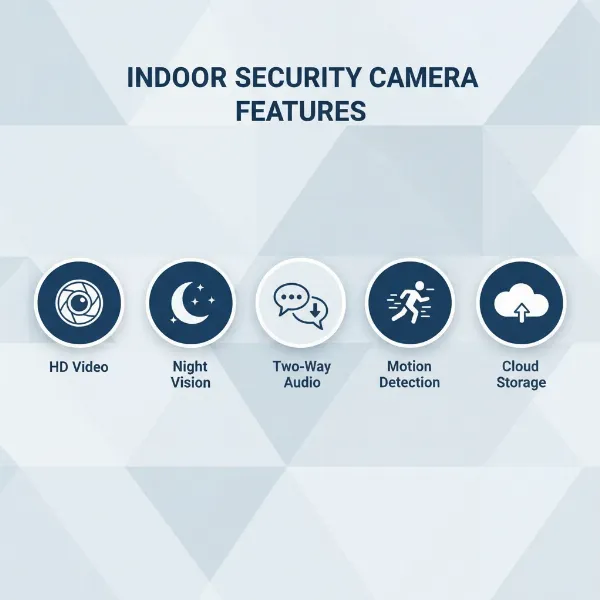 Key features of an indoor security camera, including night vision, two-way audio, and motion detection shown with illustrative icons.
Comparison Table of Popular Indoor Security Camera Models
To help you navigate the choices, here’s a quick comparison of three popular indoor security camera models, highlighting their key features and differentiators.
| Feature | Arlo Essential Indoor | Ring Indoor Cam (2nd Gen) | Wyze Cam Pan v3 |
|---|---|---|---|
| Resolution | 1080p HD | 1080p HD | 1080p HD |
| Field of View | 130° Diagonal | 140° Diagonal | 360° Pan, 180° Tilt |
| Night Vision | Clear IR Night Vision | Color Night Vision | IR Night Vision |
| Storage | Cloud (subscription required for recording) | Cloud (subscription required for recording) | Local (microSD card), Cloud (subscription for advanced features) |
| Two-Way Audio | Yes | Yes (with noise cancellation) | Yes |
| Privacy Features | Automated Privacy Shield | Manual Privacy Cover, Privacy Zones | Privacy Mode |
| Smart Home Integration | Alexa, Google Assistant | Alexa, Google Assistant | Alexa, Google Assistant |
| Price Category | Mid-range | Budget-friendly | Very affordable |
How to Buy an Indoor Security Camera
Selecting the right indoor security camera involves a thoughtful process that goes beyond just picking the most expensive or feature-rich model. It’s about finding the perfect match for your unique needs and home environment.
Determine Your Usage Needs
Before you start browsing, clearly define why you need an indoor security camera. Are you primarily looking to monitor pets, keep an eye on a baby or elderly relative, deter potential intruders, or simply check on your home’s entry points? Your primary use case will guide your decision on crucial features like resolution, field of view, and motion detection capabilities. For instance, a parent might prioritize two-way audio and clear night vision, while someone concerned about security might focus on advanced motion detection and robust cloud storage.
Budget Considerations
Indoor security cameras range widely in price, from very affordable entry-level models to premium cameras packed with advanced AI features. Establish a realistic budget upfront. Remember to factor in not only the initial purchase price but also any ongoing subscription fees for cloud storage or enhanced features, as these can significantly impact the long-term cost of ownership. Sometimes, a slightly higher upfront cost for a camera with local storage might save you money in subscription fees over time.
Research Reputable Brands
Stick to well-known and reputable brands in the security camera market. Companies like Arlo, Ring, Google Nest, Wyze, Eufy, and Blink have established track records for reliability, customer support, and regular software updates. Reading reviews and checking brand reputation can save you from potential headaches down the line, ensuring you invest in a product from a trustworthy manufacturer.
Examine Technical Specifications
Dive into the technical specifications of any camera you’re considering. Pay close attention to:
- Resolution: Aim for at least 1080p for clear images.
- Field of View: Ensure it covers the area you intend to monitor.
- Night Vision Range and Type: Check if it meets your low-light surveillance needs.
- Storage Options: Verify if it offers local, cloud, or hybrid storage that suits you.
- Connectivity: Confirm compatibility with your home’s Wi-Fi network (2.4GHz vs. 5GHz).
- Power Source: Decide between battery-powered flexibility or wired reliability.
Consult User Reviews
Real-world user reviews provide invaluable insights that specifications alone cannot. Look for feedback on ease of installation, app functionality, reliability of alerts, accuracy of motion detection, battery life (if applicable), and overall user experience. Pay attention to common complaints or praises, as these can highlight potential strengths or weaknesses not evident in product descriptions. Many online retailers and tech review sites offer comprehensive user feedback.
Understand Warranty and Support
A good warranty and accessible customer support are crucial for any electronic device. Check the manufacturer’s warranty period and understand what it covers. Research the availability and responsiveness of their customer service in case you encounter issues with setup, functionality, or hardware. Reliable support can make a significant difference in your long-term satisfaction with the product.
 A person comparing different indoor security camera options on a tablet, with a checklist and magnifying glass to symbolize the buying process.
Top Picks – Reviewing the Best Indoor Security Camera Models
Based on extensive testing and user feedback, here are three highly recommended indoor security camera models that cater to different needs and budgets.
Arlo Essential Indoor Camera
The Arlo Essential Indoor Camera is a strong contender for those seeking comprehensive security features from a reputable brand. It offers crisp 1080p HD video quality, excellent infrared night vision, and a wide 130-degree field of view to cover significant areas. A standout feature is its automated privacy shield, which physically covers the lens and disables the microphone when the camera is disarmed, offering true peace of mind regarding privacy. Motion detection is highly responsive, sending instant alerts to your smartphone. While basic features work out of the box, accessing advanced functionalities like cloud recording and intelligent person detection typically requires an Arlo Secure subscription. This camera is ideal for users who prioritize privacy features and are willing to invest in a subscription for a fully integrated smart security experience.
Ring Indoor Cam (2nd Gen)
The Ring Indoor Cam (2nd Gen) is an incredibly popular and budget-friendly choice, particularly for those already invested in the Amazon Alexa ecosystem. This compact camera delivers 1080p HD video, and notably, offers color night vision, providing more detail in low-light conditions than standard IR. It features two-way audio with noise cancellation, allowing for clear communication. A manual privacy cover provides a simple yet effective way to ensure privacy when needed. Its affordability and seamless integration with other Ring and Alexa devices make it a compelling option. Like many smart cameras, a Ring Protect subscription unlocks video history, person alerts, and other advanced features. It’s perfect for users looking for an affordable, reliable camera with excellent smart home integration.
Wyze Cam Pan v3
The Wyze Cam Pan v3 truly stands out for its exceptional value and unique pan-tilt-zoom capabilities at an incredibly low price point. It records in 1080p HD and boasts a remarkable 360-degree horizontal pan and 180-degree vertical tilt, allowing you to monitor an entire room with a single device. Its motion tracking follows detected activity, ensuring nothing escapes its view. The camera also features IP65 weather resistance, meaning it can handle some outdoor elements, though it’s primarily designed for indoor use. A privacy mode allows you to physically point the camera into its base. Local storage via a microSD card slot is a major advantage, reducing the reliance on cloud subscriptions for basic recording, although a Wyze Cam Plus subscription offers more advanced AI features and cloud storage. This camera is an excellent choice for budget-conscious users who need wide coverage and active motion tracking.
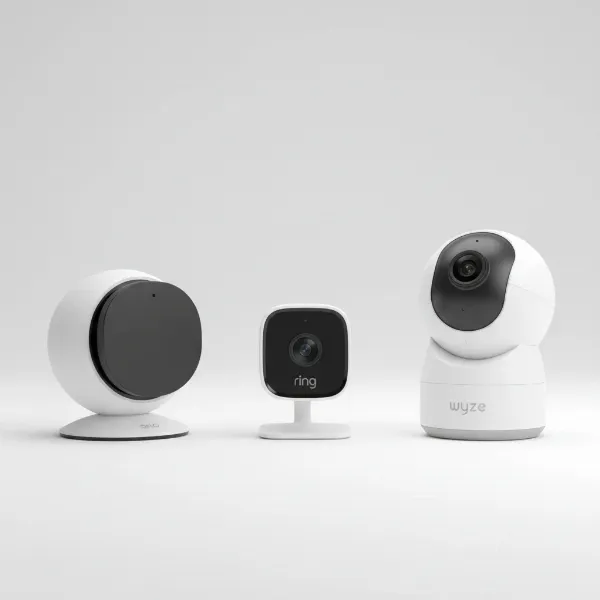 Three top indoor security cameras (Arlo, Ring, Wyze) shown side-by-side with illustrative features and distinct designs.
Conclusion
Choosing the right indoor security camera is a crucial step towards enhancing your home’s safety and providing invaluable peace of mind. By carefully considering your specific needs, understanding the different types of cameras available, and evaluating key features like resolution, night vision, and storage options, you can make an informed decision. Whether you prioritize advanced AI detection, a physical privacy shield, or expansive pan-tilt coverage, there’s an indoor security camera designed to meet your requirements. With the insights from this guide, you are now equipped to select a device that acts as a vigilant guardian for your home. Which feature do you think is most important for your home’s indoor security?
Frequently Asked Questions
What is the ideal resolution for an indoor security camera?
For most home users, 1080p Full HD resolution is ideal, providing clear and detailed footage sufficient for identifying faces and objects. If you require even sharper images or greater digital zoom capabilities, 2K or 4K cameras offer superior clarity but often come at a higher price point.
Do indoor security cameras need a subscription?
While many indoor security cameras offer basic features like live viewing and motion alerts without a subscription, most brands require a paid subscription for cloud video storage, advanced AI detection (like person or pet recognition), and longer video history. Some cameras offer local storage options (microSD card) to reduce reliance on subscriptions.
Can indoor security cameras work without Wi-Fi?
Most modern indoor security cameras rely on Wi-Fi for streaming live video, remote control, and sending alerts. However, some traditional analog CCTV systems do not require Wi-Fi, as they connect via cables to a DVR for local recording. A few advanced IP cameras can also record locally without an internet connection, but remote access would be limited.
How do indoor security cameras ensure privacy?
Many indoor security cameras include privacy features such as physical privacy shutters that block the lens, privacy modes that disable recording, or customizable activity zones that exclude certain areas from surveillance. Additionally, reputable brands often employ data encryption to protect your footage from unauthorized access.
What’s the difference between IP and WiFi cameras?
An IP (Internet Protocol) camera is a digital camera that transmits data over a network, which can be either wired (Ethernet) or wireless (Wi-Fi). A WiFi camera specifically refers to an IP camera that uses a wireless Wi-Fi connection. So, all WiFi cameras are IP cameras, but not all IP cameras are WiFi cameras.
Can indoor cameras detect motion accurately?
Most indoor cameras feature motion detection, with varying degrees of accuracy. Basic models trigger on any movement, while advanced cameras use AI-powered detection to differentiate between humans, pets, and other objects, significantly reducing false alarms. Adjustable sensitivity settings also help fine-tune detection.
Are battery-powered indoor cameras reliable?
Battery-powered indoor cameras offer great flexibility in placement as they don’t require a power outlet. Their reliability depends on battery life and Wi-Fi signal. While convenient, they often have shorter recording clips and features may be limited to conserve power, and you’ll need to periodically recharge or replace batteries.