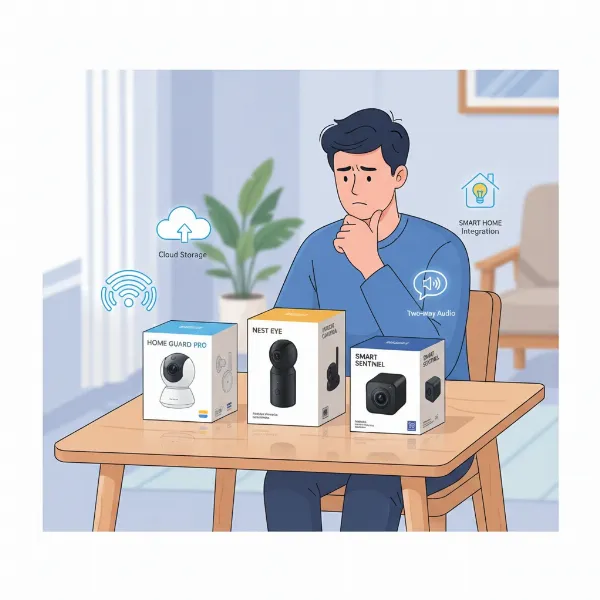
In an increasingly connected world, safeguarding your home and loved ones has never been more crucial. With concerns about package theft, home intrusions, or simply wanting to check on pets and children, an indoor security camera offers invaluable peace of mind. These intelligent devices provide more than just visual surveillance; they are a vital component of a modern smart home, offering features that extend beyond basic monitoring. This comprehensive guide will navigate you through the intricate landscape of indoor security cameras, detailing their types, essential features, and top recommendations, helping you make the most informed decision to secure your sanctuary.
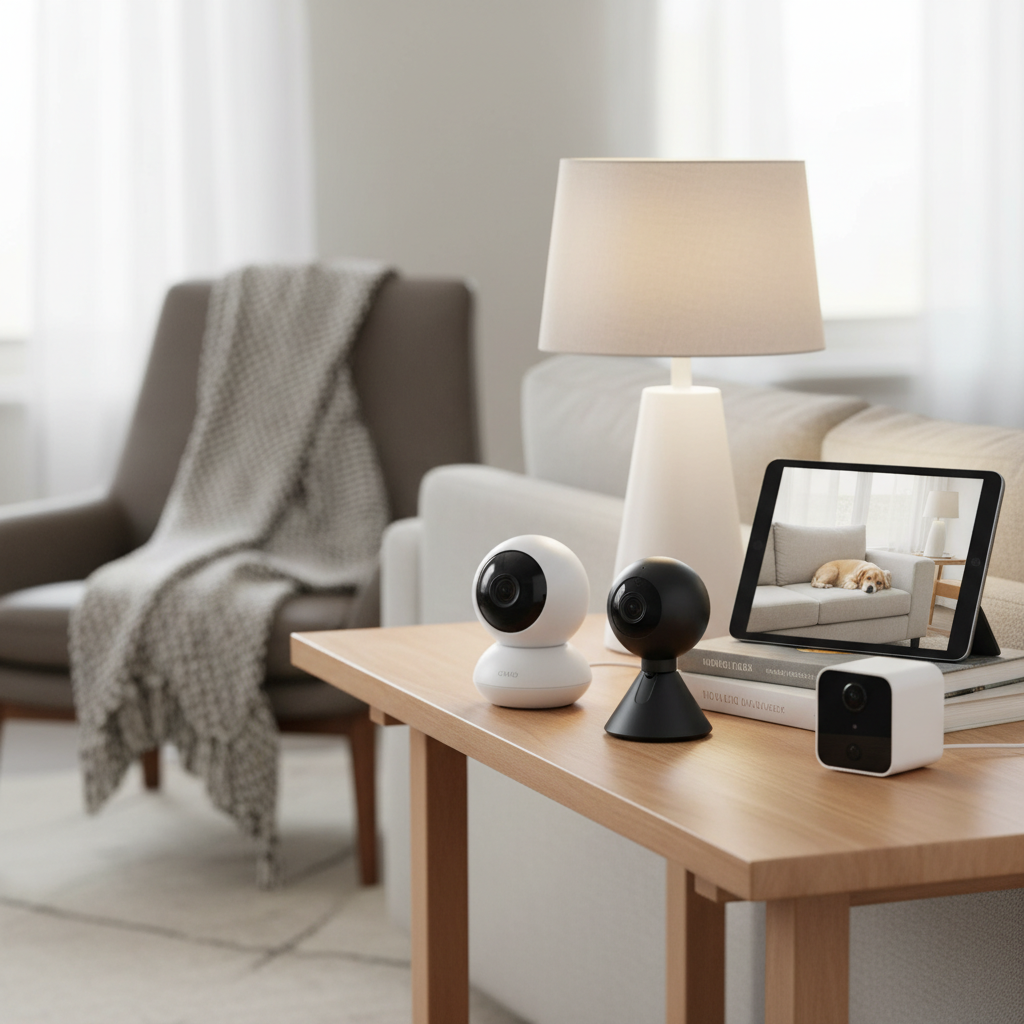
Overview of Indoor Security Cameras
An indoor security camera is an electronic device designed to monitor the interior spaces of your home or business, capturing and often recording video footage. Unlike their outdoor counterparts, indoor cameras typically feature more discreet designs and don’t require weatherproofing, focusing instead on advanced functionalities suitable for enclosed environments. These cameras serve as an integral part of home security systems, offering a constant visual watch over your property.
The importance of indoor security cameras in protecting a home cannot be overstated. They act as a deterrent to potential intruders, providing evidence in the event of a security breach, which can be crucial for investigations and insurance claims. Beyond security, they offer peace of mind, allowing homeowners to remotely check on children, elderly relatives, or pets while away from home. Their applications are diverse, ranging from general surveillance of entry points and hallways to specific uses like nanny cams or pet monitors, ensuring everything is as it should be.
Common applications include monitoring main living areas, children’s rooms, pet zones, or valuable item storage areas. They are also widely used to keep an eye on service providers, such as cleaners or repair technicians, when homeowners are not present. Modern indoor security cameras are equipped with intelligent features that enhance their utility, transforming them into proactive guardians of your indoor environment.
Common Types of Indoor Security Cameras
The market offers a variety of indoor security cameras, each with distinct advantages and disadvantages tailored to different security needs and preferences. Understanding these types is the first step toward selecting the ideal camera for your home.
IP Cameras
IP (Internet Protocol) cameras transmit digital video over a network, making them a cornerstone of modern security systems. They connect to your home Wi-Fi or directly via an Ethernet cable, sending footage to a network video recorder (NVR) or cloud storage.
- Advantages: High-resolution video (often 1080p, 2K, or even 4K), flexible placement if wireless, remote access via smartphone apps, advanced features like AI detection and smart home integration. They are generally considered more future-proof due to their digital nature and scalability.
- Disadvantages: Can be more expensive than analog, require a stable internet connection for remote features and cloud storage, and may involve subscription fees for full functionality.
- Real-world applications: Ideal for homeowners seeking high-quality video, smart features, and remote monitoring capabilities for various rooms, from living areas to home offices.
|
Our Picks for the Best Indoor security camera in 2026
As an Amazon Associate I earn from qualifying purchases.
|
||
| Num | Product | Action |
|---|---|---|
| 1 | TP-Link Tapo 1080P Indoor Security Camera for Baby Monitor, Dog Camera w/Motion Detection, 2-Way Audio Siren, Night Vision, Cloud & SD Card Storage, Works w/Alexa & Google Home (Tapo C100) |

|
| 2 | GNCC 2K Security Cameras 4pcs, Home Security Camera Indoor with 360° Motion Detection for Pets/Baby/Dog, Two-Way Audio, Night Vision, 24/7 SD Card Storage, Cloud Storage, Compatible with Alexa |
|
| 3 | Ring Indoor Cam Plus (newest model), Home or business security, Retinal 2K for crisp, true-to-life video quality, 4x Enhanced Zoom, Low-Light Sight, White |
|
| 4 | Tapo 2K Indoor Pan/Tilt Wired Security Camera - Works as a Baby Monitor & Pet Camera, Motion Detection, 2-Way Audio, Siren, Night Vision, No-Subscription Local Storage or Optional Cloud, C211 (2-Pack) |
|
| 5 | Blink Mini - Compact indoor plug-in smart security camera, 1080p HD video, night vision, motion detection, two-way audio, easy set up, Works with Alexa – 1 camera (White) |
|
| 6 | Blink Mini 2K+ (newest model) – Plug-in Home & Pet Indoor Security Camera with 2K video resolution, night vision, enhanced audio, motion detection – 2 cameras (Black) |
|
| 7 | Ring Indoor Cam, Home or business security in 1080p HD video, White |
|
| 8 | Tapo 1080P Indoor Wired Security Camera - Works as a Baby & Pet Monitor, Motion Detection, 2-Way Audio, Siren, Night Vision, Subscription-Free Local or Optional Cloud, Works with Alexa, C100(4-Pack) |
|
| 9 | Cinnado Security Camera Indoor-2K 360° WiFi Cameras for Home Security,Pet/Dog/Baby Camera with Phone app, 2-Way Audio, Night Vision, 24/7 SD Card Storage, Works with Alexa & Google Home (2.4Ghz)-D1 |
|
| 10 | AOQEE 2K Cameras for Home Security-Outdoor/Indoor Camera for Dog/Cat/Pet/Nanny/Baby/Elderly, Color Night Vision, White Light, Siren, 24/7 SD Recordings, Works with Alexa, Plug in (C1-White-2pack-2.4G) |
|
Analog Cameras
Analog cameras, often referred to as CCTV (Closed-Circuit Television) cameras, transmit video signals over coaxial cables to a digital video recorder (DVR). While still in use, they are less common for new DIY indoor security installations compared to IP cameras due to their limitations.
- Advantages: Generally more affordable, simpler technology, and do not rely on a network, making them less susceptible to Wi-Fi interference or cyber threats.
- Disadvantages: Lower video resolution compared to IP cameras, less flexible in terms of placement due to wiring requirements, and typically lack advanced smart features and remote access without additional equipment.
- Real-world applications: Best suited for those on a tight budget or for integrating with older, existing DVR systems where advanced features are not a priority.
PTZ (Pan-Tilt-Zoom) Cameras
PTZ cameras offer dynamic surveillance by allowing users to remotely control the camera’s field of view—panning horizontally, tilting vertically, and zooming in and out. This flexibility makes them excellent for covering large indoor spaces with a single device.
- Advantages: Comprehensive coverage of wide areas, ability to focus on specific details, and can follow motion or patrol preset points. Many offer 360-degree horizontal rotation.
- Disadvantages: Can be more expensive, and constant movement might require more attention from the user or specific automation settings.
- Real-world applications: Perfect for large living rooms, open-plan homes, or commercial spaces where monitoring broad areas with the ability to zoom in on specific events is crucial.
WiFi Cameras
WiFi cameras are essentially IP cameras that connect wirelessly to your home network, making installation significantly easier as they don’t require Ethernet cables. Many popular indoor cameras fall into this category.
- Advantages: Easy installation and flexible placement anywhere within Wi-Fi range, often battery-powered for truly wire-free setups, and integrate seamlessly with smartphone apps and smart home ecosystems.
- Disadvantages: Reliance on Wi-Fi signal strength, potential for signal interference, and battery-powered models require recharging or battery replacement. Some may have limitations on features or recording length to conserve battery life.
- Real-world applications: Ideal for renters, apartments, or homeowners who prefer a simple, flexible setup without complex wiring, suitable for monitoring specific rooms or entryways.
[image-1|types-of-indoor-security-cameras|Various types of indoor security cameras like dome, bullet, and PTZ models displayed in a modern home setting.|
A collection of different indoor security camera types—including a sleek white dome camera, a compact, subtle bullet-shaped camera, and a robotic-looking PTZ camera—are arranged on a shelf in a contemporary living room. The cameras are shown from a slight high-angle, with soft, inviting natural light illuminating them, highlighting their distinct designs and technological sophistication in a realistic photographic style.]
Important Features of Indoor Security Cameras
When evaluating indoor security cameras, several key features distinguish basic models from advanced systems, directly impacting their effectiveness and user experience.
Resolution and Image Quality
The resolution determines the clarity and detail of the video footage. Higher resolutions, such as 1080p (Full HD), 2K (Quad HD), or 4K (Ultra HD), provide sharper images, making it easier to identify faces or other crucial details. While 1080p is a good standard, 2K and 4K cameras offer superior clarity, especially when zooming in on recorded footage.
Viewing Angle and Pan-Tilt-Zoom Capabilities
The viewing angle, or field of view (FOV), dictates how wide an area the camera can capture. A wider FOV (e.g., 130-150 degrees) means fewer blind spots. Cameras with pan-tilt-zoom (PTZ) functionality provide the ultimate flexibility, allowing users to remotely adjust the camera’s direction and zoom level to cover expansive areas or focus on specific points of interest.
Night Vision
Essential for 24/7 surveillance, night vision allows the camera to record clear video in low-light or complete darkness. Most cameras use infrared (IR) LEDs for black-and-white night vision. Advanced models now offer color night vision, utilizing ambient light or built-in spotlights to produce more detailed and useful color footage even at night.
Motion Detection and AI Capabilities
Basic motion detection alerts you to any movement. However, advanced indoor cameras feature AI-powered detection that can differentiate between people, animals, and vehicles, significantly reducing false alarms. Some even include familiar face recognition, allowing you to tailor alerts based on who is detected. This intelligence helps you receive truly relevant notifications.
Data Storage (Memory Card, Cloud)
Indoor security cameras offer various data storage options. Local storage, typically via a microSD card, provides a cost-effective way to store recordings directly on the device, often without subscription fees. Cloud storage, on the other hand, offers remote access to footage, off-site backup, and often longer retention periods, though it usually comes with a monthly subscription. Hybrid solutions, combining both, offer the best of both worlds.
Two-Way Audio
This feature includes a built-in microphone and speaker, enabling you to hear what’s happening and communicate remotely through the camera. It’s useful for speaking to family members, deterring intruders, or even comforting a pet from afar.
Connectivity and Remote Control
Most modern indoor cameras connect via Wi-Fi and are managed through a dedicated smartphone app. This allows for live viewing, accessing recorded footage, adjusting settings, and receiving alerts from anywhere with an internet connection. Compatibility with smart home ecosystems like Amazon Alexa, Google Assistant, or Apple HomeKit enables voice control and integration with other smart devices.
Comparison Table of Popular Indoor Security Camera Models
| Feature | Google Nest Cam (Wired, 2nd Gen) | Ring Indoor Cam (2nd Gen) | Arlo Essential Indoor Camera | Wyze Cam v4 | Eufy S350 (Dual Cam) |
|---|---|---|---|---|---|
| Resolution | 1080p HD | 1080p HD | 1080p HD | 1440p (2K) | 4K (Dual 2K lenses) |
| Viewing Angle | 135 degrees | 140 degrees | 130 degrees | 116 degrees | 360 degrees (Pan/Tilt) |
| Night Vision | Black & White IR | Color Night Vision | Black & White IR | Color Night Vision | Color Night Vision |
| Storage | 6 hrs free cloud, subscription | Subscription cloud | Subscription cloud | MicroSD, optional cloud | MicroSD, optional cloud |
| Price | ~$100 | ~$60 | ~$80 | ~$40 | ~$250 |
Guide to Buying an Indoor Security Camera
Choosing the right indoor security camera involves a thoughtful process of matching your specific needs with the features and capabilities offered by various models.
Determine Your Usage Needs
Start by clearly defining what you want the camera to do. Are you monitoring a front entry, a child’s room, or pets? Do you need two-way audio to communicate or advanced AI for person detection? Your primary use case will guide your feature priorities. For example, a parent might prioritize reliable two-way talk and smart alerts, while a frequent traveler might value flexible storage access and quick motion clips.
Set a Budget
Indoor security cameras range widely in price, from budget-friendly options under $50 to premium models exceeding $200. Establish how much you’re willing to spend, keeping in mind that higher-priced cameras often offer superior resolution, more advanced AI features, and broader smart home integration. Also, factor in potential ongoing subscription costs for cloud storage or advanced features.
Research Reputable Brands
Focus on brands with a proven track record in home security. Companies like Google Nest, Ring, Arlo, Eufy, and Wyze are well-known for their reliable products and customer support. Checking brand reputations can save you from future headaches related to product quality or service.
Examine Technical Specifications
Dive into the details of resolution, field of view, night vision type, and storage options. Ensure these technical aspects meet your requirements. For instance, if capturing fine details is crucial, opt for 2K or 4K resolution. If monitoring a large area, look for a wide viewing angle or PTZ capabilities.
Read User Reviews and Expert Opinions
Before finalizing your decision, consult reviews from other users and expert publications. These provide real-world insights into a camera’s performance, ease of use, common issues, and actual reliability, offering a balanced perspective beyond marketing claims.
Understand Warranty and Support
A good warranty and accessible customer support are crucial. In case of technical issues or product defects, knowing that you have reliable support can significantly enhance your ownership experience.
[image-2|choosing-indoor-security-camera|A person comparing indoor security camera features on a tablet, with various camera models in the background.|
A detailed shot of a person’s hands holding a tablet, displaying a comparison chart of indoor security camera features. In the softly blurred background, several distinct indoor security camera models—some compact and white, others larger with dark lenses—are visible on a modern wooden shelf, suggesting a wide array of choices. The lighting is bright and natural, creating an inviting, realistic atmosphere, perfect for a buying guide.]
Top Picks – Best Indoor Security Camera Reviews
Having tested hundreds of models over a decade, here are some top recommendations that consistently deliver on performance, features, and value.
Google Nest Cam (Wired, 2nd Generation)
Overview: Often hailed as a top performer, the Google Nest Cam (Wired, 2nd Gen) offers seamless integration with the Google Home ecosystem. It boasts a sleek design that blends into any decor and is packed with intelligent features.
Pros: Excellent 1080p HD video quality, advanced person/animal/vehicle detection (with some free features), two-way audio, and robust integration with Google Assistant. It also offers 6 hours of event video history for free.
Cons: Full features, including longer video history and familiar face recognition, require a Nest Aware subscription. It is a wired camera, limiting placement flexibility if power outlets are scarce.
Best for: Users deeply integrated into the Google smart home ecosystem who prioritize advanced AI detection and premium design.
Ring Indoor Cam (2nd Generation)
Overview: The Ring Indoor Cam (2nd Gen) is an incredibly popular choice for its affordability and ease of use, especially for those already in the Ring ecosystem.
Pros: Affordable price point, compact design, 1080p HD video with color night vision, two-way audio with noise cancellation, and a physical privacy cover that disables audio and video when closed. Simple DIY installation.
Cons: Requires a Ring Protect subscription to access video history and other advanced features.
Best for: Budget-conscious users, existing Ring owners, and those who value a physical privacy shutter for peace of mind.
Arlo Essential Indoor Camera
Overview: Arlo is renowned for its premium security solutions, and the Essential Indoor Camera upholds this reputation with a strong focus on user privacy.
Pros: Clear 1080p HD footage, good night vision, and a standout automatic privacy shield that physically covers the lens and microphone when disarmed. Works with Alexa and Google Assistant.
Cons: More expensive than many budget options, and a paid Arlo Secure subscription is necessary for reviewing recorded footage. Lacks HomeKit support.
Best for: Users who prioritize privacy features, a premium build, and are willing to invest in a subscription for enhanced functionality.
“The evolution of indoor security cameras from simple recording devices to intelligent, AI-powered guardians has truly transformed home safety. Modern cameras offer not just eyes, but smart decision-making capabilities that empower homeowners like never before.” – Alex Chen, Security Tech Analyst
Conclusion
Navigating the vast array of indoor security cameras can seem daunting, but by understanding your specific needs and prioritizing key features, you can confidently select a device that perfectly fits your home and lifestyle. From the high-tech intelligence of Nest to the privacy-focused design of Arlo and the budget-friendly practicality of Ring or Wyze, there’s a camera engineered to offer you enhanced security and unparalleled peace of mind. These devices are more than just gadgets; they are vigilant sentinels that keep an eye on what matters most.
Ready to secure your indoor spaces? Which feature will be the deciding factor in your choice for the ultimate indoor security camera?
Frequently Asked Questions
What is the average lifespan of an indoor security camera?
The average lifespan of a good quality indoor security camera is typically between 5 to 10 years, depending on the brand, model, and how well it’s maintained. Factors like constant operation, software updates, and environmental conditions can influence its longevity. Investing in reputable brands often leads to a longer-lasting device.
Do indoor security cameras work without Wi-Fi?
Most modern indoor security cameras, especially those offering remote viewing and cloud storage, require a Wi-Fi connection. However, some models with local storage (e.g., microSD card) can record footage locally even without Wi-Fi, though you won’t be able to access live feeds or notifications remotely.
Are indoor security cameras difficult to install?
The majority of indoor security cameras are designed for easy, DIY installation. Many are plug-and-play, connecting wirelessly to your home network and managed through a user-friendly app. Wired cameras might require slightly more effort for cable management, but generally, installation is straightforward and does not require professional help.
Is a subscription necessary for indoor security cameras?
While many indoor security cameras offer basic functionalities like live view and motion alerts for free, a subscription is often required to unlock premium features such as extended cloud video history, advanced AI detection (person/pet/vehicle), and professional monitoring. It’s essential to check the subscription details before purchase.
Can indoor security cameras be hacked?
Like any internet-connected device, indoor security cameras can be vulnerable to hacking if not properly secured. To minimize risks, always use strong, unique passwords, enable two-factor authentication, keep camera firmware updated, and only purchase from reputable brands that prioritize security and encryption.
What is the difference between wired and wireless indoor cameras?
Wired indoor cameras connect to power and network via cables, offering reliable, continuous operation and typically higher bandwidth. Wireless cameras connect via Wi-Fi for data transmission and may be powered by batteries or a power adapter, providing more flexible placement but relying on Wi-Fi signal strength and battery life.