Have you ever left home and wondered if everything was truly safe and sound? In today’s fast-paced world, protecting your home and loved ones is more crucial than ever. Indoor security cameras offer an invaluable layer of protection, acting as your vigilant eyes when you can’t be there. They provide peace of mind, allowing you to monitor activity inside your property, check on family members or pets, and even deter potential intruders. But with countless models and features on the market, choosing the right indoor security camera can feel overwhelming. This comprehensive review cuts through the noise, offering honest facts and practical insights to help you make an informed decision, ensuring your home remains secure and your mind at ease.
Overview of Indoor Security Cameras
At its core, an indoor security camera is a device designed to capture and record video (and often audio) within your home, transmitting this data for live viewing or later review. These compact gadgets have evolved into sophisticated smart tools, far beyond simple surveillance. Their importance in modern home security cannot be overstated; they serve as a proactive deterrent to crime, provide crucial evidence in the event of an incident, and allow for constant monitoring of what matters most to you.
The applications of indoor security cameras are diverse and extend beyond just thwarting intruders. Many homeowners use them as “nanny cams” to oversee childcare providers, or as “pet cams” to check in on furry friends, ensuring their well-being and even interacting with them remotely. They are also invaluable for monitoring elderly relatives, keeping an eye on entryways, or simply gaining reassurance that everything is as it should be when you’re away.
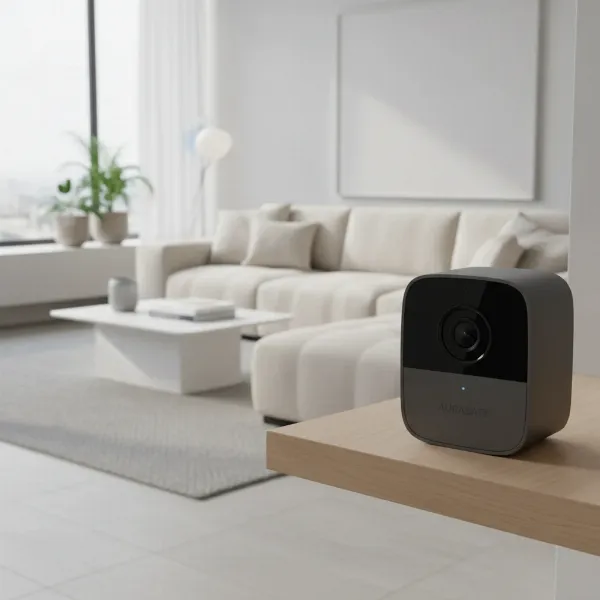 An indoor security camera subtly placed in a modern living room, monitoring a general area.
Common Types of Indoor Security Cameras
Understanding the different types of indoor security cameras available is the first step in finding the perfect fit for your home. Each type comes with its own set of advantages and limitations, catering to various needs and preferences.
IP Cameras
Internet Protocol (IP) cameras are the most prevalent type of modern indoor security camera. They connect directly to your home network, allowing them to send and receive data over the internet.
- Pros: IP cameras typically offer high-resolution video, advanced smart features like AI-powered detection, and seamless remote access via smartphone apps. Their flexibility allows for both wired (Ethernet) and wireless (Wi-Fi) connectivity options.
- Cons: These cameras rely heavily on a stable internet connection, and if not properly secured, they can be vulnerable to cyber threats.
- Applications: Ideal for general home surveillance, integrating with existing smart home ecosystems, and users who prioritize high-quality video and intelligent features.
|
Our Picks for the Best Indoor security camera in 2026
As an Amazon Associate I earn from qualifying purchases.
|
||
| Num | Product | Action |
|---|---|---|
| 1 | Ring Indoor Cam, Home or business security in 1080p HD video, White |

|
| 2 | Ring Indoor Cam Plus (newest model), Home or business security, Retinal 2K for crisp, true-to-life video quality, 4x Enhanced Zoom, Low-Light Sight, White |
|
| 3 | Blink Mini - Compact indoor plug-in smart security camera, 1080p HD video, night vision, motion detection, two-way audio, easy set up, Works with Alexa – 1 camera (White) |
|
| 4 | Tapo 1080P Indoor Wired Security Camera - Works as a Baby & Pet Monitor, Motion Detection, 2-Way Audio, Siren, Night Vision, Subscription-Free Local or Optional Cloud, Works with Alexa, C100(4-Pack) |
|
| 5 | TP-Link Tapo 1080P Indoor Security Camera for Baby Monitor, Dog Camera w/Motion Detection, 2-Way Audio Siren, Night Vision, Cloud & SD Card Storage, Works w/Alexa & Google Home (Tapo C100) |
|
| 6 | Cinnado Security Camera Indoor-2K 360° WiFi Cameras for Home Security,Pet/Dog/Baby Camera with Phone app, 2-Way Audio, Night Vision, 24/7 SD Card Storage, Works with Alexa & Google Home (2.4Ghz)-D1 |
|
| 7 | GNCC 2K Security Cameras 4pcs, Home Security Camera Indoor with 360° Motion Detection for Pets/Baby/Dog, Two-Way Audio, Night Vision, 24/7 SD Card Storage, Cloud Storage, Compatible with Alexa |
|
| 8 | Blink Mini 2K+ (newest model) – Plug-in Home & Pet Indoor Security Camera with 2K video resolution, night vision, enhanced audio, motion detection – 2 cameras (Black) |
|
| 9 | Tapo 2K Indoor Pan/Tilt Wired Security Camera - Works as a Baby Monitor & Pet Camera, Motion Detection, 2-Way Audio, Siren, Night Vision, No-Subscription Local Storage or Optional Cloud, C211 (2-Pack) |
|
| 10 | AOQEE 2K Cameras for Home Security-Outdoor/Indoor Camera for Dog/Cat/Pet/Nanny/Baby/Elderly, Color Night Vision, White Light, Siren, 24/7 SD Recordings, Works with Alexa, Plug in (C1-White-2pack-2.4G) |
|
Analog Cameras
While less common for new residential indoor setups, analog cameras (often part of CCTV systems) are still found in some applications. They transmit video over coaxial cables to a digital video recorder (DVR).
- Pros: Analog systems are generally simple, reliable, and less susceptible to network-related issues. They can be a cost-effective solution for basic, localized surveillance.
- Cons: They typically offer lower video resolution compared to IP cameras and lack inherent smart features or remote access without a dedicated DVR/NVR setup.
- Applications: Primarily used in older security installations or for specific hardwired scenarios where advanced smart features are not a priority.
PTZ (Pan-Tilt-Zoom) Cameras
PTZ cameras provide dynamic surveillance capabilities, allowing users to remotely control the camera’s horizontal (pan), vertical (tilt), and zoom functions.
- Pros: With the ability to cover a wide area from a single vantage point, PTZ cameras are excellent for monitoring large rooms or open-plan living spaces. Many models also feature optical zoom for clearer close-ups and motion tracking to follow subjects automatically.
- Cons: They tend to be more expensive than fixed cameras and their constant movement, if not managed, can raise privacy concerns. They might also be bulkier in design.
- Applications: Best suited for large rooms, warehouses, or areas where dynamic, comprehensive monitoring and the ability to zoom in on specific details are required.
WiFi Cameras
WiFi cameras, often a subset of IP cameras, emphasize wireless connectivity. They transmit video data over your home’s Wi-Fi network, eliminating the need for extensive wiring.
- Pros: Their wireless nature makes installation significantly easier and offers greater flexibility in placement. They are typically controlled via a smartphone app, providing convenience for remote monitoring.
- Cons: If battery-powered, regular recharging or battery replacement is necessary. They are also dependent on a strong and stable Wi-Fi signal, and signal interference can impact performance.
- Applications: An excellent choice for renters, those seeking a simple DIY setup, or anyone who values flexibility in camera placement without the hassle of running cables.
Important Features of Indoor Security Cameras
When evaluating indoor security cameras, several key features distinguish a good camera from a great one. Understanding these functionalities will help you prioritize what matters most for your home.
Resolution and Image Quality
The clarity of your camera’s footage is paramount. A higher resolution means sharper images and more discernible details. Most modern indoor cameras offer at least 1080p Full HD resolution, which is generally sufficient for identifying faces and objects. However, for even crisper and more detailed footage, 2K or 4K cameras are available, providing superior clarity that can be crucial for evidence.
Field of View and Pan/Tilt/Zoom
The field of view (FoV) dictates how much area the camera can capture. A wide-angle lens, typically between 120 and 180 degrees, is ideal for monitoring larger spaces, reducing the need for multiple cameras. For expansive rooms or dynamic monitoring needs, cameras with pan, tilt, and zoom (PTZ) capabilities offer the ultimate flexibility, allowing you to remotely adjust the camera’s perspective to cover virtually any angle within a room.
Night Vision
Security isn’t just a daytime concern. High-quality night vision is essential for 24/7 protection. Most cameras employ infrared (IR) LEDs to provide clear black-and-white footage in low-light or complete darkness. Advanced models may even offer color night vision, which uses ambient light or integrated spotlights to provide more detailed, color images at night.
Motion and Sound Detection
Effective motion detection ensures your camera only records when activity occurs, saving storage space and reducing the time spent sifting through irrelevant footage. Look for cameras with adjustable sensitivity to minimize false alarms caused by pets or minor environmental shifts. Many advanced cameras now offer intelligent detection features, capable of differentiating between people, pets, or even packages, sending specific alerts based on the detected object. Sound detection can also alert you to unusual noises like breaking glass or a smoke alarm.
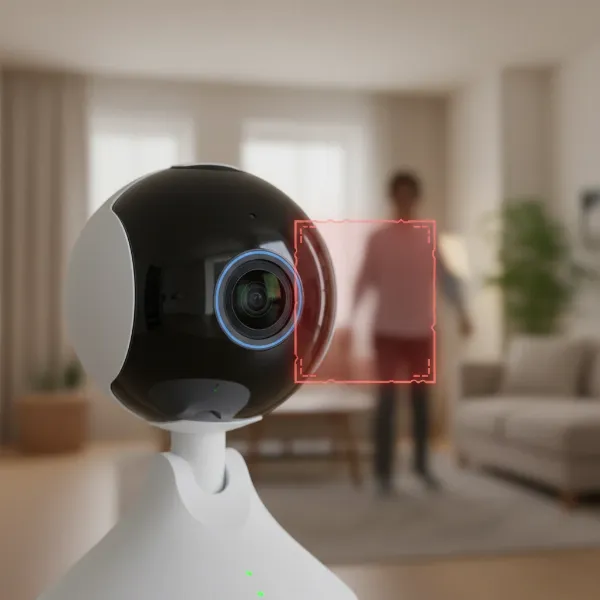 An indoor security camera highlighting its motion detection capability with an overlay showing detected movement.
Data Storage (Local vs. Cloud)
How your camera stores footage is a critical consideration for both accessibility and privacy.
- Local Storage: Many cameras include a microSD card slot for local recording, allowing you to store footage directly on the device. Some systems use a central hub or Network Video Recorder (NVR) for storage. This method often means no monthly subscription fees and greater privacy, as footage remains within your home network.
- Cloud Storage: Most smart indoor cameras offer cloud storage, where video clips are uploaded to secure remote servers. This provides convenient remote access to your recordings from anywhere. However, cloud storage usually requires a monthly subscription, and it’s essential to understand the provider’s data retention and privacy policies.
Two-Way Audio
The ability to communicate through your camera is a valuable feature. Two-way audio, enabled by a built-in microphone and speaker, allows you to listen in on your home environment and speak to individuals in the room. This can be useful for reassuring a pet, communicating with a family member, or even verbally deterring an intruder.
Connectivity and Remote Control
The vast majority of indoor security cameras connect to your home Wi-Fi network, enabling remote control and live viewing via a dedicated smartphone app. Many also integrate seamlessly with popular smart home platforms like Amazon Alexa, Google Assistant, and Apple HomeKit, allowing for voice control and automation with other smart devices.
Privacy Features
Given that indoor cameras are in your most personal space, privacy features are increasingly important. Look for cameras that offer a physical lens cover or privacy shutter that can be activated when you’re home. Software-based privacy zones allow you to black out specific areas within the camera’s field of view. Furthermore, end-to-end encryption for video feeds and stored data provides an extra layer of security against unauthorized access.
“Modern indoor security cameras are about more than just recording; they’re about creating a responsive and protected home environment, all while respecting your privacy through thoughtful design and secure technology.” – Alex Chen, Home Security Expert at SafeGuard Solutions
Comparison Table of Popular Indoor Security Camera Models
To help illustrate the differences between popular models, here’s a comparison of some well-regarded indoor security cameras on the market. Please note that specifications and pricing can vary.
| Feature | Google Nest Cam (Wired, 2nd Gen) | Arlo Essential Indoor Camera | Wyze Cam v4 |
|---|---|---|---|
| Resolution | 1080p HD | 1080p HD | 2K (1440p) |
| Field of View | 135 degrees | 130 degrees | 116 degrees |
| Night Vision | Infrared (B/W) | Infrared (B/W) | Color Night Vision |
| Storage | 3 hrs free cloud, subscription for more | Subscription cloud | MicroSD local, subscription cloud |
| Two-Way Audio | Yes | Yes | Yes |
| Privacy Features | Activity zones, home/away modes | Mechanical privacy shield | Privacy mode, activity zones |
| Subscription | Google Nest Aware (optional) | Arlo Secure (optional) | Cam Plus (optional) |
| Price Range | ~$100 | ~$60 | ~$35 |
Indoor Security Camera Buying Guide
Choosing the right indoor security camera involves a careful assessment of your needs, budget, and the features that matter most to you. Follow these guidelines to make a confident purchase.
Determine Your Needs
Start by clarifying what you intend to monitor. Are you looking to keep an eye on your children, check on pets, monitor main entryways, or safeguard specific valuables? Your primary use case will dictate the necessary features. For instance, monitoring a wide living area might call for a PTZ camera, while a discrete corner camera suffices for a doorway.
Set Your Budget
Indoor security cameras range from budget-friendly options under $50 to premium models costing several hundred dollars. Determine how much you’re willing to spend, keeping in mind that some cameras require ongoing subscription fees for cloud storage or advanced AI features. Balance initial cost with long-term expenses.
Reputable Brands
Stick with well-established and trusted brands in the home security market such as Google Nest, Arlo, Ring, Eufy, Wyze, and Blink. These companies typically offer better product reliability, stronger security, consistent software updates, and reliable customer support.
Read Specifications Carefully
Don’t just look at the price tag. Dive into the technical specifications:
- Resolution: Aim for at least 1080p.
- Field of View: Ensure it covers the desired area.
- Night Vision Range: Check how far it can see in the dark.
- Storage Options: Decide if local or cloud storage (or both) suits your preference.
- Smart Home Integration: Verify compatibility with your existing smart home ecosystem.
Consult User Reviews
Real-world user experiences can provide invaluable insights that specifications alone won’t reveal. Look for reviews that discuss ease of setup, app functionality, reliability of alerts, and actual video/audio quality in various conditions. Pay attention to common complaints or praises.
Warranty and Support
A good warranty and responsive customer support are crucial for any electronic device. Check the manufacturer’s warranty period and research their support reputation. Knowing you have reliable assistance post-purchase can save you headaches down the line.
Privacy Considerations
Always consider privacy during placement and setup. Avoid pointing cameras directly into private areas like bedrooms or bathrooms. Secure your home Wi-Fi network with strong passwords and WPA3 encryption. If available, enable end-to-end encryption and utilize physical privacy shutters or digital privacy zones to black out sensitive areas within the camera’s view.
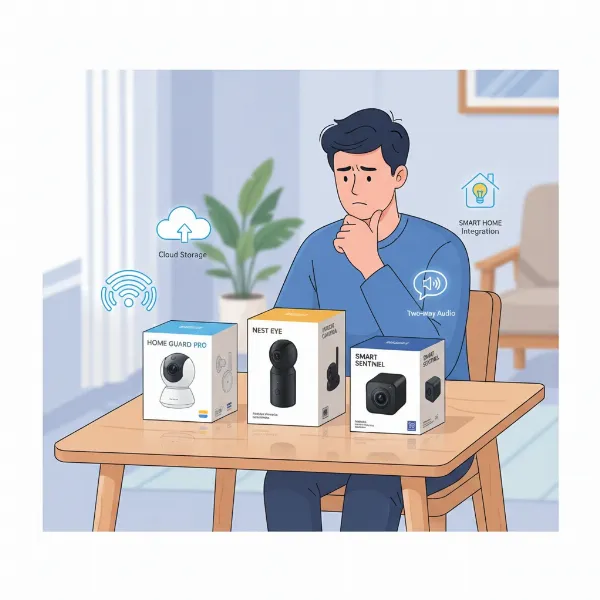 A person comparing different indoor security camera boxes on a table, with icons representing key features.
Top Picks – Best Indoor Security Camera Reviews
Based on extensive research and user feedback, here are three top picks for indoor security cameras that excel in different categories.
Google Nest Cam (Wired, 2nd Generation)
The Google Nest Cam (Wired, 2nd Gen) is often praised for its elegant design and robust smart features, making it a premium choice for smart home enthusiasts. It records in crisp 1080p HD and offers intelligent person, animal, and vehicle detection, allowing for precise notifications. Its integration with the Google Home platform is seamless, offering a unified smart home experience. While it provides a few hours of free cloud storage, unlocking its full potential, including extended video history and familiar face detection, typically requires a Nest Aware subscription. It’s a wired camera, ensuring reliable power without battery concerns. This camera is best for users deeply invested in the Google ecosystem who prioritize advanced AI features and don’t mind a subscription for enhanced functionality.
Arlo Essential Indoor Camera
For those who prioritize privacy alongside security, the Arlo Essential Indoor Camera stands out. It boasts a unique, motorized privacy shield that physically covers the camera lens and mutes the microphone when disarmed, offering true peace of mind. It records in 1080p HD, provides clear night vision, and includes two-way audio. The camera works well with Amazon Alexa and Google Assistant, though it lacks Apple HomeKit support. While it offers good basic functionality out of the box, accessing recorded footage and advanced features requires an Arlo Secure subscription. This camera is ideal for privacy-conscious individuals and those looking for a reliable, easy-to-use indoor camera that integrates well with major smart assistants.
Wyze Cam v4
The Wyze Cam v4 (and its predecessors) consistently ranks as one of the best budget-friendly indoor security cameras. Despite its low price, it offers impressive features, including 2K (1440p) resolution, color night vision, and reliable motion and sound detection. It supports local storage via a microSD card, which means you can record footage without a subscription. For advanced AI detection (like person detection without a cooldown period) and cloud storage, an affordable Cam Plus subscription is available. Its compact size and simple setup make it accessible for anyone. This camera is perfect for budget-conscious buyers, renters, or those new to smart home security who want excellent core features and the flexibility of local storage.
Conclusion
Choosing the right indoor security camera is an important decision for the safety and peace of mind of your household. We’ve explored the diverse types, essential features, and top models available, arming you with the knowledge to navigate this critical purchase. Whether you prioritize crystal-clear 4K video, robust privacy features like a physical shutter, or the affordability of a simple plug-and-play device, there’s an indoor security camera designed to meet your specific needs. Remember to consider your home’s layout, your budget, and the smart features that will genuinely enhance your daily life. By making an informed choice, you’re not just buying a camera; you’re investing in constant vigilance and the assurance that your indoor spaces are always protected. What aspect of your home security will you prioritize when choosing your next indoor security camera?
Frequently Asked Questions
Are indoor security cameras always recording?
Not necessarily. Most indoor security cameras offer continuous recording, but they also typically feature motion and sound detection, allowing them to record only when activity is detected. This saves storage space and allows you to focus on relevant events. You can often customize recording schedules or activate “privacy modes” where the camera stops recording when you’re home.
Do indoor security cameras need Wi-Fi?
Most modern indoor security cameras rely on Wi-Fi for connectivity, enabling remote viewing, notifications, and smart home integration. While some systems offer local recording to a microSD card without Wi-Fi, an internet connection is usually required to access live feeds or stored footage from outside your home.
How can I ensure my indoor camera footage is private?
To enhance privacy, choose cameras with physical privacy shutters, utilize privacy zones to block out sensitive areas in the camera’s view, and ensure end-to-end encryption is enabled for your video feed and storage. Always use strong, unique passwords for your camera and Wi-Fi network, and consider placing cameras thoughtfully to avoid private spaces.
What’s the difference between 1080p and 2K resolution for indoor cameras?
1080p (Full HD) resolution provides clear video, typically 1920×1080 pixels, which is sufficient for general identification. 2K resolution (often 2560×1440 pixels or similar) offers a significantly sharper and more detailed image, allowing for better zoom capabilities and clearer identification of smaller details within the frame.
Can indoor cameras detect pets or just people?
Many advanced indoor security cameras offer intelligent detection capabilities that can differentiate between people and pets. This feature helps reduce false alarms caused by your furry friends and allows you to receive specific alerts for human presence, making your notifications more relevant and actionable.